Playback starts YouTube’s embedded player (privacy-enhanced mode).
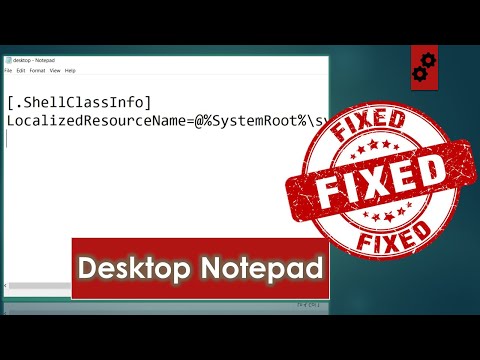
How to Fix Desktop Notepad (Desktop.ini) Automatically Opening on Windows 10 Startup?
ChannelJuice Tech EntertainmentChapters
Description from the creator
Tired of Notepad Automatically opening in Desktop when you startup your windows 10 P.C ? Watch this video till the end and learn how to Fix Desktop Notepad (Desktop.ini) problem.
Try Amazon Prime 30-Day Free Trial:- amzn.to/2Ufr3dm
Method 1:
Step 1: Press windows key + R on your keyboard.
Step 2: Type 'shell:startup' in the run dialogue box and click ok.
Step 3: Find desktop.ini (could also be desktop configuration settings) and delete it.
Restart your P.C and ensure that the issue is resolved.If not move on to Method 2.
Method 2:
Step 1: Open 'This PC'
Step 2: Click on 'View' tab at the top of the window.
Step 3: Double click on 'Options' that appear in the 'View' list.
Step 4: In the 'Folder Options' that appear on screen, move on to the 'view' tab.
Step 5: Under 'Advanced settings', navigate to 'hidden files and folders' and check mark that option that states: 'Show hidden files, folders and drives'. Click ok.
Step 6: Now Navigate to: Local disk c \ program data \ microsoft \ windows \ start menu \ programs \ start up
Step 7: If you find a 'Desktop.ini' file in the startup folder, delete it.
If Method 2 didn't workout or if you couldn't find a 'desktop.ini' file in the startup folder, proceed to Method 3.
Method 3:
Step 1: Open 'This PC'
Step 2: Click on 'View' tab at the top of the window.
Step 3: Double click on 'Options' that appear in the 'View' list.
Step 4: In the 'Folder Options' that appear on screen, move on to the 'view' tab.
Step 5: Under 'Advanced settings', navigate to 'hidden files and folders' and check mark that option that states: 'Show hidden files, folders and drives'. Click ok. (If already checked kindly ignore this step)
Step 6: Now Navigate to: Local disk c \ users \ asus (Note: The name of this folder might vary from person to person) \ app data \ roaming \ Microsoft \ windows \ start menu
Step 7: If you find a 'Desktop.ini' file in the startup folder, delete it.
--------------------------------------------------------
𝐁𝐞𝐬𝐭 𝐒𝐞𝐥𝐥𝐢𝐧𝐠 𝐓𝐞𝐜𝐡 𝐨𝐟 𝐓𝐡𝐞 𝐌𝐨𝐧𝐭𝐡
--------------------------------------------------------
○ 𝐂𝐨𝐦𝐩𝐮𝐭𝐞𝐫 & 𝐀𝐜𝐜𝐞𝐬𝐬𝐨𝐫𝐢𝐞𝐬:- amzn.to/2TTl9OZ
○ 𝐒𝐨𝐟𝐭𝐰𝐚𝐫𝐞:- amzn.to/37YgR0X
○ 𝐄𝐥𝐞𝐜𝐭𝐫𝐨𝐧𝐢𝐜𝐬:- amzn.to/31XVWHd
○ 𝐕𝐢𝐝𝐞𝐨 𝐆𝐚𝐦𝐞𝐬:- amzn.to/2TH9eDy
➤𝐅𝐨𝐫 𝐁𝐮𝐬𝐢𝐧𝐞𝐬𝐬 𝐏𝐮𝐫𝐩𝐨𝐬𝐞𝐬 𝐎𝐧𝐥𝐲: [email protected]
➤ 𝐅𝐨𝐥𝐥𝐨𝐰 𝐌𝐞 𝐎𝐧 𝐈𝐧𝐬𝐭𝐚𝐠𝐫𝐚𝐦: instagram.com/juicetechentertainment
Time Stamps
0:00 - Intro
0:23 - Content Disclaimer
0:34 - Method 1
1:09 - Method 2
2:19 - Method 3
3:24 - Outro
Like | Share | Subscribe | Comment
Track: Elektronomia - Breeze [NCS Release]
Music provided by NoCopyrightSounds.
Watch: youtu.be/abYP-NPLTbw
Free Download / Stream: ncs.lnk.to/Breeze
#desktopini #NotepadProblem #Solved #simple
Try Amazon Prime 30-Day Free Trial:- amzn.to/2Ufr3dm
Method 1:
Step 1: Press windows key + R on your keyboard.
Step 2: Type 'shell:startup' in the run dialogue box and click ok.
Step 3: Find desktop.ini (could also be desktop configuration settings) and delete it.
Restart your P.C and ensure that the issue is resolved.If not move on to Method 2.
Method 2:
Step 1: Open 'This PC'
Step 2: Click on 'View' tab at the top of the window.
Step 3: Double click on 'Options' that appear in the 'View' list.
Step 4: In the 'Folder Options' that appear on screen, move on to the 'view' tab.
Step 5: Under 'Advanced settings', navigate to 'hidden files and folders' and check mark that option that states: 'Show hidden files, folders and drives'. Click ok.
Step 6: Now Navigate to: Local disk c \ program data \ microsoft \ windows \ start menu \ programs \ start up
Step 7: If you find a 'Desktop.ini' file in the startup folder, delete it.
If Method 2 didn't workout or if you couldn't find a 'desktop.ini' file in the startup folder, proceed to Method 3.
Method 3:
Step 1: Open 'This PC'
Step 2: Click on 'View' tab at the top of the window.
Step 3: Double click on 'Options' that appear in the 'View' list.
Step 4: In the 'Folder Options' that appear on screen, move on to the 'view' tab.
Step 5: Under 'Advanced settings', navigate to 'hidden files and folders' and check mark that option that states: 'Show hidden files, folders and drives'. Click ok. (If already checked kindly ignore this step)
Step 6: Now Navigate to: Local disk c \ users \ asus (Note: The name of this folder might vary from person to person) \ app data \ roaming \ Microsoft \ windows \ start menu
Step 7: If you find a 'Desktop.ini' file in the startup folder, delete it.
--------------------------------------------------------
𝐁𝐞𝐬𝐭 𝐒𝐞𝐥𝐥𝐢𝐧𝐠 𝐓𝐞𝐜𝐡 𝐨𝐟 𝐓𝐡𝐞 𝐌𝐨𝐧𝐭𝐡
--------------------------------------------------------
○ 𝐂𝐨𝐦𝐩𝐮𝐭𝐞𝐫 & 𝐀𝐜𝐜𝐞𝐬𝐬𝐨𝐫𝐢𝐞𝐬:- amzn.to/2TTl9OZ
○ 𝐒𝐨𝐟𝐭𝐰𝐚𝐫𝐞:- amzn.to/37YgR0X
○ 𝐄𝐥𝐞𝐜𝐭𝐫𝐨𝐧𝐢𝐜𝐬:- amzn.to/31XVWHd
○ 𝐕𝐢𝐝𝐞𝐨 𝐆𝐚𝐦𝐞𝐬:- amzn.to/2TH9eDy
➤𝐅𝐨𝐫 𝐁𝐮𝐬𝐢𝐧𝐞𝐬𝐬 𝐏𝐮𝐫𝐩𝐨𝐬𝐞𝐬 𝐎𝐧𝐥𝐲: [email protected]
➤ 𝐅𝐨𝐥𝐥𝐨𝐰 𝐌𝐞 𝐎𝐧 𝐈𝐧𝐬𝐭𝐚𝐠𝐫𝐚𝐦: instagram.com/juicetechentertainment
Time Stamps
0:00 - Intro
0:23 - Content Disclaimer
0:34 - Method 1
1:09 - Method 2
2:19 - Method 3
3:24 - Outro
Like | Share | Subscribe | Comment
Track: Elektronomia - Breeze [NCS Release]
Music provided by NoCopyrightSounds.
Watch: youtu.be/abYP-NPLTbw
Free Download / Stream: ncs.lnk.to/Breeze
#desktopini #NotepadProblem #Solved #simple
About this tutorial
Juice Tech Entertainment published this 3:37 video tutorial on September 15, 2020. It has been watched 45,277 times on YouTube.
- Channel
- Juice Tech Entertainment
- Category
- Science & Technology
- Duration
- 3:37
- Published
- September 15, 2020
- Views
- 45,277
- Likes
- 481
Tags
Share
This tutorial in other languages
- FRComment réparer le Bloc-notes de bureau (Desktop.ini) Ouverture automatique sur Windows 10 démarrage?
- ESCómo arreglar escritorio Bloc de notas (Desktop.ini) abra automáticamente en Windows 10 Puesta en marcha?
- PTComo corrigir Desktop Notepad (Desktop.ini) abram automaticamente no Windows 10 Startup?
- ITCome risolvere Desktop Notepad (Desktop.ini) apra automaticamente su Windows 10 Startup?
- DEWie Fix Desktop Notepad (Desktop.ini) Automatisches Öffnen auf Windows 10 Startup?
- NLHoe kan ik Desktop Notepad (Desktop.ini) automatisch wordt geopend op Windows 10 Startup Fix?
- RUКак исправить Desktop Notepad (Desktop.ini) автоматическое открытие на Windows 10 Startup?
- PLJak naprawić pulpitu schowek (Desktop.ini) automatyczne otwieranie startowego w systemie Windows 10?
- JAどのように自動的にWindows 10起動時に開くデスクトップのメモ帳(Desktop.iniのを)修正するには?
- ARكيفية اصلاح سطح المكتب المفكرة (Desktop.ini) فتح تلقائيا على نظام التشغيل Windows 10 بدء التشغيل؟
- HIकैसे डेस्कटॉप नोटपैड (Desktop.ini) स्वचालित रूप से Windows 10 स्टार्टअप पर खुलने तय करने के लिए?
- IDCara Memperbaiki Desktop Notepad (Desktop.ini) Secara otomatis Membuka pada Windows 10 Startup?