Playback starts YouTube’s embedded player (privacy-enhanced mode).
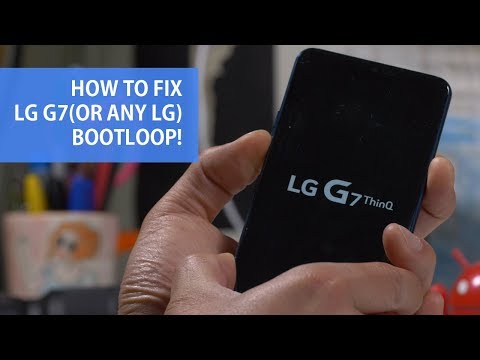
How to Fix LG G7(Or Any LG) Bootloop & Flash Another Country Firmware!
ChannelMax LeeDescription from the creator
Recently, LG G7 European model LM-G710EM has been causing endless bootloops for LG G7 users. While you can get it fixed by sending back to LG(which I recommend), there is also a way to fix it yourself by installing another country firmware. If you are in a dire situation where you have to absolutely get your LG G7 working, this tutorial should help you factory reset your LG G7 then flash another country firmware(which shouldn't have the SIM reboot issues) and get your phone working. This method will also work for all LG smartphones including LG V20, V30, V40, G6, G5, etc...etc... you only need to use different firmware file and different LGUP DLL file for your model of LG smartphone. Note, this tutorial involves factory resetting which will ERASE EVERYTHING ON YOUR PHONE! Downloads & Written Tutorial Here:
highonandroid.com/android-howtos/how-to-fix-lg-… Also see how to convert LG into another model number here:
youtube.com/watch?v=v6cHBZulzXY Statement from LG, this is a software issue causing bootloop on certain carriers:
“The latest software update for the LG G7 ThinQ on a specific network in a number of European countries is preventing the phone from starting. Customers experiencing issues with their devices immediately after the software update can be assured that no permanent damage has occurred with their LG G7 ThinQ. In cooperation with the operator, LG will be issuing a software solution within the next several days which will allow affected customers to roll back the update and return their device to its previous state. Customers are encouraged to contact an LG call center or visit their local service center for further assistance. LG sincerely apologizes for this tremendous inconvenience and we are making every effort to remedy this situation as quickly as possible.”
#LGG7 #HighOnAndroid #LGBootloop #Bootloop
------------------------------------------------------------------------------------------
Do you have a technical question about this video?
If it's a technical question such as how to root or install a ROM,
please ask your question here by starting a new topic at the new Android Rehab Center:
forum.highonandroid.com/c/Android-Rehab-Center/…
YouTube commenting/notification system is very outdated and makes it hard/impossible
to get back to everyone but if you post it on our Rehab Center, you will get an answer ASAP!
Here's a video explaining why you didn't get a reply from my videos:
youtube.com/watch?v=FBfku5Lk7xk
------------------------------------------------------------------------------------------
Follow my social media:
twitter.com/zedomax
instagram.com/reallyhighonandroid
facebook.com/howtoblog
------------------------------------------
Join the HighOnAndroid VIP Fans List here:
highonandroid.com/newsletter.php
------------------------------------------
#HighOnAndroid
highonandroid.com/android-howtos/how-to-fix-lg-… Also see how to convert LG into another model number here:
youtube.com/watch?v=v6cHBZulzXY Statement from LG, this is a software issue causing bootloop on certain carriers:
“The latest software update for the LG G7 ThinQ on a specific network in a number of European countries is preventing the phone from starting. Customers experiencing issues with their devices immediately after the software update can be assured that no permanent damage has occurred with their LG G7 ThinQ. In cooperation with the operator, LG will be issuing a software solution within the next several days which will allow affected customers to roll back the update and return their device to its previous state. Customers are encouraged to contact an LG call center or visit their local service center for further assistance. LG sincerely apologizes for this tremendous inconvenience and we are making every effort to remedy this situation as quickly as possible.”
#LGG7 #HighOnAndroid #LGBootloop #Bootloop
------------------------------------------------------------------------------------------
Do you have a technical question about this video?
If it's a technical question such as how to root or install a ROM,
please ask your question here by starting a new topic at the new Android Rehab Center:
forum.highonandroid.com/c/Android-Rehab-Center/…
YouTube commenting/notification system is very outdated and makes it hard/impossible
to get back to everyone but if you post it on our Rehab Center, you will get an answer ASAP!
Here's a video explaining why you didn't get a reply from my videos:
youtube.com/watch?v=FBfku5Lk7xk
------------------------------------------------------------------------------------------
Follow my social media:
twitter.com/zedomax
instagram.com/reallyhighonandroid
facebook.com/howtoblog
------------------------------------------
Join the HighOnAndroid VIP Fans List here:
highonandroid.com/newsletter.php
------------------------------------------
#HighOnAndroid
About this tutorial
Max Lee published this 11:49 video tutorial on November 5, 2019. It has been watched 61,538 times on YouTube.
- Channel
- Max Lee
- Category
- Science & Technology
- Duration
- 11:49
- Published
- November 5, 2019
- Views
- 61,538
- Likes
- 631
Tags
Share
This tutorial in other languages
- FRComment réparer LG G7 (ou tout LG) bootloop & Flash autre pays Firmware!
- ESCómo arreglar LG G-7 (o cualquier LG) bootloop y Flash otro país firmware!
- PTComo corrigir LG G7 (ou qualquer LG) bootloop & flash Another Country Firmware!
- ITCome risolvere LG G7 (o qualsiasi LG) Bootloop & Flash Another Country firmware!
- DEWie Fix LG G7 (oder irgendein LG) bootloop & Flash-Another Country Firmware!
- NLHoe kan ik Fix LG G7 (of een LG) Bootloop & Flash Another Country Firmware!
- RUКак исправить LG G7 (или любую LG) Bootloop & вспышку Другой Страны прошивки!
- PLJak naprawić LG G7 (lub dowolny LG) Bootloop i błysk Inny kraj firmware!
- JALG G7(または任意のLG)ブートループ&フラッシュ別の国のファームウェアを修正する方法!
- ARكيفية إصلاح LG G7 (أو أي LG) Bootloop وفلاش البلد الثابتة أخرى!
- HIएलजी जी 7 (या किसी भी एलजी) Bootloop और फ्लैश एक और देश फर्मवेयर को कैसे सुधारें!
- IDCara Perbaiki LG G7 (Atau apapun LG) Bootloop & flash Another Country Firmware!