Playback starts YouTube’s embedded player (privacy-enhanced mode).
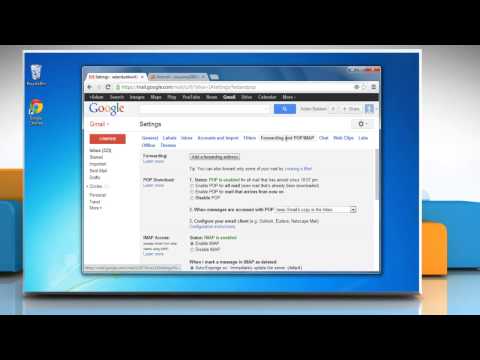
How to forward email messages sent to your Gmail® account to another address
ChannelHow-To GuideDescription from the creator
Looking for methods to forward e-mail messages sent to your Gmail® account to another address, just follow the easy steps shown in this video.
------------------------------------------------------------------------------------------
Useful videos :
youtube.com/watch?v=8QutAGmSpKg (turn off Compatibility View )
youtube.com/watch?v=4vzPn5dxTOg (Unable to Receive Emails on Gmail®)
youtube.com/watch?v=oj7bTQhOD_4 (allow sites to access your camera and microphone )
Content in this video is provided on an ""as is"" basis with no express or implied warranties whatsoever. Any reference of any third party logos, brand names, trademarks, services marks, trade names, trade dress and copyrights shall not imply any affiliation to such third parties, unless expressly specified.
------------------------------------------------------------------------------------------
Useful videos :
youtube.com/watch?v=8QutAGmSpKg (turn off Compatibility View )
youtube.com/watch?v=4vzPn5dxTOg (Unable to Receive Emails on Gmail®)
youtube.com/watch?v=oj7bTQhOD_4 (allow sites to access your camera and microphone )
Content in this video is provided on an ""as is"" basis with no express or implied warranties whatsoever. Any reference of any third party logos, brand names, trademarks, services marks, trade names, trade dress and copyrights shall not imply any affiliation to such third parties, unless expressly specified.
About this tutorial
How-To Guide published this 1:28 video tutorial on November 3, 2013. It has been watched 257,902 times on YouTube.
- Channel
- How-To Guide
- Category
- Science & Technology
- Duration
- 1:28
- Published
- November 3, 2013
- Views
- 257,902
- Likes
- 707
Tags
Share
This tutorial in other languages
- FRComment transférer des messages électroniques envoyés à votre compte Gmail® à une autre adresse
- ESCómo reenviar mensajes de correo electrónico enviados a su cuenta a otra dirección Gmail®
- PTComo encaminhar mensagens de email enviadas para sua conta Gmail® para outro endereço
- ITCome inoltrare i messaggi e-mail inviati al proprio account Gmail® a un altro indirizzo
- DEWie weiterleiten E-Mail-Nachrichten an Ihre Gmail® Konto an eine andere Adresse gesendet
- NLHoe kan ik e-mailberichten naar uw Gmail® rekening verzonden naar een ander adres te sturen
- RUКак пересылать сообщения электронной почты, отправленные на ваш счет Gmail® на другой адрес
- PLJak do przesyłania wiadomości e-mail wysyłanych do konta Gmail® na inny adres
- JA別のアドレスにごGmail®アカウントに送信される電子メールメッセージを転送する方法
- ARكيفية إعادة توجيه رسائل البريد الإلكتروني المرسلة إلى حساب Gmail® الالكتروني الى عنوان آخر
- HIएक और पता करने के लिए अपने Gmail® खाते में भेजे गए ई-मेल संदेश अग्रेषित करने के लिए कैसे
- IDBagaimana untuk meneruskan pesan email yang dikirim ke akun Gmail® Anda ke alamat lain