Playback starts YouTube’s embedded player (privacy-enhanced mode).
How to Get Album Artwork on an iPod
ChannelHowcastDescription from the creator
-
-
Watch more How to Use an IPod videos: howcast.com/videos/417405-How-to-Get-Album-Artw…
Step 1: Join the iTunes store
Join the Apple iTunes Store. Once you're a member, you can select all of your songs from List View in iTunes, right-click on the selection, and then select Get Album Artwork. If you want to add artwork for a full album in your playlist, go to Album View, right-click on the first song, and select Get Album Artwork.
Tip
Since iTunes will likely not carry every album in your collection, you may get a message saying "Could not get artwork for some albums."
Step 2: Manually add artwork
Manually add artwork by going to Album Flow View from the View menu in iTunes or by clicking on the farthest right button of the three next to the "search" field.
Step 3: Highlight songs
Select all of the songs in which you'd like artwork. The bottom left area of the screen shows a box titled "Selected Item" over a white field that says, "Drag Album Artwork Here."
Tip
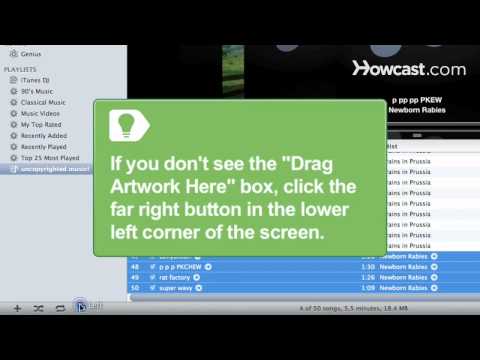
If you don't see the "Drag Artwork Here" box, click the far right button in the lower left corner of the screen. The button's icon is a box with an up arrow in it and activates the "Show or hide artwork or video viewer."
Step 4: Find a picture of the album
Enter the name of the album and artist into a search engine and find images of the album artwork.
Step 5: Copy and paste
Right-click on the album image and select Copy Image. Then go to iTunes and right-click on the Drag Artwork Here field. Select Paste, and the cover art will be pasted to the Drag Artwork Here field and into the blank field above the album title and artist in the Cover Flow.
Step 6: Use artwork saved to your computer
Use images on your computer by highlighting the first song of the album, right-clicking on the highlighted area, and selecting Get Info. Then click on the Artwork tab, click Add, and find the artwork you want to use. Select the image, click OK, and the image will appear as the album artwork.
Step 7: Sync your iPod
Copy your music from iTunes to your iPod -- or sync your iPod -- and all of your album artwork will be visible on your iPod screen.
Did You Know?
As of early 2010, the Black Eyed Peas pop hit "I Gotta Feeling" was the top-selling digital song in history.
About this tutorial
Howcast published this 2:47 video tutorial on October 25, 2011. It has been watched 23,466 times on YouTube.
- Channel
- Howcast
- Category
- Science & Technology
- Duration
- 2:47
- Published
- October 25, 2011
- Views
- 23,466
- Likes
- 82
Tags
Share
Further reading
-
How to Easily Add Artwork to iPod - TunesGo
tunesgo.wondershare.com
While listening to music on iPods or any music device, artwork help users a lot to recognize the type of songs and from which album it is. So artwork is a very important thing for music lovers without having artwork wit…
-
How to Get Album Artwork on an IPod - Step by Step
stepbystep.com
After that, you will have to double-click within the ‘Artwork’ option in the box. Locate the album artwork file, select it and click ‘Choose’ option. In this way, your artwork will be added to your album and you can get…
-
How to Get Album Artwork for an iPod or iTunes: 11 Steps
wikihow.com
Select "Get Album Artwork" from the pull down menu. An alert message should come up, explaining that songs with missing album artwork will be sent to iTunes. Agree to the prompt and your artwork will start downloading.…
This tutorial in other languages
- FRComment obtenir les illustrations d'album sur un iPod
- ESCómo Obtener ilustración del álbum en un iPod
- PTComo Obter Capa do Álbum em um iPod
- ITCome Ottieni illustrazioni album su un iPod
- DEWie Album Artwork auf einem iPod holen
- NLHow to Get Album Artwork op een iPod
- RUКак получить обложку альбома на IPOD
- PLJak uzyskać okładek albumów w iPodzie
- JAiPodでアルバムアートワークを入手する方法
- ARكيفية الحصول على ألبوم الصور على أجهزة أي بود
- HIकैसे एक आइपॉड पर एल्बम कलाकृति प्राप्त करने
- IDBagaimana Mendapatkan Album Artwork pada iPod