Playback starts YouTube’s embedded player (privacy-enhanced mode).
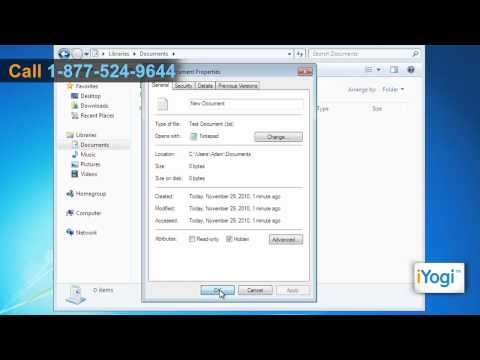
How to Hide Files/Folders in Windows® 7
ChannelHow-To GuideDescription from the creator
Don't you want to ensure that the important computing data on your Windows® 7-based computer stays protected and away from an unknown user's access? If yes, then you can save files of your choice as hidden, that is, even if there are any files stored on your PC, if you hide them, then no one else can view them except you.
Content in this video is provided on an "as is" basis with no express or implied warranties whatsoever. Any reference of any third party logos, brand names, trademarks, services marks, trade names, trade dress and copyrights shall not imply any affiliation to such third parties, unless expressly specified.
Content in this video is provided on an "as is" basis with no express or implied warranties whatsoever. Any reference of any third party logos, brand names, trademarks, services marks, trade names, trade dress and copyrights shall not imply any affiliation to such third parties, unless expressly specified.
About this tutorial
How-To Guide published this 1:32 video tutorial on November 13, 2011. It has been watched 72,184 times on YouTube.
- Channel
- How-To Guide
- Category
- Science & Technology
- Duration
- 1:32
- Published
- November 13, 2011
- Views
- 72,184
- Likes
- 360
Tags
Share
This tutorial in other languages
- FRComment masquer les fichiers / dossiers dans Windows 7
- ESCómo ocultar archivos / carpetas en Windows 7
- PTComo ocultar arquivos / pastas no Windows® 7
- ITCome nascondere file / cartelle in Windows 7
- DEWie zu verbergen Dateien / Ordner in Windows® 7
- NLHoe kan ik bestanden / mappen verbergen in Windows® 7
- RUКак скрыть файлы / папки в операционной системе Windows® 7
- PLJak ukryć pliki / foldery w Windows 7
- JAWindows®7の内のファイル/フォルダを非表示にする方法
- ARكيفية إخفاء الملفات / المجلدات في ويندوز 7
- HIविंडोज 7 में फ़ाइलें / फ़ोल्डर छिपाने के लिए कैसे
- IDCara Sembunyikan File / Folder di Windows 7