Playback starts YouTube’s embedded player (privacy-enhanced mode).
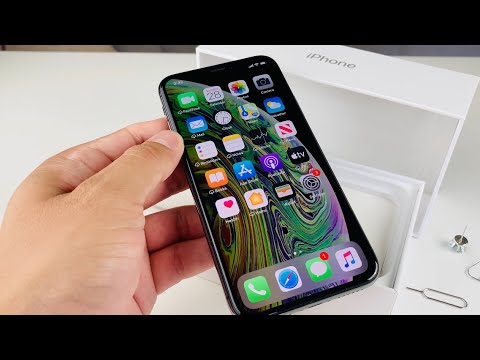
How To Insert SIM Card iPhone XS Activate Phone Service
ChannelTechnomentaryDescription from the creator
iPhone XS how to insert remove SIM card to activate phone service
GET CHEAP iPHONES on Amazon (US): amzn.to/3elBeVZ
GET CHEAP iPHONES on Amazon (UK): amzn.to/3fdXguW
GET CHEAP iPHONES on Amazon (Canada): amzn.to/3aRRU4P
@Technomentary presents how to insert and remove sim card into Apple iPhone 7 Plus. Apple iPhone 8 / 8 Plus. Also works with Apple iPhone 11 Pro / 11 Pro Max or iPhone X / XS /XR or iPhone 8 / 8 Plus and can also be replicated on the iPhone 7 / 7 Plus or iPhone 6 / 6S /6S Plus and iPhone 6 Plus. (Easy Method & Troubleshooting Tips)
Directions:
1. Locate the Nano SIM Slot on the right edge
2. Sim card ejector removal tool, paperclip or earring that came with the iPhone 11 Pro or iPhone 11 Pro Max and align end with the pinhole
3. Push the tool firmly in until the tray pops out
4. Remove SIM card tray and fit the NanoSIM card (contact points facing up)
5. Align the two pin holes and reinsert tray into phone
6. Press tray into phone and wait 10-20 seconds for service to come up
Troubleshooting No Service / SIM Card not reading on iPhone:
1. Turn off and on the iPhone (Press and hold Power button and Volume Up button)
2. Contact carrier to let them know you have a new phone and give them the IMEI number ( Settings - General - About - IMEI) or dail *#06#
3. Check if the phone is compatible with your SIM Card (Pro tip: always buy "unlocked" phone). You can always ask previous carrier to unlocked your iPhone if you paid it off your contract.
4. Get a new SIM card from your carrier, if the SIM card is damaged or broken.
About this tutorial
Technomentary published this 6:11 video tutorial on July 26, 2020. It has been watched 112,827 times on YouTube.
- Channel
- Technomentary
- Category
- Science & Technology
- Duration
- 6:11
- Published
- July 26, 2020
- Views
- 112,827
- Likes
- 728
Share
Further reading
-
How To Insert SIM Card Apple iPhone XS / XS Max - KrispiTech
krispitech.com
How To Insert SIM Card Apple iPhone XS / XS Max: Don’t attempt to insert the SIM card while the device is powered on. Doing so may harm the SIM card and/or the device. Don’t modify or alter your SIM card. Refer to these…
-
How to activate any iPhone for use with cellular service ...
businessinsider.com
Insert the SIM card in your iPhone using the SIM card tray eject pin. Dave Johnson/Business Insider 2. Also, note that the SIM card must be activated by the cellular carrier you have a plan with.
-
Apple iPhone XS / XS Max - Insert / Remove SIM Card | Verizon
verizon.com
Here's how to properly insert or remove a SIM card for your iPhone XS / XS Max. ... Apple iPhone XS / XS Max - Insert / Remove SIM Card. ... 24/7 automated phone ...
This tutorial in other languages
- FRComment insérer la carte SIM iPhone XS Activer le service de téléphonie
- ESCómo insertar la tarjeta SIM iPhone XS Activar el Servicio Telefónico
- PTComo inserir SIM Card iPhone XS Ativar serviço de telefone
- ITCome inserire carta SIM iPhone XS Attiva il servizio di Telefonia
- DEWie man SIM-Karte einlegen iPhone XS Activate Phone Service
- NLHow To SIM-kaart plaatsen iPhone XS Activate Phone Service
- RUКак карты iPhone XS телефон службы Activate Чтобы вставить SIM
- PLJak wkładać karty SIM iPhone XS Aktywacja Usługa telefonii
- JAどのようにするには挿入SIMカードをiPhone XSアクティブ電話サービス
- ARكيفية إدراج بطاقة SIM فون XS تفعيل خدمة الهاتف
- HIकैसे करने के लिए सम्मिलित करें सिम कार्ड iPhone XS सक्रिय फोन सेवा
- IDCara Insert SIM Card iPhone XS Aktifkan Layanan Telepon