Playback starts YouTube’s embedded player (privacy-enhanced mode).
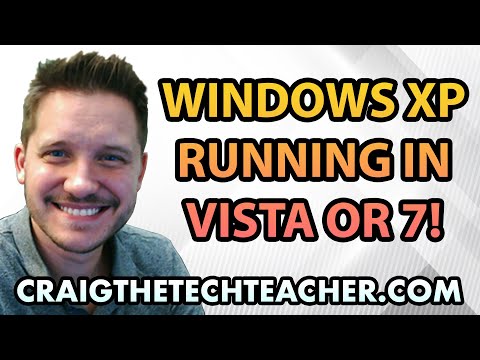
How To Install and Run Windows XP on Windows Vista or 7
ChannelCraig ChamberlinDescription from the creator
Limited Time Deal for Craig The Tech Teacher Fans. Get 1,000+ Amazon Audible Audiobooks + 1 Title Free For 30-Days: amzn.to/3CKQlW6
GET 27 AMAZING WINDOWS 10 PERFORMANCE BOOSTING TIPS, MY 400 PAGE STEP-BY-STEP GUIDE!
Kindle Unlimited (FREE): amzn.to/30pL7Mq
Paperback ($16.57): amzn.to/3a92mpr
Consider Donating: bit.ly/2tNWTEw
This content is brought to you by Craig The Tech Teacher: craigthetechteacher.com
Virtualization has been around for quite some time now, and it has come a long way. Once upon a time there was very few options when it came to running an operating system within an operating system. However, since Windows Vista came out, Microsoft quickly learned that there was a demand for learning how to install and run Windows XP on Windows Vista or 7 and use older Windows applications in their newer operating systems.
Virtualization was not limited to only Microsoft Windows - Mac has made amazing strides in running Virtualized Windows environments for quite some time in order to run Windows based software on a Macintosh enabled computer. The barriers associated with operating system limitations are quickly becoming a thing of the past. I even discussed the possibility of future gaming systems running Virtual machines of their older systems right within the new system itself.
This video discusses how to install and run Windows XP on a Windows Vista or 7 operating system. Now this technology isn't limited to only installing Windows XP. The Virtual Machine used in this video known as Oracles VM VirtualBox is actually a very popular product for installing a large variety of operating systems including Windows 3.1, 95, 98, Windows 2000, Windows XP, Mac OSX and many Linux distributions.
The reason I recommend using the Oracle VM VirtualBox over the Windows XP Mode in this video is because Oracle has done a much better job in virtualization of graphics hardware. Oracle has created a way to install and run Windows XP graphics such as 2D and 3D acceleration right within the Virtual Machine. This is great news for those who are interested in running older Windows games right in their Windows 7 operating system.
This video goes into great detail on how to install and run Windows XP on Windows Vista or 7 - remember if you have any questions at all you can swing by the community forum and ask me any time.
GET 27 AMAZING WINDOWS 10 PERFORMANCE BOOSTING TIPS, MY 400 PAGE STEP-BY-STEP GUIDE!
Kindle Unlimited (FREE): amzn.to/30pL7Mq
Paperback ($16.57): amzn.to/3a92mpr
Consider Donating: bit.ly/2tNWTEw
This content is brought to you by Craig The Tech Teacher: craigthetechteacher.com
Virtualization has been around for quite some time now, and it has come a long way. Once upon a time there was very few options when it came to running an operating system within an operating system. However, since Windows Vista came out, Microsoft quickly learned that there was a demand for learning how to install and run Windows XP on Windows Vista or 7 and use older Windows applications in their newer operating systems.
Virtualization was not limited to only Microsoft Windows - Mac has made amazing strides in running Virtualized Windows environments for quite some time in order to run Windows based software on a Macintosh enabled computer. The barriers associated with operating system limitations are quickly becoming a thing of the past. I even discussed the possibility of future gaming systems running Virtual machines of their older systems right within the new system itself.
This video discusses how to install and run Windows XP on a Windows Vista or 7 operating system. Now this technology isn't limited to only installing Windows XP. The Virtual Machine used in this video known as Oracles VM VirtualBox is actually a very popular product for installing a large variety of operating systems including Windows 3.1, 95, 98, Windows 2000, Windows XP, Mac OSX and many Linux distributions.
The reason I recommend using the Oracle VM VirtualBox over the Windows XP Mode in this video is because Oracle has done a much better job in virtualization of graphics hardware. Oracle has created a way to install and run Windows XP graphics such as 2D and 3D acceleration right within the Virtual Machine. This is great news for those who are interested in running older Windows games right in their Windows 7 operating system.
This video goes into great detail on how to install and run Windows XP on Windows Vista or 7 - remember if you have any questions at all you can swing by the community forum and ask me any time.
About this tutorial
Craig Chamberlin published this 9:36 video tutorial on November 4, 2012. It has been watched 89,999 times on YouTube.
- Channel
- Craig Chamberlin
- Category
- Science & Technology
- Duration
- 9:36
- Published
- November 4, 2012
- Views
- 89,999
- Likes
- 294
Tags
Share
This tutorial in other languages
- FRComment faire pour installer et exécuter Windows XP sur Windows Vista ou 7
- ESCómo instalar y ejecutar Windows XP en Windows Vista o 7
- PTComo instalar e executar o Windows XP no Windows Vista ou 7
- ITCome installare ed eseguire Windows XP in Windows Vista o 7
- DEWie Installieren und Ausführen von Windows XP auf Windows Vista oder 7
- NLHoe Run Windows XP op Windows Vista of 7 te installeren en
- RUКак установить и запустить Windows XP на Windows Vista или 7
- PLJak zainstalować i uruchomić Windows XP na Windows Vista lub 7
- JAどのようにインストールして実行のWindows XPのWindows Vistaまたは7にするには
- ARكيفية تركيب وتشغيل ويندوز XP على ويندوز فيستا أو 7
- HIकैसे स्थापित करें और चलाएँ Windows XP Windows Vista या 7 पर करने के लिए
- IDCara Install dan Jalankan Windows XP pada Windows Vista atau 7