Playback starts YouTube’s embedded player (privacy-enhanced mode).
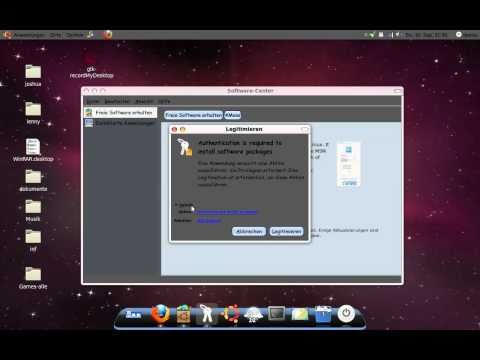
how to install MSN on Ubuntu
ChannelMacHDTutorialsDescription from the creator
i will show you, how to install the KMess(MSN) on Ubuntu.
you should open the Software-Center and search kmess.
install it and it's easy to use it.
made by:
www.youtube.com/Djerk01
and
www.youtube.com/MacHDTutorials
DON'T forget to sub us
you should open the Software-Center and search kmess.
install it and it's easy to use it.
made by:
www.youtube.com/Djerk01
and
www.youtube.com/MacHDTutorials
DON'T forget to sub us
About this tutorial
MacHDTutorials published this 1:40 video tutorial on November 13, 2010. It has been watched 352 times on YouTube.
- Channel
- MacHDTutorials
- Category
- Science & Technology
- Duration
- 1:40
- Published
- November 13, 2010
- Views
- 352
Tags
Share
This tutorial in other languages
- FRcomment installer MSN sur Ubuntu
- EScómo instalar MSN en Ubuntu
- PTcomo instalar o MSN no Ubuntu
- ITmodalità di installazione di MSN su Ubuntu
- DEwie installieren MSN auf Ubuntu
- NLhoe je MSN te installeren op Ubuntu
- RUкак установить MSN на Ubuntu
- PLJak zainstalować Ubuntu na MSN
- JAUbuntuでMSNをインストールする方法
- ARكيفية تثبيت MSN على أوبونتو
- HIकैसे Ubuntu पर स्थापित करने के लिए एमएसएन
- IDcara menginstal MSN pada Ubuntu