Playback starts YouTube’s embedded player (privacy-enhanced mode).
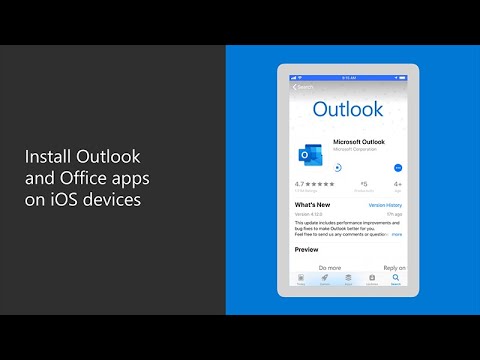
How to install Outlook and Office apps on iOS devices
ChannelMicrosoft 365Description from the creator
Once you’ve set up Microsoft 365 Business Premium, you can install Office apps on your mobile devices. After installing the apps, you’ll be prompted to create a PIN to help secure your data. This video tutorial will walk you through how to set up an iPhone. On your iPhone, open the App Store, select “search” and type “Outlook in the search bar.” Choose “get” then install to download and open the app. Then, enter your work email address, “select add account,” enter your password and then sign in. Select OK to restart the app so Microsoft 365 Business Premium can protect your Outlook data. Open Outlook again, select “OK” on the data protection screen, then create a PIN to be used to secure all Office data. You’ll then be able to use the Outlook app to check your email, calendar and contacts on the go. The rest of the Office apps can be installed in the same way.
To learn more, visit Microsoft 365 Training Center: msft.it/6001TYBQN
Empower your small business with remote work. Get remote work resources: msft.it/6008TYBv6
Need help running a small business with a remote staff? Check out our guidance for remote work: msft.it/6009TYBvB
Learn more about Microsoft 365 Business Premium: msft.it/6000TYBv8
*Please note that Microsoft 365 Business is now called Microsoft 365 Business Premium. The new product name went into effect on April 21, 2020.
► Subscribe to Microsoft 365 on YouTube here: aka.ms/SubscribeToM365
► Follow us on social:
LinkedIn: linkedin.com/showcase/microsoft-365/
Twitter: twitter.com/Microsoft365
Instagram: instagram.com/microsoft365/
Facebook: facebook.com/Microsoft365/
► For more about Microsoft 365, visit msft.it/6000TcBle
#Microsoft #Microsoft365
To learn more, visit Microsoft 365 Training Center: msft.it/6001TYBQN
Empower your small business with remote work. Get remote work resources: msft.it/6008TYBv6
Need help running a small business with a remote staff? Check out our guidance for remote work: msft.it/6009TYBvB
Learn more about Microsoft 365 Business Premium: msft.it/6000TYBv8
*Please note that Microsoft 365 Business is now called Microsoft 365 Business Premium. The new product name went into effect on April 21, 2020.
► Subscribe to Microsoft 365 on YouTube here: aka.ms/SubscribeToM365
► Follow us on social:
LinkedIn: linkedin.com/showcase/microsoft-365/
Twitter: twitter.com/Microsoft365
Instagram: instagram.com/microsoft365/
Facebook: facebook.com/Microsoft365/
► For more about Microsoft 365, visit msft.it/6000TcBle
#Microsoft #Microsoft365
About this tutorial
Microsoft 365 published this 2:03 video tutorial on June 13, 2020. It has been watched 168,028 times on YouTube.
- Channel
- Microsoft 365
- Category
- Science & Technology
- Duration
- 2:03
- Published
- June 13, 2020
- Views
- 168,028
- Likes
- 207
Tags
Share
This tutorial in other languages
- FRComment installer des applications Outlook et Office sur les appareils iOS
- ESCómo instalar Outlook y Office aplicaciones en dispositivos iOS
- PTComo instalar aplicativos do Outlook e do Office em dispositivos iOS
- ITCome installare le applicazioni Outlook e Office su dispositivi iOS
- DEWie Outlook und Office-Anwendungen auf iOS-Geräte installieren
- NLOutlook en Office apps op iOS-apparaten te installeren
- RUКак установить Outlook, и офисные приложения на устройствах IOS
- PLJak zainstalować aplikacje Outlook i Office na urządzeniach z iOS
- JAiOSデバイス上のOutlookとOfficeのアプリケーションをインストールする方法
- ARكيفية تثبيت Outlook ومكتب تطبيقات على أجهزة دائرة الرقابة الداخلية
- HIiOS उपकरणों पर आउटलुक और कार्यालय क्षुधा स्थापित करने के लिए
- IDCara menginstal Outlook dan Office aplikasi pada perangkat iOS