Playback starts YouTube’s embedded player (privacy-enhanced mode).
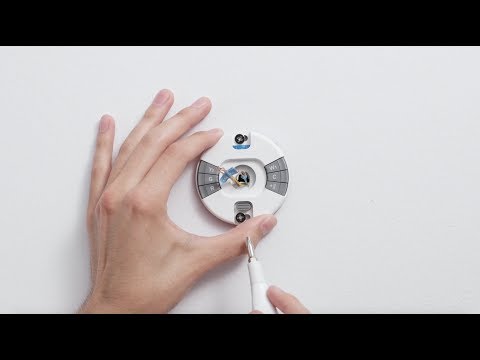
How to install the Google Nest Thermostat E
ChannelGoogle NestDescription from the creator
The Nest Thermostat E is simple to set up and install. We'll walk you through the entire process of installing your thermostat in the right spot and you'll find detailed instructions in the Nest app.
If you haven't already checked that your system will work with the Nest thermostat, use Nest's Compatibility Checker: nest.com/works
If you want a wiring diagram, go to: nest.com/support/#works/?mode=guide
You'll learn how to install the Nest Thermostat E yourself, including how to:
- Remove your old thermostat
- Take a photo of your old setup and label the wires
- Install the Nest base
- Connect the wires to the Nest thermostat
- Attach the Nest thermostat display
- Connect the Nest thermostat to the Nest app. If you're having trouble connecting to the app, go to nest.com/pair/ for more details.
We'll also give you a preview of how to setup your thermostat: you'll pick a language, connect it to Wi-Fi, tell it a few basics about your home, and tell it about your heating and cooling system so it can help you save energy. Lastly, we give you an overview on how to choose between an Auto-Schedule and a Basic Schedule.
After setup, get the basics on how to use your thermostat, how it learns, and how to save energy at nest.com/thermostatbasics
If you prefer not to DIY install, find a Nest Pro: nest.com/profinder
To learn more, visit nest.com/support
If you haven't already checked that your system will work with the Nest thermostat, use Nest's Compatibility Checker: nest.com/works
If you want a wiring diagram, go to: nest.com/support/#works/?mode=guide
You'll learn how to install the Nest Thermostat E yourself, including how to:
- Remove your old thermostat
- Take a photo of your old setup and label the wires
- Install the Nest base
- Connect the wires to the Nest thermostat
- Attach the Nest thermostat display
- Connect the Nest thermostat to the Nest app. If you're having trouble connecting to the app, go to nest.com/pair/ for more details.
We'll also give you a preview of how to setup your thermostat: you'll pick a language, connect it to Wi-Fi, tell it a few basics about your home, and tell it about your heating and cooling system so it can help you save energy. Lastly, we give you an overview on how to choose between an Auto-Schedule and a Basic Schedule.
After setup, get the basics on how to use your thermostat, how it learns, and how to save energy at nest.com/thermostatbasics
If you prefer not to DIY install, find a Nest Pro: nest.com/profinder
To learn more, visit nest.com/support
About this tutorial
Google Nest published this 6:17 video tutorial on November 15, 2017. It has been watched 1,097,124 times on YouTube.
- Channel
- Google Nest
- Category
- Science & Technology
- Duration
- 6:17
- Published
- November 15, 2017
- Views
- 1,097,124
- Likes
- 1,972
Share
This tutorial in other languages
- FRComment installer Google thermostat Nest E
- ESCómo instalar el termostato Nest Google E
- PTComo instalar o Google Nest Thermostat E
- ITCome installare il Nest Google termostato E
- DEWie man das Google-Nest Thermostat E installieren
- NLHoe de Google Nest Thermostat E installeren
- RUКак установить гнездо Google Термостат E
- PLJak zainstalować Google Nest Termostat E
- JAGoogleのネストサーモスタットEのインストール方法
- ARكيفية تثبيت عش جوجل ترموستات E
- HIगूगल नेस्ट थर्मोस्टेट ई स्थापित करने के लिए
- IDCara memasang Google Nest Thermostat E