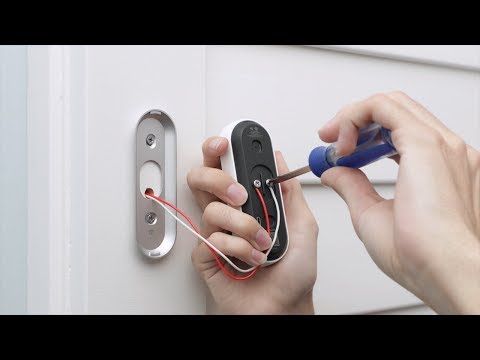
Playback starts YouTube’s embedded player (privacy-enhanced mode).
How to set up and install the Google Nest Hello video doorbell
ChannelGoogle NestIn brief
You’ll get your Google Nest Hello video doorbell up and running in no time, from checking compatibility to mounting it securely. This guide covers the full installation process and includes troubleshooting tips for common setup hiccups—ideal for anyone looking to add smart doorbell features to their home.
Key steps
- Verify your existing doorbell chime works with Nest Hello using Nest’s Compatibility Checker
- Download the Nest app and connect the Nest Hello doorbell to it
- Install the Nest chime connector to your existing wiring
- Test the doorbell and troubleshoot any connection or setup issues
Questions & answers
How do I know if my current doorbell chime is compatible with Nest Hello?
Use Nest’s Compatibility Checker tool before starting the installation.
Description from the creator
Nest Hello is simple to setup and install, but it's best to follow the detailed instructions in the Nest app. We'll walk you through the entire process and give some tips for troubleshooting installation.
If you haven't already checked that your current chime will work with Nest Hello, use Nest's Compatibility Checker: nest.com/works
You'll learn how to set up and install the Nest Hello video doorbell, including how to:
- First, check that your current doorbell chime will work with Nest Hello
- Connect Nest Hello to the Nest app. If you're having trouble connecting to the app, go to nest.com/pair/ for more details
- Install the Nest chime connector
- Install the Nest Hello video doorbell
- Troubleshoot installation
If you prefer to read a guide, see: nest.com/support/article/How-to-install-your-Ne…
Get the basics on how to watch camera video, save clips, setup alerts, and more at nest.com/hellobasics
If you prefer not to DIY install or need to upgrade your transformer, find a Nest Pro: nest.com/profinder
To learn more, visit support.nest.com
If you haven't already checked that your current chime will work with Nest Hello, use Nest's Compatibility Checker: nest.com/works
You'll learn how to set up and install the Nest Hello video doorbell, including how to:
- First, check that your current doorbell chime will work with Nest Hello
- Connect Nest Hello to the Nest app. If you're having trouble connecting to the app, go to nest.com/pair/ for more details
- Install the Nest chime connector
- Install the Nest Hello video doorbell
- Troubleshoot installation
If you prefer to read a guide, see: nest.com/support/article/How-to-install-your-Ne…
Get the basics on how to watch camera video, save clips, setup alerts, and more at nest.com/hellobasics
If you prefer not to DIY install or need to upgrade your transformer, find a Nest Pro: nest.com/profinder
To learn more, visit support.nest.com
About this tutorial
Google Nest published this 8:30 video tutorial on November 7, 2018. It has been watched 4,584,151 times on YouTube.
- Channel
- Google Nest
- Category
- Science & Technology
- Duration
- 8:30
- Published
- November 7, 2018
- Views
- 4,584,151
- Likes
- 10,342
Share
This tutorial in other languages
- FRComment configurer et installer Google Nest vidéo Bonjour Sonnette
- ESCómo configurar e instalar el Google Nido Hola timbre video
- PTComo configurar e instalar o Google Ninho Olá campainha vídeo
- ITCome impostare e installare il Google Nest Ciao il video campanello
- DEWie einzurichten und die Google-Nest Hallo Video-Türklingel installieren
- NLHoe het opzetten en installeren van de Google Nest Hallo video deurbel
- RUКак настроить и установить Google Nest Привет видео дверной звонок
- PLJak skonfigurować i zainstalować Google Nest Witam wideo dzwonek
- JAセットアップと、Googleの巣こんにちはビデオドアベルをインストールする方法
- ARكيفية إعداد وتثبيت جوجل عش مرحبا الفيديو جرس الباب
- HIकी स्थापना की और गूगल नेस्ट हैलो वीडियो घंटी स्थापित करने के लिए
- IDCara mengatur dan menginstal Google Nest Hello Video bel