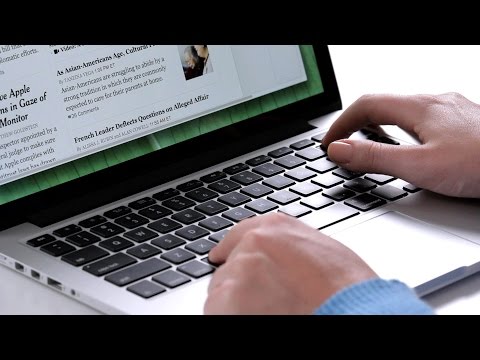
Playback starts YouTube’s embedded player (privacy-enhanced mode).
How to Make Text Larger on a Mac | Mac Basics
ChannelHowcastDescription from the creator
Full Playlist: youtube.com/playlist?list=PLLALQuK1NDriZe-Bw9Hg…
-
-
Watch more How to Use a Mac videos: howcast.com/videos/515926-How-to-Make-Text-Larg…
How to Make Text Larger on a Mac | Mac Basics
Hi, Lisa here; and I’m going to show you to increase the size of text on your Mac. So if you’re looking at something on the internet, you have a couple of options. You have a track pad. You can actually just take two fingers and go from being pinched together to moving apart and whatever you’re viewing it’s going to get bigger whether it’s pictures or text,anything at all. Then you just take two fingers and then pinch them back together to get it back to its original size. Additionally, if you prefer to use the keyboard, you can hold down the Command key and the Plus key. So you go Command and you hit the Plus however many times you’d like to make it bigger.And then to make it smaller, you do the same thing but with the Minus key.
Now in some applications you can also make the text bigger in that specific program. So we’re going to open up the Mail application and in here we’reviewing a message. Now you can make the text bigger the same way by using the command and the plus and then minus again to make it small. Or, you can set an overall rule that the font is going to be larger. So when you go to your preferences for mail by going to Mail and then Preferences. You’ll have a lot of tabs at the top. The one we want to look at is fonts and colors. Then you’ll see “message font,” you can go to “select” on the right-hand side and you can pick a larger font from there. Now when we select that it gets bigger in the message. So that’show you can increase your font on a Mac.
-
-
Watch more How to Use a Mac videos: howcast.com/videos/515926-How-to-Make-Text-Larg…
How to Make Text Larger on a Mac | Mac Basics
Hi, Lisa here; and I’m going to show you to increase the size of text on your Mac. So if you’re looking at something on the internet, you have a couple of options. You have a track pad. You can actually just take two fingers and go from being pinched together to moving apart and whatever you’re viewing it’s going to get bigger whether it’s pictures or text,anything at all. Then you just take two fingers and then pinch them back together to get it back to its original size. Additionally, if you prefer to use the keyboard, you can hold down the Command key and the Plus key. So you go Command and you hit the Plus however many times you’d like to make it bigger.And then to make it smaller, you do the same thing but with the Minus key.
Now in some applications you can also make the text bigger in that specific program. So we’re going to open up the Mail application and in here we’reviewing a message. Now you can make the text bigger the same way by using the command and the plus and then minus again to make it small. Or, you can set an overall rule that the font is going to be larger. So when you go to your preferences for mail by going to Mail and then Preferences. You’ll have a lot of tabs at the top. The one we want to look at is fonts and colors. Then you’ll see “message font,” you can go to “select” on the right-hand side and you can pick a larger font from there. Now when we select that it gets bigger in the message. So that’show you can increase your font on a Mac.
About this tutorial
Howcast published this 1:48 video tutorial on November 1, 2014. It has been watched 170,966 times on YouTube.
- Channel
- Howcast
- Category
- Science & Technology
- Duration
- 1:48
- Published
- November 1, 2014
- Views
- 170,966
- Likes
- 489
Tags
Share
This tutorial in other languages
- FRComment faire un texte plus grand sur un Mac | Mac Basics
- ESCómo hacer el texto más grande en un Mac | Básicos del Mac
- PTComo Aumentar o texto em um Mac | Mac Basics
- ITCome rendere il testo più grande su un Mac | Mac Basics
- DEWie man Text vergrößert auf einem Mac | Mac Basics
- NLHoe kan ik tekst groter maken op een Mac maken | Grondbeginselen van de Mac
- RUКак сделать Увеличить размер шрифта на Mac | Mac Основы
- PLJak zrobić Tekst Większe na Macu | Mac Basics
- JAMac上でテキストを大きくする方法| Macの基本
- ARكيفية جعل النص أكبر على ماك | ماك أساسيات
- HIकैसे पाठ पर एक मैक बड़ा करने के लिए | मैक मूल बातें
- IDCara Membuat Teks yang lebih besar pada Mac | Mac Dasar