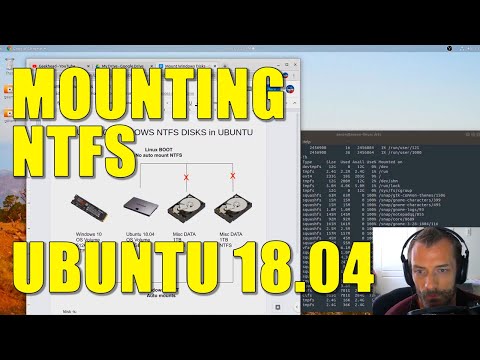
Playback starts YouTube’s embedded player (privacy-enhanced mode).
How to Mount a NTFS Drive on Ubuntu 18.04
ChannelGeekheadDescription from the creator
Let me show you how to mount Windows NTFS hard disks in Ubuntu 18.04. This configuration will mount these volumes every time you boot into your Linux environment.
1. Locate your hard drive using the following commands:
~# fdisk -lu
~# blkid
2. Create your mount directories.
mkdir -p /media/disk1
3. Edit your fstab to include the drives you want mounted.
~# vi /etc/fstab
#ntfs volumes
UUID={UUID# from blkid} /media/{directory} ntfs-3g defaults,windows_names,locale=en_US.utf8 0 0
4. Mount the drives:
~# mount -a
1. Locate your hard drive using the following commands:
~# fdisk -lu
~# blkid
2. Create your mount directories.
mkdir -p /media/disk1
3. Edit your fstab to include the drives you want mounted.
~# vi /etc/fstab
#ntfs volumes
UUID={UUID# from blkid} /media/{directory} ntfs-3g defaults,windows_names,locale=en_US.utf8 0 0
4. Mount the drives:
~# mount -a
About this tutorial
Geekhead published this 10:26 video tutorial on May 15, 2020. It has been watched 17,166 times on YouTube.
- Channel
- Geekhead
- Category
- Science & Technology
- Duration
- 10:26
- Published
- May 15, 2020
- Views
- 17,166
- Likes
- 141
Tags
Share
This tutorial in other languages
- FRComment monter un disque NTFS sur Ubuntu 18.04
- ESCómo montar una unidad NTFS en Ubuntu 18.04
- PTComo montar uma unidade NTFS no Ubuntu 18.04
- ITCome montare un drive NTFS su Ubuntu 18.04
- DEWie man ein NTFS-Laufwerk auf Ubuntu 18.04 Montieren
- NLHoe maak je een NTFS schijf te monteren op Ubuntu 18.04
- RUКак монтировать диск NTFS на Ubuntu 18.04
- PLJak zamontować dysk NTFS na Ubuntu 18.04
- JAUbuntuの18.04でNTFSドライブをマウントする方法
- ARكيفية تركيب محرك أقراص NTFS على أوبونتو 18.04
- HIउबंटू 18.04 पर एक NTFS ड्राइव माउंट कैसे
- IDBagaimana ke Gunung NTFS Drive pada Ubuntu 18.04