Playback starts YouTube’s embedded player (privacy-enhanced mode).
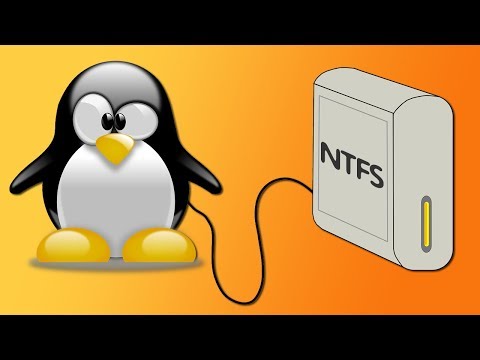
How to Easily Mount NTFS Partitions in Linux at Startup
ChannelJourney BytesDescription from the creator
▶ Found this video helpful? Subscribe ✅ | Buy me a coffee ☕ ko-fi.com/journeybytes
▶ About this video: This video shows you how to mount NTFS partitions automatically at start up without having to manually edit the etc/fstab file.
This is especially useful to new Linux users that don't know how to go about using the Linux terminal to edit system files and those dual booting with Windows.
To do this we use Gnome Disk Utility which provides an easy-to-use user interface that edits for us the fstab file and mounts our NTFS disks. The NTFS partitions will thereafter be accessible to read and write by you and your Linux apps.
You can then use your default file manager (e.g Thunar, Dolphin etc) to browse through the partition as well as copy, move and deletes files.
Gnome Disk Utility usually comes pre-installed on some popular Linux distributions such as Ubuntu. It is however compatible with other popular distributions, and you can easily install it by going to your package manager and searching for it.
Thank you for watching!
Background Music:
Bar Crawl by JR Tundra
▶ About this video: This video shows you how to mount NTFS partitions automatically at start up without having to manually edit the etc/fstab file.
This is especially useful to new Linux users that don't know how to go about using the Linux terminal to edit system files and those dual booting with Windows.
To do this we use Gnome Disk Utility which provides an easy-to-use user interface that edits for us the fstab file and mounts our NTFS disks. The NTFS partitions will thereafter be accessible to read and write by you and your Linux apps.
You can then use your default file manager (e.g Thunar, Dolphin etc) to browse through the partition as well as copy, move and deletes files.
Gnome Disk Utility usually comes pre-installed on some popular Linux distributions such as Ubuntu. It is however compatible with other popular distributions, and you can easily install it by going to your package manager and searching for it.
Thank you for watching!
Background Music:
Bar Crawl by JR Tundra
About this tutorial
Journey Bytes published this 3:03 video tutorial on November 15, 2019. It has been watched 10,377 times on YouTube.
- Channel
- Journey Bytes
- Category
- Science & Technology
- Duration
- 3:03
- Published
- November 15, 2019
- Views
- 10,377
- Likes
- 108
Share
This tutorial in other languages
- FRComment installer facilement des partitions NTFS sous Linux au démarrage
- ESCómo fácilmente al Mont particiones NTFS en Linux al iniciar
- PTComo facilmente montar partições NTFS em Linux na inicialização
- ITCome facilmente montare partizioni NTFS in Linux all'avvio
- DEWie leicht Montage NTFS-Partitionen unter Linux bei Start
- NLHoe gemakkelijk Mount NTFS-partities in Linux bij opstarten
- RUКак легко установить NTFS разделов в Linux при запуске
- PLJak łatwo Górze NTFS w Linuksie przy starcie
- JAどのように起動時に、Linuxで簡単にマウントNTFSパーティションへ
- ARكيفية بسهولة جبل أقسام NTFS في لينكس عند بدء التشغيل
- HIकैसे प्रारम्भ होने पर लिनक्स में आसानी से माउंट NTFS विभाजन पर
- IDCara Mudah Gunung NTFS Partisi di Linux di Startup