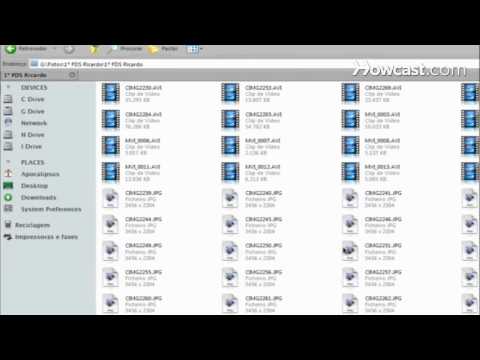
Playback starts YouTube’s embedded player (privacy-enhanced mode).
How to Open RAR Files
ChannelHowcastDescription from the creator
Full Playlist: youtube.com/playlist?list=PLLALQuK1NDrgBJWGd8Pb…
-
-
Watch more How to Use Computer Software videos: howcast.com/videos/396539-How-to-Open-RAR-Files
RAR files are a handy way to download several compressed files and reduce the storage space required, but opening them takes a little bit of effort.
Step 1: Download software
Download software that will process the RAR files.
Tip
There are both free and paid versions available online for your Mac or PC.
Step 2: Install the software
Install the software on your computer by following the installation prompts.
Step 3: Select the file
Select the RAR file you want to open. Once you've selected the file, choose Extract to the RAR File Name. The "RAR File Name" refers to the file you want to open.
Step 4: Extract
A folder will be created that holds all of your compressed files. This process is called extraction and is similar in each program. Now you are able to navigate through the folder for the files you want to open.
Did You Know?
Invented in the 1830s by Samuel F.B. Morse, Morse code was an early example of data compression using dots, dashes, and spaces to represent letters of the alphabet, numerals, and punctuation marks.
-
-
Watch more How to Use Computer Software videos: howcast.com/videos/396539-How-to-Open-RAR-Files
RAR files are a handy way to download several compressed files and reduce the storage space required, but opening them takes a little bit of effort.
Step 1: Download software
Download software that will process the RAR files.
Tip
There are both free and paid versions available online for your Mac or PC.
Step 2: Install the software
Install the software on your computer by following the installation prompts.
Step 3: Select the file
Select the RAR file you want to open. Once you've selected the file, choose Extract to the RAR File Name. The "RAR File Name" refers to the file you want to open.
Step 4: Extract
A folder will be created that holds all of your compressed files. This process is called extraction and is similar in each program. Now you are able to navigate through the folder for the files you want to open.
Did You Know?
Invented in the 1830s by Samuel F.B. Morse, Morse code was an early example of data compression using dots, dashes, and spaces to represent letters of the alphabet, numerals, and punctuation marks.
About this tutorial
Howcast published this 1:16 video tutorial on October 26, 2010. It has been watched 24,415 times on YouTube.
- Channel
- Howcast
- Category
- Science & Technology
- Duration
- 1:16
- Published
- October 26, 2010
- Views
- 24,415
- Likes
- 42
Tags
Share
This tutorial in other languages
- FRComment ouvrir les fichiers RAR
- ESCómo abrir archivos RAR
- PTComo abrir RAR Arquivos
- ITCome aprire i file RAR
- DEWie zu öffnen RAR-Dateien
- NLHoe te openen RAR bestanden
- RUКак открыть RAR файлов
- PLJak otworzyć pliki rar
- JAどのようにオープンRARファイルへ
- ARكيفية فتح ملفات RAR
- HIकैसे खुला RAR फ़ाइलें
- IDCara Buka RAR File