Playback starts YouTube’s embedded player (privacy-enhanced mode).
How to Permanently Erase Hard Drive, USB Drive - Secure Deletion
ChannelCharles BartletteDescription from the creator
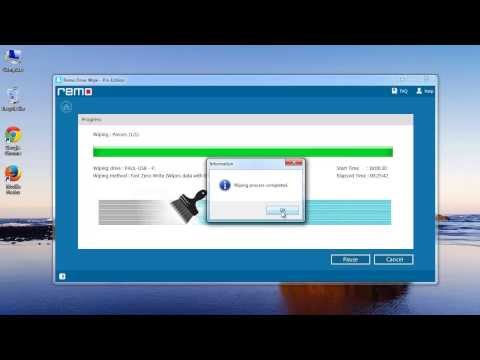
drivewipe.net/ - Hi there, this video will explain you about erasing entire hard drive, USB drive or any other storage device permanently. This may help you in many situations, like suppose you are leaving your company or selling your computer & do not want others access your data.
Before proceeding to this demonstration, let me warn you that do not use this software unless you take a backup of your data. Because, once this software wipes your hard drive data, you cannot recover it back using any recovery software. That's guaranteed...!!!!
You can use any recovery software after wiping data using this software, to check the secure deletion. I guarantee it, no software can recover back the data wiped by this tool. I have checked it on my system already.
So, if you want to keep your data away from others reach after deletion, visit the link provided in the beginning of this description & make use of this software.
Ok friends, that's it for the day, hit like if you feel this video has something informative.
Good bye...
Before proceeding to this demonstration, let me warn you that do not use this software unless you take a backup of your data. Because, once this software wipes your hard drive data, you cannot recover it back using any recovery software. That's guaranteed...!!!!
You can use any recovery software after wiping data using this software, to check the secure deletion. I guarantee it, no software can recover back the data wiped by this tool. I have checked it on my system already.
So, if you want to keep your data away from others reach after deletion, visit the link provided in the beginning of this description & make use of this software.
Ok friends, that's it for the day, hit like if you feel this video has something informative.
Good bye...
About this tutorial
Charles Bartlette published this 4:06 video tutorial on November 6, 2013. It has been watched 85,991 times on YouTube.
- Channel
- Charles Bartlette
- Category
- Science & Technology
- Duration
- 4:06
- Published
- November 6, 2013
- Views
- 85,991
- Likes
- 430
Tags
Share
This tutorial in other languages
- FRComment en permanence Effacer le disque dur, clé USB - Suppression sécurisée
- ESCómo borrar permanentemente disco duro, unidad USB - eliminación segura
- PTComo permanentemente Erase Hard Drive, USB Drive - Apagamento Seguro
- ITCome permanente Erase Hard Drive, USB Drive - Cancellazione sicura
- DEWie dauerhaft löschen Festplatte, USB-Laufwerk - Sicheres Löschen
- NLHoe permanent te wissen harde schijf, USB Drive - Veilig verwijderen
- RUКак навсегда стереть жесткий диск, USB-накопитель - Secure делеции
- PLJak trwale usunąć dysk twardy, USB - bezpieczne usuwanie
- JAどのように永久に消去ハードドライブ、USBドライブへ - 安全な削除
- ARكيفية دائم محو القرص الصلب، محرك الأقراص USB - حذف آمن
- HIसुरक्षित विलोपन - कैसे स्थायी रूप से मिटाना हार्ड ड्राइव, यूएसबी ड्राइव करने के लिए
- IDCara Permanen Hapus Hard Drive, USB drive - Penghapusan Aman