Playback starts YouTube’s embedded player (privacy-enhanced mode).
How to Play iPod Videos on TV
ChannelHowcastDescription from the creator
Full Playlist: youtube.com/playlist?list=PLLALQuK1NDrjsCtybZK6…
-
-
Watch more How to Use an IPod videos: howcast.com/videos/155613-How-to-Play-iPod-Vide…
You just put an entire season of "24" on your iPod, but now Jack Bauer's face is smaller than a postage stamp! Don't go blind—just dust off that TV set.
Step 1: Get the right cable
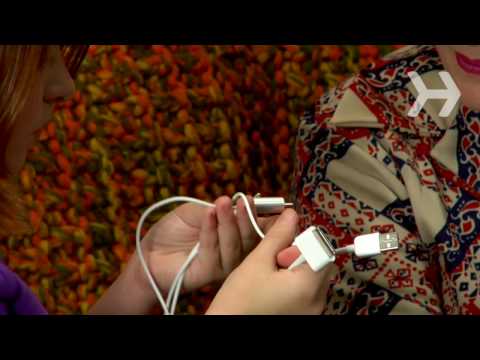
Make sure you have the right iPod A/V cable. It should have an iPod dock connector, and RCA connectors for your TV.
Step 2: Hook dock connector to iPod
Hook up the dock connector to your iPod.
Step 3: Plug adapter into wall
Put the USB connector in the power adapter, and plug the adapter into the wall.You can skip this step if you want to use battery power.
Step 4: Set iPod to "TV Out"
Set your iPod to 'TV Out.'
Step 5: Find RCA inputs
Find the RCA inputs on the back of your TV.
Tip
If your TV doesn’t have the right inputs, it may be time to get a new TV.
Step 6: Connect AV connectors to TV
Connect the AV connectors to your TV.
Step 7: Set your TV
Set your TV to the corresponding input.
Step 8: Play video
Play the video on your iPod—it will show up on your TV.Ahhh, no more squinting at that tiny screen—welcome back to the future.
Did You Know?
The first portable TV was released by Sony in 1961; it was highly unreliable and was quickly discontinued.
-
-
Watch more How to Use an IPod videos: howcast.com/videos/155613-How-to-Play-iPod-Vide…
You just put an entire season of "24" on your iPod, but now Jack Bauer's face is smaller than a postage stamp! Don't go blind—just dust off that TV set.
Step 1: Get the right cable
Make sure you have the right iPod A/V cable. It should have an iPod dock connector, and RCA connectors for your TV.
Step 2: Hook dock connector to iPod
Hook up the dock connector to your iPod.
Step 3: Plug adapter into wall
Put the USB connector in the power adapter, and plug the adapter into the wall.You can skip this step if you want to use battery power.
Step 4: Set iPod to "TV Out"
Set your iPod to 'TV Out.'
Step 5: Find RCA inputs
Find the RCA inputs on the back of your TV.
Tip
If your TV doesn’t have the right inputs, it may be time to get a new TV.
Step 6: Connect AV connectors to TV
Connect the AV connectors to your TV.
Step 7: Set your TV
Set your TV to the corresponding input.
Step 8: Play video
Play the video on your iPod—it will show up on your TV.Ahhh, no more squinting at that tiny screen—welcome back to the future.
Did You Know?
The first portable TV was released by Sony in 1961; it was highly unreliable and was quickly discontinued.
About this tutorial
Howcast published this 1:28 video tutorial on November 8, 2009. It has been watched 118,516 times on YouTube.
- Channel
- Howcast
- Category
- Science & Technology
- Duration
- 1:28
- Published
- November 8, 2009
- Views
- 118,516
- Likes
- 196
Tags
Share
This tutorial in other languages
- FRComment jouer iPod vidéos sur TV
- ESCómo jugar iPod Los vídeos en la televisión
- PTComo Jogar iPod vídeos na TV
- ITCome giocare iPod video in TV
- DEWie man spielt iPod Videos auf TV
- NLHoe maak je iPod video's afspelen op tv
- RUКак играть в IPod видео на ТВ
- PLJak grać iPod wideo w telewizorze
- JAテレビでiPodの動画を再生する方法
- ARكيفية اللعب آي بود فيديو على شاشة التلفزيون
- HIकैसे टीवी पर आइपॉड वीडियो खेलने के लिए
- IDCara Bermain iPod Video di TV