Playback starts YouTube’s embedded player (privacy-enhanced mode).
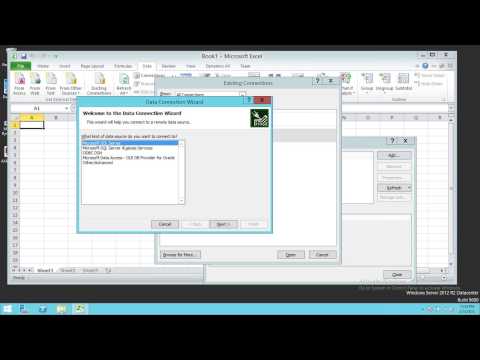
How to quickly generate connection string using Excel for SQL Server or Analysis Services
ChannelTechBrothersITDescription from the creator
In this video you will learn how to create connection string for SQL Server or Analysis services in Excel and then you can use in Applications or such as Microsoft Dynamics to make connection to Analysis services.
You can visit our blog
sqlage.blogspot.com/
Twitter
twitter.com/AamirSh48904922
Facebook
facebook.com/SqlAge
You can visit our blog
sqlage.blogspot.com/
twitter.com/AamirSh48904922
facebook.com/SqlAge
About this tutorial
TechBrothersIT published this 3:08 video tutorial on October 26, 2015. It has been watched 31,217 times on YouTube.
- Channel
- TechBrothersIT
- Category
- Science & Technology
- Duration
- 3:08
- Published
- October 26, 2015
- Views
- 31,217
- Likes
- 55
Tags
Share
This tutorial in other languages
- FRComment générer rapidement la chaîne de connexion en utilisant Excel pour SQL Server ou Analysis Services
- ESCómo generar rápidamente cadena de conexión con Excel para SQL Server o Analysis Services
- PTComo rapidamente gerar seqüência de conexão usando o Excel para o SQL Server ou Analysis Services
- ITCome generare rapidamente stringa di connessione utilizzando Excel per SQL Server o Analysis Services
- DEWie schnell Verbindungszeichenfolge mithilfe von Excel für SQL Server oder Analysis Services generieren
- NLHoe om snel verbinding string met behulp van Excel voor SQL Server of Analysis Services
- RUКак быстро создать строку подключения с помощью Excel для SQL Server Analysis Services или
- PLJak szybko wygenerować ciąg połączenia za pomocą programu Excel do programu SQL Server lub Analysis Services
- JAすぐにSQL ServerまたはAnalysis ServicesのためにExcelを使用して接続文字列を生成する方法
- ARكيفية توليد بسرعة سلسلة الاتصال باستخدام إكسل لSQL Server أو خدمات التحليل
- HIकैसे जल्दी से एसक्यूएल सर्वर या विश्लेषण सेवाओं के लिए Excel का उपयोग कनेक्शन स्ट्रिंग उत्पन्न करने के लिए
- IDCara cepat menghasilkan string koneksi menggunakan Excel untuk SQL Server atau Analysis Services