Playback starts YouTube’s embedded player (privacy-enhanced mode).
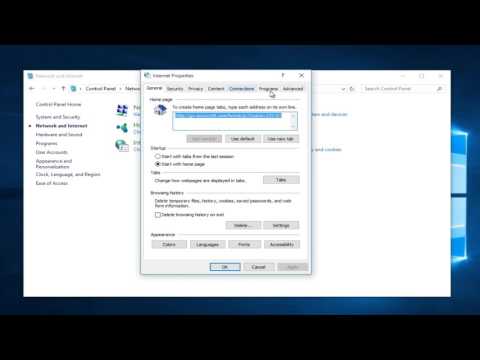
How To Quickly Fix Your Internet Connection (Three Options Explored)
ChannelMDTechVideosDescription from the creator
This tutorial was performed on a Windows 10 computer. This will work with all major computer manufactures that are running Windows 7, Windows 8, Windows 8.1 or Windows 10 operating systems (Dell, HP, Acer, Asus, Toshiba, Lenovo, Samsung, and so forth)
Commands (Step Three):
netsh winsock reset catalog
netsh int ip reset reset.log hit
A home network can provide Internet access to your computer, laptop, iPad, iPod Touch, iPhone, Android, printer, telephone, and gaming console. If any of those devices can no longer connect to the Internet from inside your home, try the easy solutions below to get up and running again.
Issues addressed in this tutorial:
how to fix internet connection windows 10
how to fix internet connection windows 7
fix internet connection windows 11
how to fix no internet connection windows 10
how to fix no internet connection windows 11
how to fix no internet connection on laptop windows 11
fix internet connection on pc
fix windows wifi connection issues
fix internet connection windows 10
fix internet windows 11
internet fix windows 10
how to fix internet connection problem windows 10
fix wi-fi connection issues in windows
With the proliferation of smart home devices, online gaming platforms, and streaming video services, maintaining a strong Internet connection at home is more important than ever. If you're experiencing lag while playing League of Legends, or it takes forever to download music, there's good chance that the problem is on your end and not an Internet Service Provider (ISP) issue. Before you schedule a service call with your cable company, check out our tutorial for troubleshooting your Internet connection.
This tutorial will apply for computers, laptops, desktops,and tablets running the Windows 10, Windows 8/8.1, Windows 7 operating systems. Works for all major computer manufactures (Dell, HP, Acer, Asus, Toshiba, Lenovo, Samsung).
About this tutorial
MDTechVideos published this 4:12 video tutorial on October 25, 2015. It has been watched 2,154,482 times on YouTube.
- Channel
- MDTechVideos
- Category
- Science & Technology
- Duration
- 4:12
- Published
- October 25, 2015
- Views
- 2,154,482
- Likes
- 12,270
Share
Further reading
-
How To Quickly Fix Your Internet Connection (Three Options ...
lingvol.github.io
How to resolve Internet connection issues. This tutorial was performed on a Windows 10 computer. This will work with all major computer manufactures that are running Windows 7, Windows 8, Windows 8.1 or Windows 10 opera…
-
How to Fix Your Internet Connection: 15 Steps (with Pictures)
wikihow.com
The best way is to just pay for a better internet, but you can also try stopping background internet processes in your computer, or pause any sneaky updates that might be hogging all your speed. Also, wireless internet…
-
How to check up and fix your internet connection | ZDNet
zdnet.com
If you can reach your access point or router's web-based interface, your local area network is fine. Checking the internet. The first thing you should try with your internet connection is the same ...
This tutorial in other languages
- FRComment réparer rapidement votre connexion Internet (trois options Explored)
- ESCómo rápidamente arreglar su conexión a Internet (de tres opciones exploradas)
- PTComo corrigir rapidamente a ligação à Internet (Opções Três Explored)
- ITCome rapidamente Fix connessione a Internet (tre opzioni esplorato)
- DEWie schnell zu beheben Internetverbindung (drei Optionen Explored)
- NLHow To snel herstellen van uw Internetverbinding (drie opties verkend)
- RUКак быстро исправить подключения к Интернету (три варианта Explored)
- PLJak szybko naprawić połączenia z Internetem (trzy opcje Explored)
- JAどのように迅速にあなたのインターネット接続を修正しました。(3つのオプション探検)
- ARكيف بسرعة إصلاح اتصال إنترنت (ثلاثة خيارات إستكشف)
- HIकैसे करने के लिए जल्दी से आपका इंटरनेट कनेक्शन को ठीक करें (तीन विकल्पों पर विचार)
- IDCara Cepat Perbaiki Koneksi Internet Anda (Tiga Pilihan dieksplorasi)