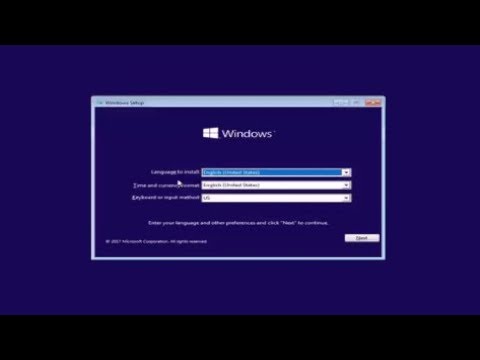
Playback starts YouTube’s embedded player (privacy-enhanced mode).
How to Convert MBR to GPT During Windows 10/8/7 Installation
ChannelMDTechVideosIn brief
Fix the 'Windows cannot be installed to this disk' error by converting an MBR disk to GPT during a clean Windows 10/8/7 installation. This method works on most PCs, laptops, and tablets with UEFI systems, but note it will erase all data on the selected drive. The process is shown step-by-step in the video, ensuring compatibility with major brands like Dell, HP, and Lenovo.
Description from the creator
How to Convert MBR to GPT During Windows 10/8/7 Installation.
Sometimes, when you are trying to install Windows on your PC, "Windows cannot be installed to this disk. the selected disk has an MBR partition table. On EFI system, Windows can only be installed to GPT disks" error message pops up and interrupts the installing process. Please note the conversion process will format/clean the drive as shown in the tutorial.
In this case, you are required to convert MBR to GPT to get the problem fixed. But how can you make it during Windows installation?
This tutorial will apply for computers, laptops, desktops,and tablets running the Windows 10, Windows 8/8.1, Windows 7 operating systems. Works for all major computer manufactures (Dell, HP, Acer, Asus, Toshiba, Lenovo, Samsung).
Sometimes, when you are trying to install Windows on your PC, "Windows cannot be installed to this disk. the selected disk has an MBR partition table. On EFI system, Windows can only be installed to GPT disks" error message pops up and interrupts the installing process. Please note the conversion process will format/clean the drive as shown in the tutorial.
In this case, you are required to convert MBR to GPT to get the problem fixed. But how can you make it during Windows installation?
This tutorial will apply for computers, laptops, desktops,and tablets running the Windows 10, Windows 8/8.1, Windows 7 operating systems. Works for all major computer manufactures (Dell, HP, Acer, Asus, Toshiba, Lenovo, Samsung).
About this tutorial
MDTechVideos published this 5:09 video tutorial on November 10, 2018. It has been watched 4,191,630 times on YouTube.
- Channel
- MDTechVideos
- Category
- Science & Technology
- Duration
- 5:09
- Published
- November 10, 2018
- Views
- 4,191,630
- Likes
- 57,937
Share
This tutorial in other languages
- FRComment convertir MBR en GPT pendant Windows 10/8/7 Installation
- ESCómo convertir MBR a GPT durante Windows Instalación 10/8/7
- PTComo converter MBR para GPT Durante o Windows 10/8/7 Instalação
- ITCome convertire MBR a GPT Durante 10/8/7 installazione di Windows
- DEWie Konvertieren von MBR zu GPT während Windows 10/8/7 Installations
- NLHoe te converteren MBR naar GPT Tijdens Windows 10/8/7 Installatie
- RUКак конвертировать MBR в GPT Во время Windows, 10/8/7 установки
- PLJak konwertować MBR na GPT Podczas instalacji systemu Windows 10/8/7
- JAWindowsのインストール中10/8/7 GPTにMBRを変換する方法
- ARكيفية تحويل MBR إلى GPT خلال ويندوز 10/8/7 التثبيت
- HIGPT को एमबीआर कन्वर्ट करने के लिए कैसे विंडोज 10/8/7 स्थापना के दौरान
- IDCara Mengkonversi MBR ke GPT selama Windows 10/8/7 Instalasi