Playback starts YouTube’s embedded player (privacy-enhanced mode).
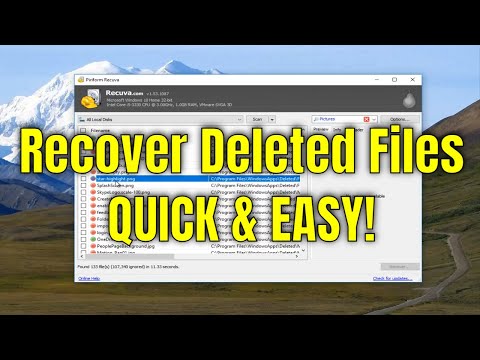
How To Recover Permanently Deleted Files For Free On Windows 10/8/7
ChannelMDTechVideosIn brief
Recover permanently deleted files—documents, photos, or other data—from Windows 10, 8, or 7 devices using Recuva, a free tool. This guide covers recovery from drives, memory cards, and USB sticks, even after formatting or crashes. Ideal for anyone who’s lost files accidentally or needs to restore them quickly.
Questions & answers
Does this work on external drives or memory cards?
Yes—Recuva recovers files from USB sticks, SD cards, and external hard drives, including damaged or newly formatted ones.
Can I recover files after emptying the Recycle Bin?
Yes, Recuva scans beyond the Recycle Bin for deleted files.
Description from the creator
How to recover deleted files, like documents and photos, from your Windows device for free.
Recuva description (From Piriform):
Accidentally deleted an important file? Lost files after a computer crash? No problem - Recuva recovers files from your Windows computer, recycle bin, digital camera card, or MP3 player!
Recuva can recover pictures, music, documents, videos, emails or any other file type you’ve lost. And it can recover from any rewriteable media you have: memory cards, external hard drives, USB sticks and more!
Unlike most file recovery tools, Recuva can recover files from damaged or newly formatted drives. Greater flexibility means greater chance of recovery.
Sometimes you want a file gone for good. Recuva’s secure overwrite feature uses industry- and military-standard deletion techniques to make sure your files stay erased.
This tutorial will apply for computers, laptops, desktops, and tablets running the Windows 10, Windows 8/8.1, Windows 7 operating systems. Works for all major computer manufactures (Dell, HP, Acer, Asus, Toshiba, Lenovo, Samsung)
Recuva description (From Piriform):
Accidentally deleted an important file? Lost files after a computer crash? No problem - Recuva recovers files from your Windows computer, recycle bin, digital camera card, or MP3 player!
Recuva can recover pictures, music, documents, videos, emails or any other file type you’ve lost. And it can recover from any rewriteable media you have: memory cards, external hard drives, USB sticks and more!
Unlike most file recovery tools, Recuva can recover files from damaged or newly formatted drives. Greater flexibility means greater chance of recovery.
Sometimes you want a file gone for good. Recuva’s secure overwrite feature uses industry- and military-standard deletion techniques to make sure your files stay erased.
This tutorial will apply for computers, laptops, desktops, and tablets running the Windows 10, Windows 8/8.1, Windows 7 operating systems. Works for all major computer manufactures (Dell, HP, Acer, Asus, Toshiba, Lenovo, Samsung)
About this tutorial
MDTechVideos published this 7:13 video tutorial on October 29, 2017. It has been watched 3,457,389 times on YouTube.
- Channel
- MDTechVideos
- Category
- Science & Technology
- Duration
- 7:13
- Published
- October 29, 2017
- Views
- 3,457,389
- Likes
- 31,528
Tags
Share
This tutorial in other languages
- FRComment faire pour récupérer de façon permanente les fichiers supprimés gratuitement sous Windows 10/8/7
- ESCómo recuperar archivos borrados de forma permanente de forma gratuita En Windows 10/8/7
- PTComo recuperar arquivos excluídos permanentemente de graça No Windows 10/8/7
- ITCome recuperare i file eliminati in modo permanente gratuitamente Su Windows 10/8/7
- DEWie erholen dauerhaft gelöschte Dateien Kostenlos Unter Windows 10/8/7
- NLHoe permanent Recover verwijderde bestanden gratis op Windows 10/8/7
- RUКак восстановить постоянно удаленные файлы бесплатно на Windows, 10/8/7
- PLJak odzyskać trwale usunięte pliki dla systemu Windows na wolnych 10/8/7
- JA永久に削除されたファイルの場合は無料でWindowsを回復する方法10/8/7
- ARكيفية استرداد الملفات المحذوفة بشكل دائم لفي حرة Windows 10/8/7
- HIकैसे स्थायी रूप से वसूली करने के लिए नष्ट कर दिया गया फ़ाइलें के लिए नि: शुल्क पर विंडोज 10/8/7
- IDCara Recover Permanen File Dihapus Untuk Bebas Pada Windows 10/8/7