Playback starts YouTube’s embedded player (privacy-enhanced mode).
how to recover data when flash drive is not working
ChannelHDD Recovery ServicesDescription from the creator
New version of the video without music: youtu.be/BwvsbUOKGLY
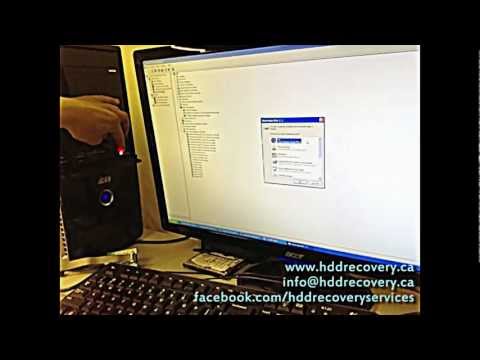
Hello everyone, we hope that this video will help someone who is experiencing problems with USB flash drive not working or not showing up at all. By using this very simple technique that we've learned throughout the years of working in data recovery industry, you may be able to gain access to your lost files. We all keep many important documents, pictures, work files on flash drives as they've become a big part of our day-to-day life. It can become very inconvenient and heartbreaking at times when USB sticks fail and trap important data on them. So what can be done when flash drive becomes inaccessible?
There are several things that can to be checked:
- remove the external casing and visually inspect the flash drive for obvious defects
- pay close attention to connector soldering points, make sure that there are no breaks there
- visually inspect fuses for overheating, sometimes data recovery can be as simple as removing the fuse
- for more technology inclined check/replace crystal oscillator as the failure can make a flash drive inoperable
This technique that we demonstrate will not work for all types of failures, but it works in almost 20% of failed USB flash drives that we see. Best thing about it is that it will cost you nothing plus no specialized tools are needed to perform the recovery. Majority of data recovery for USB sticks, that we do at HDD Recovery Services, are related to hardware failure of the controller chip. It is a custom service that requires NAND flash chip programmers, SMT equipment for clean and careful removal of components, and most importantly expertise and deep understanding on how file systems work and structure themselves. For controller failure issues the only way to restore information is to extract NAND memory chips off the board and use specialized equipment to manually reconstruct data to it's original form and structure. Data recovery service that we offer for USB sticks requires 3 business days, and done at flat rate of $350 unless the USB key is monolithic design, or contains some sort of hardware encryption. In case you have a failed flash drive, and you need to recover data from it - do not hesitate to email us at the address that you see on the screen or submit your request for recovery here: hddrecovery.ca/contact-ottawa-data-recovery-com…
Emergency service is also available with 24h turn around time. We guarantee our work, so every case is covered by NO DATA -- NO FEE policy.
Subscribe to our channel for more videos on how to recover data.
youtube.com/watch?v=MBGBC7OGqQM
youtube.com/hddrecoveryservices
About this tutorial
HDD Recovery Services published this 3:21 video tutorial on October 26, 2013. It has been watched 225,190 times on YouTube.
- Channel
- HDD Recovery Services
- Category
- Science & Technology
- Duration
- 3:21
- Published
- October 26, 2013
- Views
- 225,190
- Likes
- 178
Tags
Share
Further reading
-
The Best Way to Fix Flash Drive Not Recognized on Windows and Mac
recoverit.wondershare.com
Steps to Recover Lost Data from Flash Drive. Download and install Recoverit Flash Drive Recovery on your computer, follow the next simple steps to perform flash drive data recovery on Windows computer. Step 1. Launch Re…
-
Fix USB Flash Drive Not Recognized & Recover Data – How To Do
minitool.com
According to the investigation, USB flash drive not recognized/USB flash drive not showing up/USB flash drive not detected is a problem that bothers many users. So, today’s topic is how to get a USB flash drive to work…
-
How to Recover Data When Flash Drive Is Not Working?
yodot.com
In addition, it can also retrieve data from failed flash drive, corrupted, damaged, inaccessible, dead, RAW or not recognized USB flash drive in simple steps without consuming more time. This USB drive data recovery too…
This tutorial in other languages
- FRcomment récupérer les données lorsque le lecteur flash ne fonctionne pas
- EScómo recuperar datos cuando la unidad flash no está trabajando
- PTcomo recuperar dados quando a unidade flash não está funcionando
- ITcome recuperare i dati quando flash drive non funziona
- DEwie die Daten wiederherzustellen, wenn Flash-Laufwerk nicht funktioniert
- NLhoe u gegevens herstellen wanneer flash drive werkt niet
- RUкак восстановить данные, когда флэш-накопитель не работает
- PLjak odzyskać dane, gdy dysk flash nie działa
- JAフラッシュドライブが動作していないときにデータを回復する方法
- ARكيفية استرداد البيانات عند محرك أقراص فلاش هو لا يعمل
- HIडेटा को ठीक करने के लिए कैसे जब फ्लैश ड्राइव काम नहीं कर रहा है
- IDbagaimana memulihkan data ketika flash drive tidak bekerja