Playback starts YouTube’s embedded player (privacy-enhanced mode).
How to Remove Mystart incredibar,Uninstall Mystart incredibar toolbar step by step
ChannelMr. RemoveVirusDescription from the creator
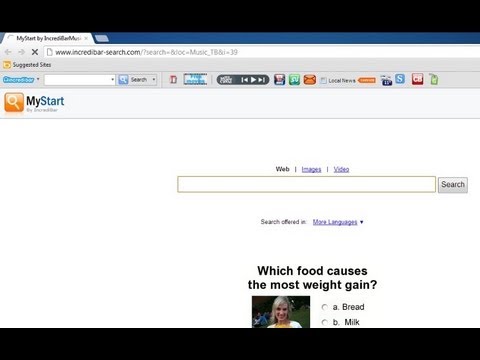
MyStart by IncrediBar toolbar is an adware program that has changed your browser homepage,default search engine and is causing browsing redirects.
The IncrediBar got on your computer after you have installed other programs that have bundled in their installers this IncrediBar.
This adware has different names depending on which one you've installed on your computer: Incredibar Games, Incredibar Essentials, Incredibar Community or Incredibar Music.
Step-by-Step Guide to Remove Mystart.incredibar.com and its components
MyStart by IncrediBar toolbar removal instructions
1. Uninstall Incredibar toolbar through Windows Control Panel
2. Remove Mystart Incredibar from Internet Explorer and repair the browser settings.
3. Remove Mystart Incredibar from Mozillar Firefox and repair the browser settings.
4. Remove Mystart Incredibar from Google Chrome and repair the browser settings.
More help at:blog.teesupport.com/how-to-remove-mystart-by-in…
Learn more about how to remove virus at:youtube.com/user/MrRemoveVirus
The IncrediBar got on your computer after you have installed other programs that have bundled in their installers this IncrediBar.
This adware has different names depending on which one you've installed on your computer: Incredibar Games, Incredibar Essentials, Incredibar Community or Incredibar Music.
Step-by-Step Guide to Remove Mystart.incredibar.com and its components
MyStart by IncrediBar toolbar removal instructions
1. Uninstall Incredibar toolbar through Windows Control Panel
2. Remove Mystart Incredibar from Internet Explorer and repair the browser settings.
3. Remove Mystart Incredibar from Mozillar Firefox and repair the browser settings.
4. Remove Mystart Incredibar from Google Chrome and repair the browser settings.
More help at:blog.teesupport.com/how-to-remove-mystart-by-in…
Learn more about how to remove virus at:youtube.com/user/MrRemoveVirus
About this tutorial
Mr. RemoveVirus published this 6:13 video tutorial on November 7, 2013. It has been watched 32,161 times on YouTube.
- Channel
- Mr. RemoveVirus
- Category
- Science & Technology
- Duration
- 6:13
- Published
- November 7, 2013
- Views
- 32,161
- Likes
- 26
Tags
Share
This tutorial in other languages
- FRComment faire pour supprimer myStart incredibar, Désinstaller myStart étape de la barre d'outils incredibar par étape
- ESCómo quitar MyStart incredibar, desinstalar la barra de herramientas MyStart paso a paso incredibar
- PTComo remover MyStart incredibar, Uninstall MyStart passo barra de ferramentas incredibar a passo
- ITCome rimuovere MyStart incredibar, Disinstalla MyStart passo dopo passo barra degli strumenti incredibar
- DEWie durch Schritt MyStart incredibar, Deinstallieren MyStart incredibar Symbolleiste Schritt entfernen
- NLHoe te verwijderen MyStart incredibar, Uninstall MyStart incredibar werkbalk stap voor stap
- RUКак удалить Mystart incredibar, Uninstall Mystart шаг панель incredibar за шагом
- PLJak usunąć Mystart incredibar, Uninstall Mystart krok po kroku Pasek incredibar
- JAステップして、ツールバーのステップincredibar Mystartのincredibar、アンインストールMystartを削除する方法
- ARكيفية إزالة Mystart incredibar، إلغاء Mystart خطوة شريط الأدوات incredibar بخطوة
- HIकैसे Mystart incredibar निकालने के लिए, स्थापना रद्द करें Mystart incredibar उपकरण पट्टी चरण दर चरण
- IDCara Hapus Mystart incredibar, Uninstall Mystart incredibar toolbar langkah demi langkah