Playback starts YouTube’s embedded player (privacy-enhanced mode).
How to fix "Internet Explorer has stopped working"
ChannelMr. RemoveVirusDescription from the creator
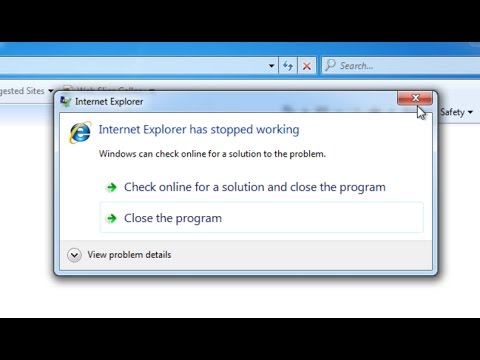
Do you get the message “Internet Explorer has stopped working”pop up?
How do fix “Internet Explorer has stopped working”?
"Internet Explorer has stopped working. A problem caused the program to stop working correctly. Windows will close the program and notify you if a solution is available."?
Why the “Internet Explorer has stopped working”pop up when load IE?
Internet Explorer won't open, or crashes immediately after opening, and then "INTERNET EXPLORER HAS STOPPED WORKING, WINDOWS IS CHECKING FOR A SOLUTION TO THIS PROBLEM." error pop up. Or you can't open Internet Explorer, if it opens briefly and then closes,Internet Explorer crashes, freezes, or hangs the problem might be caused by low memory, or damaged or missing system files.
There are some things that you could try to fix the error message “Internet Explorer has stopped working”. The steps are usually the same on IE8,IE9,IE10 and IE11, also same on windows 7, windows 8/8.1.
1. Clear your browsing cache (temporary Internet files).
2. Install the latest updates.
3. Reset Internet Explorer settings
How to Reset Internet Explorer Settings?
Open Internet Explorer.
Click on Tools menu (Press “alt” key to active menu bar).
Click on “Internet Options“. a configuration window you will appear
Click on advanced tab.
Click on “Reset” Button. You’ll get an another box, here check a box named as “Delete Personal Settings“, then click on Reset button on it.
Learn more about how to remove computer virus ►youtube.com/user/MrRemoveVirus
How do fix “Internet Explorer has stopped working”?
"Internet Explorer has stopped working. A problem caused the program to stop working correctly. Windows will close the program and notify you if a solution is available."?
Why the “Internet Explorer has stopped working”pop up when load IE?
Internet Explorer won't open, or crashes immediately after opening, and then "INTERNET EXPLORER HAS STOPPED WORKING, WINDOWS IS CHECKING FOR A SOLUTION TO THIS PROBLEM." error pop up. Or you can't open Internet Explorer, if it opens briefly and then closes,Internet Explorer crashes, freezes, or hangs the problem might be caused by low memory, or damaged or missing system files.
There are some things that you could try to fix the error message “Internet Explorer has stopped working”. The steps are usually the same on IE8,IE9,IE10 and IE11, also same on windows 7, windows 8/8.1.
1. Clear your browsing cache (temporary Internet files).
2. Install the latest updates.
3. Reset Internet Explorer settings
How to Reset Internet Explorer Settings?
Open Internet Explorer.
Click on Tools menu (Press “alt” key to active menu bar).
Click on “Internet Options“. a configuration window you will appear
Click on advanced tab.
Click on “Reset” Button. You’ll get an another box, here check a box named as “Delete Personal Settings“, then click on Reset button on it.
Learn more about how to remove computer virus ►youtube.com/user/MrRemoveVirus
About this tutorial
Mr. RemoveVirus published this 1:31 video tutorial on November 3, 2015. It has been watched 559,174 times on YouTube.
- Channel
- Mr. RemoveVirus
- Category
- Science & Technology
- Duration
- 1:31
- Published
- November 3, 2015
- Views
- 559,174
- Likes
- 1,448
Tags
Share
This tutorial in other languages
- FRComment réparer « Internet Explorer a cessé de fonctionner »
- ESCómo arreglar "Internet Explorer ha dejado de funcionar"
- PTComo corrigir "Internet Explorer parou de funcionar"
- ITCome risolvere "Internet Explorer ha smesso di funzionare"
- DEWie zu beheben „Internet Explorer funktioniert nicht mehr“
- NLHoe op te lossen "Internet Explorer werkt niet meer"
- RUКак исправить «Internet Explorer перестал работать»
- PLJak naprawić „Internet Explorer przestał działać”
- JA「Internet Explorerは動作を停止しました」修復する方法
- ARكيفية إصلاح "إنترنت إكسبلورر قد توقفت عن العمل"
- HIकैसे ठीक करने के लिए "इंटरनेट एक्सप्लोरर काम कर बंद कर दिया है"
- IDCara untuk memperbaiki "Internet Explorer telah berhenti bekerja"