Playback starts YouTube’s embedded player (privacy-enhanced mode).
How to remove one windows from dual boot system
ChannelTech TutorialsDescription from the creator
How to delete windows 7 from dual boot computer?
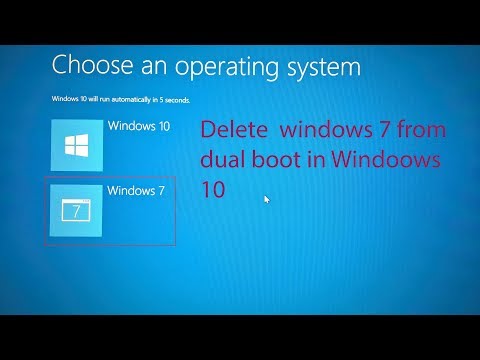
In this video, I am going to show you how to remove one operating system from a dual boot computer. Sometimes, we have installed two operating system in our computer consciously or subconsciously. And when you do not need one of them you must want to delete it. In this tutorial, I will show removing dual boot windows from windows 10 pc.
To fix dual boot problem, at first you need to go to run command and type msconfig command and press ok button. After that, a new window will appear in front of your desktop. Go to boot option and there you will see two windows are in the list for dual boot. In my case, windows 10 as default operating system or current windows. Whereas windows 7 as secondary windows. Now, I am going to remove windows 7 from dual boot computer. Please selec your desired operating system to remove from dual boot option and press delete button. To make confirm please press Apply+ok button. You must restart your computer after completion this tasks.
Buy Windows From Amazon:
1. WINDOWS 11 Pro From Amazon: amzn.to/452OJXX
2. Windows 11 Pro Upgrade from Amazon: amzn.to/43tsolh
3. Windows 11 Pro Workstation From Amazon: amzn.to/4mMtWOD
In this video, I am going to show you how to remove one operating system from a dual boot computer. Sometimes, we have installed two operating system in our computer consciously or subconsciously. And when you do not need one of them you must want to delete it. In this tutorial, I will show removing dual boot windows from windows 10 pc.
To fix dual boot problem, at first you need to go to run command and type msconfig command and press ok button. After that, a new window will appear in front of your desktop. Go to boot option and there you will see two windows are in the list for dual boot. In my case, windows 10 as default operating system or current windows. Whereas windows 7 as secondary windows. Now, I am going to remove windows 7 from dual boot computer. Please selec your desired operating system to remove from dual boot option and press delete button. To make confirm please press Apply+ok button. You must restart your computer after completion this tasks.
Buy Windows From Amazon:
1. WINDOWS 11 Pro From Amazon: amzn.to/452OJXX
2. Windows 11 Pro Upgrade from Amazon: amzn.to/43tsolh
3. Windows 11 Pro Workstation From Amazon: amzn.to/4mMtWOD
About this tutorial
Tech Tutorials published this 1:39 video tutorial on November 13, 2018. It has been watched 427,490 times on YouTube.
- Channel
- Tech Tutorials
- Category
- Science & Technology
- Duration
- 1:39
- Published
- November 13, 2018
- Views
- 427,490
- Likes
- 5,802
Tags
Share
This tutorial in other languages
- FRComment supprimer une fenêtre de double système de démarrage
- ES¿Cómo eliminar a uno ventanas de doble sistema de arranque
- PTComo remover um janelas de sistema dual boot
- ITCome rimuovere uno finestre dal sistema dual boot
- DEWie ein Fenster von Dual-Boot-System entfernen
- NLHoe kan ik een vensters van dual-boot systeem te verwijderen
- RUКак удалить одну из окна двойной загрузки системы
- PLJak usunąć jeden Windows z podwójnym rozruchem
- JAデュアルブートシステムから1つのウィンドウを削除する方法
- ARكيفية إزالة أحد النوافذ من نظام تشغيل مزدوج
- HIदोहरी बूट सिस्टम से एक विंडोज़ निकालने का तरीका
- IDCara menghapus satu jendela dari sistem dual boot