Playback starts YouTube’s embedded player (privacy-enhanced mode).
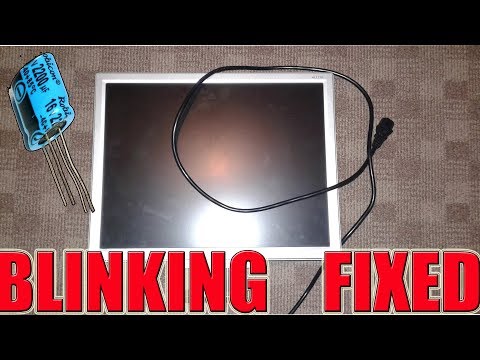
How to repair most of the LCD monitors with blinking light
ChannelNoSkillsRequiredDescription from the creator
How to repair most of the lcd monitors with blinking light problem
this time we was lucky that a small unexpected fix manage to repair this Acer monitor.
A computer monitor is an output device that displays information in pictorial form. A monitor usually comprises the display device, circuitry, casing, and power supply. The display device in modern monitors is typically a thin film transistor liquid crystal display (TFT-LCD) with LED backlighting having replaced cold-cathode fluorescent lamp (CCFL) backlighting. Older monitors used a cathode ray tube (CRT). Monitors are connected to the computer via VGA, Digital Visual Interface (DVI), HDMI, DisplayPort, Thunderbolt, low-voltage differential signaling (LVDS) or other proprietary connectors and signals.
Originally, computer monitors were used for data processing while television receivers were used for entertainment. From the 1980s onwards, computers (and their monitors) have been used for both data processing and entertainment, while televisions have implemented some computer functionality. The common aspect ratio of televisions, and computer monitors, has changed from 4:3 to 16:10, to 16:9.
Modern computer monitors are easily interchangeable with conventional television sets. However, as computer monitors do not necessarily include components such as a television tuner and speakers, it may not be possible to use a computer monitor as a television without external components.
Thanks for your time if you like this video consider subscribing
youtube.com/c/NoSkillsRequired
You can find NOSKILLS on Facebook
facebook.com/Diy-electronics-1768681476509275/
Also you can fins NOSKILLS on twitter
twitter.com/noskills2016
If you want to email the NO SKILLS MAN : [email protected]
Thanks one again DIY Electronics rullez !!!
this time we was lucky that a small unexpected fix manage to repair this Acer monitor.
A computer monitor is an output device that displays information in pictorial form. A monitor usually comprises the display device, circuitry, casing, and power supply. The display device in modern monitors is typically a thin film transistor liquid crystal display (TFT-LCD) with LED backlighting having replaced cold-cathode fluorescent lamp (CCFL) backlighting. Older monitors used a cathode ray tube (CRT). Monitors are connected to the computer via VGA, Digital Visual Interface (DVI), HDMI, DisplayPort, Thunderbolt, low-voltage differential signaling (LVDS) or other proprietary connectors and signals.
Originally, computer monitors were used for data processing while television receivers were used for entertainment. From the 1980s onwards, computers (and their monitors) have been used for both data processing and entertainment, while televisions have implemented some computer functionality. The common aspect ratio of televisions, and computer monitors, has changed from 4:3 to 16:10, to 16:9.
Modern computer monitors are easily interchangeable with conventional television sets. However, as computer monitors do not necessarily include components such as a television tuner and speakers, it may not be possible to use a computer monitor as a television without external components.
Thanks for your time if you like this video consider subscribing
youtube.com/c/NoSkillsRequired
You can find NOSKILLS on Facebook
facebook.com/Diy-electronics-1768681476509275/
Also you can fins NOSKILLS on twitter
twitter.com/noskills2016
If you want to email the NO SKILLS MAN : [email protected]
Thanks one again DIY Electronics rullez !!!
About this tutorial
NoSkillsRequired published this 3:21 video tutorial on November 12, 2019. It has been watched 109,444 times on YouTube.
- Channel
- NoSkillsRequired
- Category
- Science & Technology
- Duration
- 3:21
- Published
- November 12, 2019
- Views
- 109,444
- Likes
- 547
Tags
Share
This tutorial in other languages
- FRComment réparer la plupart des moniteurs LCD avec lumière clignotante
- ESCómo reparar la mayoría de los monitores LCD con luz intermitente
- PTComo reparar a maioria dos monitores LCD com luz piscando
- ITCome riparare la maggior parte dei monitor LCD con luce lampeggiante
- DEWie die meisten der LCD-Monitore mit Blinklicht reparieren
- NLHoe maak je de meeste van de LCD-monitoren te herstellen met knipperlicht
- RUКак восстановить большинство ЖК-мониторов с мигающим светом
- PLJak naprawić większość monitorów LCD z migającym światłem
- JAほとんどの点滅ライト付きの液晶モニターのを修復する方法
- ARكيفية إصلاح معظم المراقبين LCD مع ضوء وامض
- HIकैसे निमिष प्रकाश के साथ एलसीडी मॉनिटर के सबसे की मरम्मत के लिए
- IDBagaimana memperbaiki sebagian besar monitor LCD dengan cahaya berkedip