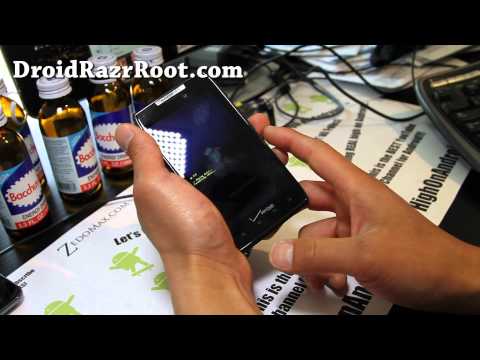
Playback starts YouTube’s embedded player (privacy-enhanced mode).
How to Reset to Factory and Get Into Fastboot Menus on Droid Razr!
ChannelMax LeeDescription from the creator
Here's how to do a factory reset your Droid Razr and also how to get into fastboot menus on Droid Razr.
Factory reset only erases your personal settings and apps does not unroot/unbrick your phone.
--------------------------------------------------------------------------------------
Want to stay updated on Droid Razr rooting, ROMs, tips, and more?
Sign up for our e-mail newsletter here:
forms.aweber.com/form/65/1024880765.htm
(We send you an update 1-2 times a week, we don't share your e-mail with anyone else.)
--------------------------------------------------------------------------------------
Droid Razr Reference:
Note: For new ROMs, you will need a rooted Droid Razr and Safestrap/ClockworkMod Recovery installed!
PLEASE See Droid Razr root FAQ FIRST if you are new to all this:
droidrazrroot.com/droid-razr-root-faq/
----------------------------------------------------------------------------------------
Droid Razr ROM Reviews for Droid Razr:
droidrazrroot.com/category/droid-razr-roms/
++++++++++++++++++++++++++++++++++++++++++++++++
I use Canon 7D for recording most of my YouTube videos, for my setup, see here:
youtube.com/watch?v=x9gqH2ErDZE
++++++++++++++++++++++++++++++++++++++++++++++++
Why You Should Choose Android Over iPhone/iOS:
youtube.com/watch?v=wYgofunq3OE
++++++++++++++++++++++++++++++++++++++++++++++++
Want to contact me?
Add me on:
GooglePlus:
plus.google.com/105122758270056069711/posts
Facebook:
facebook.com/howtoblog
Twitter:
twitter.com/zedomax
++++++++++++++++++++++++++++++++++++++++++++++++
If you like this video, please CLICK on the link below to subscribe to my YouTube channel, THANKS A TON BUD, I OWE YOU ONE!
youtube.com/subscription_center?add_user=zedomax
++++++++++++++++++++++++++++++++++++++++++++++++
------------------------------------------------------------------------------------------
Do you have a technical question about this video?
If it's a technical question such as how to root or install a ROM,
please ask your question here by starting a new topic at the new Android Rehab Center:
forum.highonandroid.com/c/Android-Rehab-Center/…
YouTube commenting/notification system is very outdated and makes it hard/impossible
to get back to everyone but if you post it on our Rehab Center, you will get an answer ASAP!
Here's a video explaining why you didn't get a reply from my videos:
youtube.com/watch?v=FBfku5Lk7xk
------------------------------------------------------------------------------------------
Follow my social media:
twitter.com/zedomax
instagram.com/reallyhighonandroid
facebook.com/howtoblog
------------------------------------------
Join the HighOnAndroid VIP Fans List here:
highonandroid.com/newsletter.php
------------------------------------------
#HighOnAndroid
Factory reset only erases your personal settings and apps does not unroot/unbrick your phone.
--------------------------------------------------------------------------------------
Want to stay updated on Droid Razr rooting, ROMs, tips, and more?
Sign up for our e-mail newsletter here:
forms.aweber.com/form/65/1024880765.htm
(We send you an update 1-2 times a week, we don't share your e-mail with anyone else.)
--------------------------------------------------------------------------------------
Droid Razr Reference:
Note: For new ROMs, you will need a rooted Droid Razr and Safestrap/ClockworkMod Recovery installed!
PLEASE See Droid Razr root FAQ FIRST if you are new to all this:
droidrazrroot.com/droid-razr-root-faq/
----------------------------------------------------------------------------------------
Droid Razr ROM Reviews for Droid Razr:
droidrazrroot.com/category/droid-razr-roms/
++++++++++++++++++++++++++++++++++++++++++++++++
I use Canon 7D for recording most of my YouTube videos, for my setup, see here:
youtube.com/watch?v=x9gqH2ErDZE
++++++++++++++++++++++++++++++++++++++++++++++++
Why You Should Choose Android Over iPhone/iOS:
youtube.com/watch?v=wYgofunq3OE
++++++++++++++++++++++++++++++++++++++++++++++++
Want to contact me?
Add me on:
GooglePlus:
plus.google.com/105122758270056069711/posts
Facebook:
facebook.com/howtoblog
Twitter:
twitter.com/zedomax
++++++++++++++++++++++++++++++++++++++++++++++++
If you like this video, please CLICK on the link below to subscribe to my YouTube channel, THANKS A TON BUD, I OWE YOU ONE!
youtube.com/subscription_center?add_user=zedomax
++++++++++++++++++++++++++++++++++++++++++++++++
------------------------------------------------------------------------------------------
Do you have a technical question about this video?
If it's a technical question such as how to root or install a ROM,
please ask your question here by starting a new topic at the new Android Rehab Center:
forum.highonandroid.com/c/Android-Rehab-Center/…
YouTube commenting/notification system is very outdated and makes it hard/impossible
to get back to everyone but if you post it on our Rehab Center, you will get an answer ASAP!
Here's a video explaining why you didn't get a reply from my videos:
youtube.com/watch?v=FBfku5Lk7xk
------------------------------------------------------------------------------------------
Follow my social media:
twitter.com/zedomax
instagram.com/reallyhighonandroid
facebook.com/howtoblog
------------------------------------------
Join the HighOnAndroid VIP Fans List here:
highonandroid.com/newsletter.php
------------------------------------------
#HighOnAndroid
About this tutorial
Max Lee published this 5:24 video tutorial on November 7, 2012. It has been watched 16,023 times on YouTube.
- Channel
- Max Lee
- Category
- Science & Technology
- Duration
- 5:24
- Published
- November 7, 2012
- Views
- 16,023
- Likes
- 59
Tags
Share
This tutorial in other languages
- FRComment réinitialiser à l'usine et entrer dans Fastboot menus sur Droid Razr!
- ESCómo Restablecer la configuración original y entrar en Fastboot Menús de Droid Razr!
- PTComo redefinir a fábrica e entrar em Fastboot Menus no Droid Razr!
- ITCome ripristinare le fabbrica e entrare in Fastboot menu su Droid Razr!
- DEWie man Factory Reset und In Fastboot-Menüs auf Droid Razr Get!
- NLOver het herstellen van Factory en Get Into Fastboot's op Droid Razr!
- RUКак сбросить к заводским и попасть в FastBoot меню на Droid Razr!
- PLJak powrócić do ustawień fabrycznych i dostać się do menu na fastboot Droid Razr!
- JA工場出荷時にリセットし、ドロイドRazrの上の高速ブートメニューに入るためにどのように!
- ARكيفية إعادة تعيين لمصنع والدخول في FASTBOOT القوائم على رازر الروبوت!
- HIकैसे फैक्टरी पर रीसेट करें और Droid Razr पर में Fastboot मेनू जाओ करने के लिए!
- IDCara Reset ke Factory dan Dapatkan Ke Fastboot Menu pada Droid Razr!