Playback starts YouTube’s embedded player (privacy-enhanced mode).
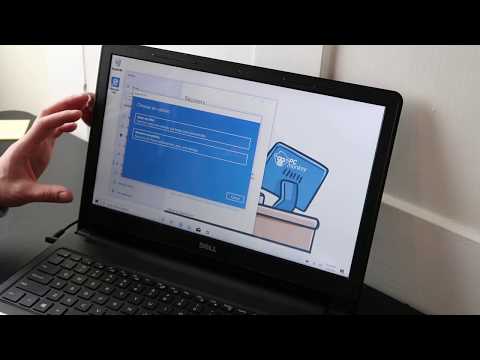
How To Fix / Factory Reset a Dell Computer - Return to Factory Settings
ChannelPC MonkeyDescription from the creator
Use this video to help you restore your Dell computer to Factory Settings. Keep in mind, this will erase all saved data, if that option is chosen. After a Factory Reset, its always good to make sure your computer is fully updated as seen here: youtu.be/DPBi13q0H8I.
Check out the FAQ's and the Related Links below for more helpful info !!
Please remember to Like, Share and Subscribe if this was helpful !!
Please subscribe to youtube.com/@JamTechs where I give you 5 minute or less videos about cool tech!
Related Links:
Laptop Tools, Components & Accessories: amzn.to/3XpHdlw
HDD & SSD Replacement / Upgrades: amzn.to/430vkEz
Hard Drives vs Different Kinds of Solid State Drives Explained: youtu.be/KgDucEw7drA
FAQ's
Q: The factory reset will not successfully complete :(
A: If you cannot factory reset your computer, you may have to install the operating system new.
You can see how to install Windows 10 here: youtu.be/zYY-Gq68Dvo.
You can create Win10 Install Media for free as seen here; youtu.be/YbC4jZVwQm4.
You can see how to install Windows 11 here: youtu.be/QG0AiieydpM
You can create Win11 Install Media for free as seen here: youtu.be/WIxDYRBVbmk.
If you cant create your own, you may have to purchase it. You can see an example of a good install media USB in the Repair Tools list here; amzn.to/3XpHdlw
Q: What if it says that I need to free up additional space?
A: You can try deleting a lot of your needless data as seen here; youtu.be/Dt5_GXotTmE.
If that does not work, then you will have to install Windows new.
You can see how to install Windows 10 here: youtu.be/zYY-Gq68Dvo.
You can create Win10 Install Media for free as seen here; youtu.be/YbC4jZVwQm4.
You can see how to install Windows 11 here: youtu.be/QG0AiieydpM
You can create Win11 Install Media for free as seen here: youtu.be/WIxDYRBVbmk.
If you cant create your own, you may have to purchase it. You can see an example of a good install media USB in the Repair Tools list here; amzn.to/3XpHdlw
(edited 7/25)
Check out the FAQ's and the Related Links below for more helpful info !!
Please remember to Like, Share and Subscribe if this was helpful !!
Please subscribe to youtube.com/@JamTechs where I give you 5 minute or less videos about cool tech!
Related Links:
Laptop Tools, Components & Accessories: amzn.to/3XpHdlw
HDD & SSD Replacement / Upgrades: amzn.to/430vkEz
Hard Drives vs Different Kinds of Solid State Drives Explained: youtu.be/KgDucEw7drA
FAQ's
Q: The factory reset will not successfully complete :(
A: If you cannot factory reset your computer, you may have to install the operating system new.
You can see how to install Windows 10 here: youtu.be/zYY-Gq68Dvo.
You can create Win10 Install Media for free as seen here; youtu.be/YbC4jZVwQm4.
You can see how to install Windows 11 here: youtu.be/QG0AiieydpM
You can create Win11 Install Media for free as seen here: youtu.be/WIxDYRBVbmk.
If you cant create your own, you may have to purchase it. You can see an example of a good install media USB in the Repair Tools list here; amzn.to/3XpHdlw
Q: What if it says that I need to free up additional space?
A: You can try deleting a lot of your needless data as seen here; youtu.be/Dt5_GXotTmE.
If that does not work, then you will have to install Windows new.
You can see how to install Windows 10 here: youtu.be/zYY-Gq68Dvo.
You can create Win10 Install Media for free as seen here; youtu.be/YbC4jZVwQm4.
You can see how to install Windows 11 here: youtu.be/QG0AiieydpM
You can create Win11 Install Media for free as seen here: youtu.be/WIxDYRBVbmk.
If you cant create your own, you may have to purchase it. You can see an example of a good install media USB in the Repair Tools list here; amzn.to/3XpHdlw
(edited 7/25)
About this tutorial
PC Monkey published this 4:05 video tutorial on March 31, 2020. It has been watched 496,765 times on YouTube.
- Channel
- PC Monkey
- Category
- Science & Technology
- Duration
- 4:05
- Published
- March 31, 2020
- Views
- 496,765
- Likes
- 2,701
Share
This tutorial in other languages
- FRComment réparer / Réinit.d'usine un ordinateur Dell - Retour aux réglages d'usine
- ESCómo corregir / Factory Reset una Dell Computer - Volver a la configuración de fábrica
- PTComo corrigir / Factory Reset a Dell Computer - Voltar as definições de fábrica
- ITCome correggere / Factory Reset Dell Computer - Ritorno alle impostazioni di fabbrica
- DEHow To Fix / Reset Factory einen Dell Computer - Zurück auf die Werkseinstellungen
- NLHow To Fix / Factory Reset een Dell Computer - Ga terug naar fabrieksinstellingen
- RUКак исправить / Factory Reset на Dell Computer - Возврат к заводским настройкам
- PLJak naprawić / Reset Dell Computer - powrót do ustawień fabrycznych
- JA工場出荷時の設定に戻す - 修正する方法/工場はDell Computerをリセット
- ARكيفية إصلاح / مصنع إعادة تعيين ديل الحاسوب - العودة إلى إعدادات المصنع
- HIकैसे ठीक करने के लिए / फैक्टरी रीसेट एक Dell कंप्यूटर - फैक्टरी सेटिंग्स पर लौटें
- IDBagaimana Untuk Perbaiki / Factory Reset Dell Computer - Kembali ke Pengaturan Pabrik