Playback starts YouTube’s embedded player (privacy-enhanced mode).
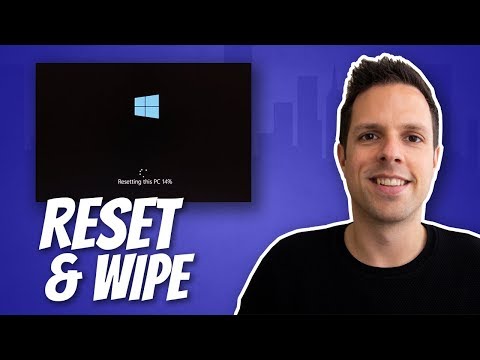
How to reset Windows 10 to Factory Settings
ChannelDave's Tech RescueIn brief
You’ll restore Windows 10 to its original state, choosing to preserve files or erase them completely—ideal for troubleshooting or preparing a device for resale. The process is straightforward and includes a secure erase option for data protection.
Questions & answers
Can I keep my personal files during the reset?
Yes, you can choose to keep your files while removing apps and settings.
Description from the creator
You can choose whether you want to keep your files, or wipe them.
And if you're getting rid of your computer, you can select an option to securely erase your storage.
DONATE - Several viewers have kindly asked how they can support my channel. You're welcome to make a donation through PayPal using this link if you wish. Thanks!
paypal.me/davestechrescue
#windows10
*** My gear ***
Camera - Canon EOS 700D (Rebel T5i)
geni.us/mVaL
Microphone - Rode Videomic Pro
geni.us/ymKY5R
Laptop - HP Spectre x360
geni.us/OS4d
As an Amazon Associate I earn from qualifying purchases.
Music: bensound.com
About this tutorial
Dave's Tech Rescue published this 5:41 video tutorial on November 25, 2019. It has been watched 3,164,230 times on YouTube.
- Channel
- Dave's Tech Rescue
- Category
- Science & Technology
- Duration
- 5:41
- Published
- November 25, 2019
- Views
- 3,164,230
- Likes
- 49,791
Tags
Share
Further reading
-
How to refresh, reset, or restore your PC
support.microsoft.com
Reset your PC to reinstall Windows but delete your files, settings, and apps—except for the apps that came with your PC. Restore your PC to undo recent system changes you've made. If you're having trouble starting (boot…
-
How to Factory Reset Windows 10 | PCMag
pcmag.com
How to Factory Reset Windows 10. If your Windows 10 machine isn’t working as well as it should be, it might be time to restore the computer to its out-of-the-box settings.
-
How to reset a Windows 10 PC to factory settings | Windows ...
windowscentral.com
To reset a computer to factory settings using the Windows 10 original image, use these steps: Important: If you use this option on a branded computer, you may lose the ability to use the custom ...
This tutorial in other languages
- FRComment réinitialiser de Windows 10 aux réglages par défaut
- ESCómo reiniciar Windows 10 a la configuración de fábrica
- PTComo reiniciar o Windows 10 a configurações de fábrica
- ITCome ripristinare Windows 10 alle impostazioni di fabbrica
- DEWie Sie Windows 10 auf die Werkseinstellungen zurücksetzen
- NLHoe kan ik Windows 10 terug te zetten naar fabrieksinstellingen
- RUКак восстановить Windows 10 заводских настроек
- PLJak przywrócić system Windows 10 do ustawień fabrycznych
- JA工場出荷時設定へのWindows 10をリセットする方法
- ARكيفية إعادة ضبط ويندوز 10 إلى إعدادات المصنع
- HIफैक्टरी सेटिंग्स करने के लिए Windows 10 पुनर्स्थापित करने के लिए कैसे
- IDCara reset Windows 10 ke Pengaturan Pabrik