Playback starts YouTube’s embedded player (privacy-enhanced mode).
How to Rip CDs in Ubuntu with Asunder CD Ripper
ChannelquidsupDescription from the creator
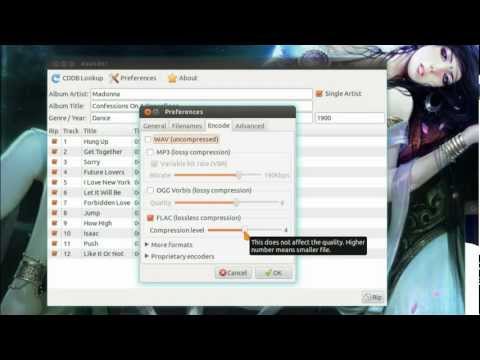
Tutorial on how to Rip CDs in Ubuntu using Asunder, and then adding artwork with ID3 Tag Editing App -- EasyTAG
Asunder is a graphical Audio CD ripper and Encoder, it can automatically prefill tag information from CDDB, and it can output in verity of file types including: FLAC, MP3, AAC, Ogg, and Wav
Installation Instructions:
sudo apt-get install asunder easytag
(optional for MP3 encoding) sudo apt-get install lame
Wallpaper: imgur.com/DRayv
Asunder is a graphical Audio CD ripper and Encoder, it can automatically prefill tag information from CDDB, and it can output in verity of file types including: FLAC, MP3, AAC, Ogg, and Wav
Installation Instructions:
sudo apt-get install asunder easytag
(optional for MP3 encoding) sudo apt-get install lame
Wallpaper: imgur.com/DRayv
About this tutorial
quidsup published this 4:25 video tutorial on November 12, 2012. It has been watched 13,394 times on YouTube.
- Channel
- quidsup
- Category
- Science & Technology
- Duration
- 4:25
- Published
- November 12, 2012
- Views
- 13,394
- Likes
- 105
Tags
Share
This tutorial in other languages
- FRComment Rip CD dans Ubuntu avec Asunder CD Ripper
- ESCómo copiar CD en Ubuntu con Asunder CD Ripper
- PTComo Rip CDs do Ubuntu com Asunder CD Ripper
- ITCome rippare CD in Ubuntu con Asunder CD Ripper
- DEWie CDs in Ubuntu mit Asunder CD Ripper Rip
- NLHoe kan ik cd's in Ubuntu Rip met Asunder CD Ripper
- RUКак Rip компакт-дисков в Ubuntu с Asunder CD Ripper
- PLJak zgrać płyty w Ubuntu z Asunder CD Ripper
- JAバラバラCDリッパーでのUbuntuにCDをリッピングする方法
- ARكيفية نسخ الأقراص المضغوطة في أوبونتو مع إربا مؤتمر نزع السلاح الخارق
- HIAsunder सीडी खूनी साथ Ubuntu में सीडी रिप कैसे
- IDBagaimana Rip CD di Ubuntu dengan terbelah CD Ripper