Playback starts YouTube’s embedded player (privacy-enhanced mode).
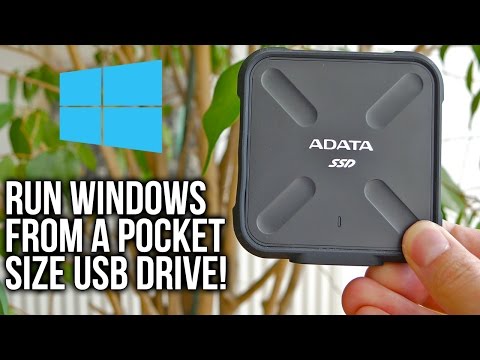
How To Run Windows From USB Drive - Windows To Go (Feat. ADATA SD700 Review)
ChannelTekTickDescription from the creator
With trying out new ADATA SD700 external SSD, I also did an interesting and hopefully for you a useful guide
►Price US - amzn.to/2nIsLVt
►Price EU / DE - amzn.to/2mMFpDt
►Price UK - amzn.to/2nIBPK5
►Price CA - amzn.to/2nrrrUW
►Product page - adata.com/en/ext-ssd/feature/441
●You can also check this video on my website - tektick.com/
Official Microsoft Windows 10 Download Utility - microsoft.com/en-us/software-download/windows10
GImageX - autoitscript.com/site/autoit-tools/gimagex/
Rufus - rufus.akeo.ie/
Although you can find all of this in the video itself, and even more in details, I've created a written guide so you can more easily copy those longer DOS commands!
1. Download Windows 10 ISO using Microsoft's Utility and create bootable USB stick using that same utility or Rufus program.
2. Make the second drive (one from which you're going to run Windows as a final product) an "active" one. You can do that by opening up command prompt (type CMD in Win run / search) as an administrator, then type in order;
● diskpart ► hit enter
● list disk - hit enter
● select disk x ► "x" being your drive number, hit enter
● clean ► hit enter
● create partition primary ► hit enter
● select partition 1 ► hit enter
● active ► hit enter
● exit ► hit enter
3. Open up the command prompt (type CMD in Win run / search) as an administrator so you can Extract install.esd to install.wim file. Navigate to your bootable USB stick (from the 1. point) to the "sources" folder and use following commands, type in order;
● dism /Get-WimInfo /WimFile:install.esd ► hit enter
● dism /export-image /SourceImageFile:install.esd /SourceIndex:1 /DestinationImageFile:install.wim /Compress:max /CheckIntegrity ► hit enter
Wait for it to completely finish, it can take a while.
4. Open up GImageX, go under "Apply" tab, choose under "Source" folder the "install.wim" file which we've just created on that bootable USB stick in that "sources" folder. For "Destination" choose your other USB drive, the final product on which will GImageX do a complete and final installation of the Windows.
5. Lastly, you need to create a bootable set of instructions for that second drive. Open up the command prompt (type CMD in Win run / search) as an administrator, navigate to that drive (check under which drive letter it is), to its "System32" folder (it's under "Windows" folder, so "cd windows/system32) and type in the following command;
●bcdboot.exe X:\Windows /s X: /f ALL ► "X" being the drive letter for that drive, if it's for example "E" drive, put an E instead of it, like so ● bcdboot.exe E:\Windows /s E: /f ALL ► hit enter
That's it!
Items linking to Amazon are a part of Amazon Affiliate program in which I participate. This way you're directly contributing to the channel and helping me to improve my content, and for that - a sincere thank you from me!
You can support TekTick while shopping at Amazon
►Amazon US - amzn.to/2dkzzDb
►Amazon CA - amzn.to/2grXEKN
►Amazon UK - amzn.to/2eU9BHH
►Amazon EU / DE - amzn.to/2fuPd1L
●Test system configuration:
CPU - Intel Core i7 6700K @ 4.6 GHz - amzn.to/2dHOshr
MBO - Gigabyte Z270X-Gaming 5 - amzn.to/2mxhK9o
RAM - ADATA Dazzle 2 x 8 GB DDR4 2800 MHz - amzn.to/2d3WlN1
GPU - MSI GTX 1070 Gaming X - amzn.to/2mf4DZu
SSD0 - Intel 730 SSD 240 GB - amzn.to/2dHNBNv
SSD1 - Plextor M6V 256 GB - amzn.to/2dfOrp1
SSD2 - Kingston UV400 480 GB - amzn.to/2gHoBtO
Cooling - Scythe Mugen 5 - amzn.to/2mbXnfc
PSU - Seasonic Prime 80Plus Titanium 750W - amzn.to/2di40dF
OS - Windows 10 64-bit - amzn.to/2dw8l9Y
Drivers - GeForce Game Ready Driver 378.66
Main Monitor - AOC U3477PQU - amzn.to/2dteabQ
Don't forget to subscribe to the TekTick YouTube channel if you want to see more content like this, as well as to participate in a discussion through our social media channels listed down below.
► Subscribe - goo.gl/6ls45l
► Google Plus - google.com/+Tektick
► Facebook - facebook.com/TheTekTick
► Twitter - twitter.com/thetektick
► Instagram - instagram.com/thetektick/
► Twitch - twitch.tv/tektick
TekTick Website - tektick.com/
MUSIC
26CARAT - FACTS: youtube.com/watch?v=fky-j88UlJ4
CREDITS
• 26CARAT
soundcloud.com/26carat
twitter.com/26caratmusic
facebook.com/26caratmusic
instagram.com/26caratmusic
MUSIC
Soul Catalyst - Solstice: youtube.com/watch?v=7DfOyPfF98Q
CREDITS
• Soul Catalyst
soundcloud.com/catalyst-11
twitter.com/TheSoulCatalyst
facebook.com/SoulCatalystMusic
►Price US - amzn.to/2nIsLVt
►Price EU / DE - amzn.to/2mMFpDt
►Price UK - amzn.to/2nIBPK5
►Price CA - amzn.to/2nrrrUW
►Product page - adata.com/en/ext-ssd/feature/441
●You can also check this video on my website - tektick.com/
Official Microsoft Windows 10 Download Utility - microsoft.com/en-us/software-download/windows10
GImageX - autoitscript.com/site/autoit-tools/gimagex/
Rufus - rufus.akeo.ie/
Although you can find all of this in the video itself, and even more in details, I've created a written guide so you can more easily copy those longer DOS commands!
1. Download Windows 10 ISO using Microsoft's Utility and create bootable USB stick using that same utility or Rufus program.
2. Make the second drive (one from which you're going to run Windows as a final product) an "active" one. You can do that by opening up command prompt (type CMD in Win run / search) as an administrator, then type in order;
● diskpart ► hit enter
● list disk - hit enter
● select disk x ► "x" being your drive number, hit enter
● clean ► hit enter
● create partition primary ► hit enter
● select partition 1 ► hit enter
● active ► hit enter
● exit ► hit enter
3. Open up the command prompt (type CMD in Win run / search) as an administrator so you can Extract install.esd to install.wim file. Navigate to your bootable USB stick (from the 1. point) to the "sources" folder and use following commands, type in order;
● dism /Get-WimInfo /WimFile:install.esd ► hit enter
● dism /export-image /SourceImageFile:install.esd /SourceIndex:1 /DestinationImageFile:install.wim /Compress:max /CheckIntegrity ► hit enter
Wait for it to completely finish, it can take a while.
4. Open up GImageX, go under "Apply" tab, choose under "Source" folder the "install.wim" file which we've just created on that bootable USB stick in that "sources" folder. For "Destination" choose your other USB drive, the final product on which will GImageX do a complete and final installation of the Windows.
5. Lastly, you need to create a bootable set of instructions for that second drive. Open up the command prompt (type CMD in Win run / search) as an administrator, navigate to that drive (check under which drive letter it is), to its "System32" folder (it's under "Windows" folder, so "cd windows/system32) and type in the following command;
●bcdboot.exe X:\Windows /s X: /f ALL ► "X" being the drive letter for that drive, if it's for example "E" drive, put an E instead of it, like so ● bcdboot.exe E:\Windows /s E: /f ALL ► hit enter
That's it!
Items linking to Amazon are a part of Amazon Affiliate program in which I participate. This way you're directly contributing to the channel and helping me to improve my content, and for that - a sincere thank you from me!
You can support TekTick while shopping at Amazon
►Amazon US - amzn.to/2dkzzDb
►Amazon CA - amzn.to/2grXEKN
►Amazon UK - amzn.to/2eU9BHH
►Amazon EU / DE - amzn.to/2fuPd1L
●Test system configuration:
CPU - Intel Core i7 6700K @ 4.6 GHz - amzn.to/2dHOshr
MBO - Gigabyte Z270X-Gaming 5 - amzn.to/2mxhK9o
RAM - ADATA Dazzle 2 x 8 GB DDR4 2800 MHz - amzn.to/2d3WlN1
GPU - MSI GTX 1070 Gaming X - amzn.to/2mf4DZu
SSD0 - Intel 730 SSD 240 GB - amzn.to/2dHNBNv
SSD1 - Plextor M6V 256 GB - amzn.to/2dfOrp1
SSD2 - Kingston UV400 480 GB - amzn.to/2gHoBtO
Cooling - Scythe Mugen 5 - amzn.to/2mbXnfc
PSU - Seasonic Prime 80Plus Titanium 750W - amzn.to/2di40dF
OS - Windows 10 64-bit - amzn.to/2dw8l9Y
Drivers - GeForce Game Ready Driver 378.66
Main Monitor - AOC U3477PQU - amzn.to/2dteabQ
Don't forget to subscribe to the TekTick YouTube channel if you want to see more content like this, as well as to participate in a discussion through our social media channels listed down below.
► Subscribe - goo.gl/6ls45l
► Google Plus - google.com/+Tektick
► Facebook - facebook.com/TheTekTick
► Twitter - twitter.com/thetektick
► Instagram - instagram.com/thetektick/
► Twitch - twitch.tv/tektick
TekTick Website - tektick.com/
MUSIC
26CARAT - FACTS: youtube.com/watch?v=fky-j88UlJ4
CREDITS
• 26CARAT
soundcloud.com/26carat
twitter.com/26caratmusic
facebook.com/26caratmusic
instagram.com/26caratmusic
MUSIC
Soul Catalyst - Solstice: youtube.com/watch?v=7DfOyPfF98Q
CREDITS
• Soul Catalyst
soundcloud.com/catalyst-11
twitter.com/TheSoulCatalyst
facebook.com/SoulCatalystMusic
About this tutorial
TekTick published this 12:03 video tutorial on November 7, 2017. It has been watched 33,768 times on YouTube.
- Channel
- TekTick
- Category
- Science & Technology
- Duration
- 12:03
- Published
- November 7, 2017
- Views
- 33,768
- Likes
- 404
Tags
Share
This tutorial in other languages
- FRComment faire pour exécuter Windows à partir Drive USB - Windows To Go (Feat. ADATA SD700 Review)
- ESCómo ejecutar Windows desde USB Drive - Windows To Go (Feat. ADATA SD700 revisión)
- PTComo executar o Windows a partir de USB Drive - o Windows To Go (. Feat ADATA SD700 Review)
- ITCome eseguire Windows Dal Drive USB - Windows To Go (Feat. ADATA SD700 Review)
- DEWie zum Ausführen von Windows Von USB-Laufwerk - Windows-To Go (feat. ADATA SD700 Review)
- NLHow To Run Windows vanaf USB Drive - Windows To Go (feat. ADATA SD700 Review)
- RUКак запустить Windows Из USB Drive - Windows To Go (. Подвиг ADATA SD700 обзор)
- PLJak uruchomić Windows z USB - Windows to Go (feat. ADATA SD700 Review)
- JAどのようにするにはWindowsを実行し、USBドライブから - のWindowsに移動します(。フィーチャリングADATA SD700レビュー)
- ARكيفية تشغيل ويندوز من محرك USB - ويندوز للذهاب (. المفخرة ADATA SD700 استعراض)
- HIकैसे चलाने के लिए Windows USB ड्राइव से - विंडोज पर जाएँ (। करतब ADATA SD700 समीक्षा)
- IDCara Jalankan Windows Dari USB drive - Windows Untuk Go (. Feat ADATA SD700 Review)