Playback starts YouTube’s embedded player (privacy-enhanced mode).
How to Save Pages for Offline Reading | iPhone Tips
ChannelHowcastDescription from the creator
Watch more iPhone Tips & Tricks videos: howcast.com/videos/515302-How-to-Save-Pages-for…
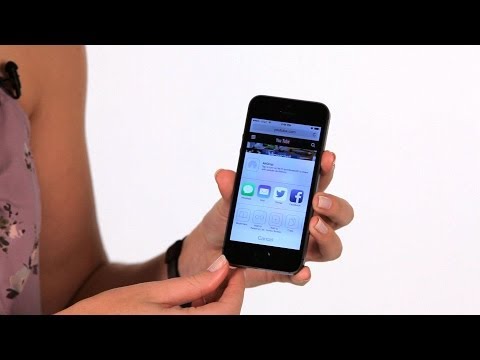
Hi! Lisa here. And I'm gonna show you how to save webpages for offline reading. Go ahead and open Safari. And in here, once you've found the page that you wanna be able to read anytime you don't have the Internet, at the bottom of the page, right in the center, you'll see what looks like an arrow dropping out of the box. Well, tap on that. You're gonna get a lot of options here. One of them with the little glasses says "Add to Reading List." When you add something to your reading list, it basically saves it offline for you.
So you can tap on that. Once it's saved and now you wanna read it, you can go to the next arrow dropping out of the box, it looks like a little book, tap on that and at the top you'll see bookmarks on one side and what looks like the same glasses image on the other side. And you tap on that, you'll see your reading list and there's the page you saved. That's how you save webpages for offline reading.
Hi! Lisa here. And I'm gonna show you how to save webpages for offline reading. Go ahead and open Safari. And in here, once you've found the page that you wanna be able to read anytime you don't have the Internet, at the bottom of the page, right in the center, you'll see what looks like an arrow dropping out of the box. Well, tap on that. You're gonna get a lot of options here. One of them with the little glasses says "Add to Reading List." When you add something to your reading list, it basically saves it offline for you.
So you can tap on that. Once it's saved and now you wanna read it, you can go to the next arrow dropping out of the box, it looks like a little book, tap on that and at the top you'll see bookmarks on one side and what looks like the same glasses image on the other side. And you tap on that, you'll see your reading list and there's the page you saved. That's how you save webpages for offline reading.
About this tutorial
Howcast published this 1:06 video tutorial on October 31, 2014. It has been watched 31,566 times on YouTube.
- Channel
- Howcast
- Category
- Science & Technology
- Duration
- 1:06
- Published
- October 31, 2014
- Views
- 31,566
- Likes
- 216
Tags
Share
This tutorial in other languages
- FRComment Pages Enregistrer pour lecture hors ligne | Conseils iPhone
- ESCómo guardar las páginas de lectura fuera de línea | Consejos iPhone
- PTComo salvar páginas para leitura offline | Dicas iPhone
- ITCome salvare le pagine per la lettura offline | iPhone Tips
- DEWie zu speichern Seiten zum Offline-Lesen | iPhone Tipps
- NLHoe kan Pagina's opslaan voor offline lezen | iPhone Tips
- RUКак сохранить страницы для чтения в автономном режиме | iPhone Советы
- PLJak zapisywanie stron do czytania offline | iPhone Porady
- JAどのようにオフラインで読むための保存のページへ| iPhoneのヒント
- ARكيفية حفظ الصفحات لغير القراءة | نصائح فون
- HIकैसे ऑफ़लाइन पढ़ने के लिए पेज को बचाने के लिए | iPhone युक्तियाँ
- IDCara Simpan Halaman untuk Offline Reading | Tips iPhone