Playback starts YouTube’s embedded player (privacy-enhanced mode).
How to Send Pictures from a Computer to a Cellphone
ChannelHowcastDescription from the creator
Full Playlist: youtube.com/playlist?list=PLLALQuK1NDriGqKQCOTH…
-
-
Watch more How to Make the Most of Your Cellphone videos: howcast.com/videos/401240-How-to-Send-Pictures-…
It's a snap to send pics from your PC to a cell if you follow these tips.
Step 1: Know the carrier
Know the cellphone carrier the recipient is using.
Step 2: Learn popular extensions
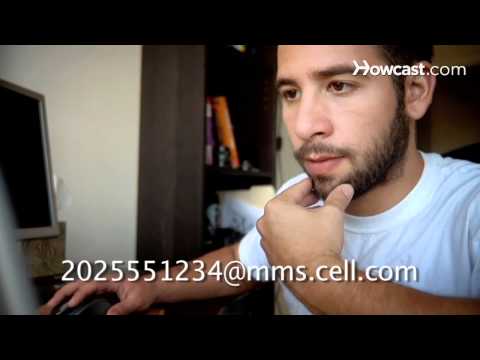
Learn the MMS extensions of the popular carriers by searching for them on the companies' websites. The e-mail address of the cell phone is the 10-digit cellphone number followed by the at sign, and then the carrier's MMS extension.
Step 3: Open e-mail
Open your e-mail program and create a new message. Insert the picture you would like to send along with your message.
Tip
Make sure the picture does not exceed 480 by 640 pixels.
Step 4: Enter the e-mail
Enter the cellphone's e-mail address, which is the 10-digit cellphone number followed by the carrier's MMS extension.
Step 5: Know text charges
Know that these messages are free for you to send but will come through to the recipient as MMS messages, so text-messaging charges will apply.
Did You Know?
A 2009 survey found that 83 percent of adults in the U.S. have cellphones.
-
-
Watch more How to Make the Most of Your Cellphone videos: howcast.com/videos/401240-How-to-Send-Pictures-…
It's a snap to send pics from your PC to a cell if you follow these tips.
Step 1: Know the carrier
Know the cellphone carrier the recipient is using.
Step 2: Learn popular extensions
Learn the MMS extensions of the popular carriers by searching for them on the companies' websites. The e-mail address of the cell phone is the 10-digit cellphone number followed by the at sign, and then the carrier's MMS extension.
Step 3: Open e-mail
Open your e-mail program and create a new message. Insert the picture you would like to send along with your message.
Tip
Make sure the picture does not exceed 480 by 640 pixels.
Step 4: Enter the e-mail
Enter the cellphone's e-mail address, which is the 10-digit cellphone number followed by the carrier's MMS extension.
Step 5: Know text charges
Know that these messages are free for you to send but will come through to the recipient as MMS messages, so text-messaging charges will apply.
Did You Know?
A 2009 survey found that 83 percent of adults in the U.S. have cellphones.
About this tutorial
Howcast published this 1:19 video tutorial on October 26, 2011. It has been watched 168,955 times on YouTube.
- Channel
- Howcast
- Category
- Science & Technology
- Duration
- 1:19
- Published
- October 26, 2011
- Views
- 168,955
- Likes
- 192
Tags
Share
This tutorial in other languages
- FRComment envoyer des photos à partir d'un ordinateur à un téléphone portable
- ES¿Cómo enviar imágenes desde un ordenador a un teléfono celular
- PTComo enviar fotos de um computador para um telefone celular
- ITCome inviare immagini da un computer ad un cellulare
- DEWie zum Senden Bilder von einem Computer auf ein Handy
- NLHoe te sturen foto's van een computer naar een mobiele telefoon
- RUКак отправлять фотографии с компьютера на мобильный телефон
- PLJak do wysyłania zdjęć z komputera na telefon
- JA携帯電話へのコンピュータから写真を送信する方法
- ARكيفية إرسال الصور من الكمبيوتر إلى الهاتف المحمول
- HIकैसे चित्र एक कंप्यूटर से एक सेलफोन को भेजें करने के लिए
- IDCara Kirim Gambar dari Komputer ke Cellphone sebuah