Playback starts YouTube’s embedded player (privacy-enhanced mode).
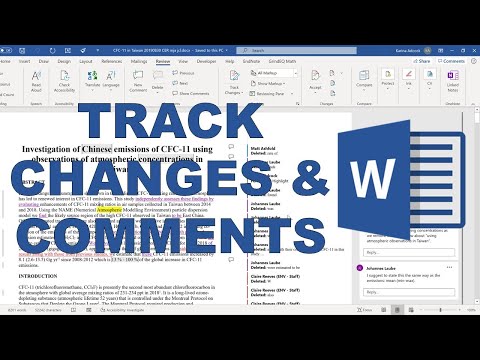
How to use comments and track changes in Microsoft Word
ChannelKarina AdcockDescription from the creator
---------------------------------------------------------------------------------
#msword #microsoftword #mswordtutorial
SUBSCRIBE: goo.gl/c46YPs
Microsoft Office 365, 2016, Office Insider, Version 2007
---------------------------------------------------------------------------------
IF YOU LIKED THIS VIDEO YOU MAY ALSO LIKE:
- Highlight every occurrence of a word in Microsoft Word youtu.be/O-hE-hVskto
- How to fit a table into a word document youtu.be/vxyOZXUNDC4
- How to make chapters, sections and subsections in word youtu.be/Yh7OgpwNgg0
- This video is part of a playlist: Writing a thesis in Word youtube.com/playlist?list=PLVe64sIb7fSbqk3P0cO4…
About this tutorial
Karina Adcock published this 9:56 video tutorial on July 25, 2020. It has been watched 59,551 times on YouTube.
- Channel
- Karina Adcock
- Category
- Science & Technology
- Duration
- 9:56
- Published
- July 25, 2020
- Views
- 59,551
- Likes
- 358
Tags
Share
Further reading
-
How to Use Track Changes in Microsoft Word
erinwrightwriting.com
The term Track Changes is commonly used for both edits and comments, so this tutorial also includes Word’s comment tool. This tutorial is also available as a YouTube video showing all the steps in real time.
-
Track changes and view, add, or edit comments - Office Support
support.microsoft.com
When Track Changes is turned on, Word uses a unique color to mark the changes made by each author. Manage tracked changes. Text changes appear in a different color than other text. New or revised text is underlined, and…
-
Track changes in Word - Office Support
support.microsoft.com
Turn Track Changes on. On the Review tab, turn on Track Changes. Word shows changes in the document by displaying a line in the margin. If you switch to All Markup view, you'll see changes inline and in balloons. Anytim…
This tutorial in other languages
- FRComment utiliser les commentaires et le suivi des modifications dans Microsoft Word
- ESCómo utilizar los comentarios y realizar un seguimiento de los cambios en Microsoft Word
- PTComo usar comentários e controlar alterações no Microsoft Word
- ITCome utilizzare i commenti e tenere traccia delle modifiche in Microsoft Word
- DEWie Anmerkungen verwenden und verfolgen Änderungen in Microsoft Word
- NLHoe om reacties te gebruiken en wijzigingen in Microsoft Word te volgen
- RUКак использовать комментарии и отслеживания изменений в Microsoft Word
- PLJak korzystać komentarze i śledzić zmiany w programie Microsoft Word
- JAコメントを使用し、Microsoft Wordでの変更を追跡する方法
- ARكيفية استخدام التعليقات وتعقب التغييرات في Microsoft Word
- HIटिप्पणियों का उपयोग और माइक्रोसॉफ्ट वर्ड में परिवर्तन ट्रैक करने के लिए कैसे
- IDCara menggunakan komentar dan melacak perubahan di Microsoft Word