Playback starts YouTube’s embedded player (privacy-enhanced mode).
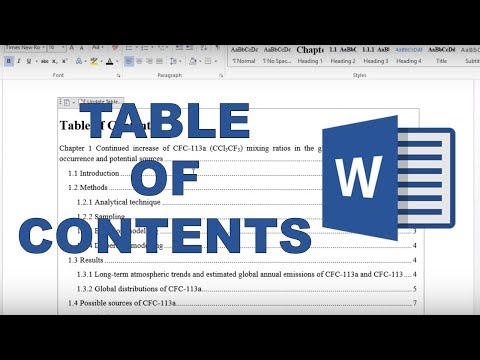
How to make a table of contents in word
ChannelKarina AdcockIn brief
You’ll create an automatic, clickable table of contents in Microsoft Word—ideal for theses or dissertations. The process uses built-in heading styles, and you can update it later if your document changes. No manual formatting needed.
Key steps
- Adjust the 'Normal' text style to match your document’s font and size.
- Go to References > Table of Contents to generate the list automatically.
- Click Ctrl + a heading link to jump directly to that section in the text.
- Update the table if pages or sections change.
Questions & answers
How do I set up the heading styles first?
The creator references a previous video: How to make chapters, sections and subsections in Word.
Description from the creator
In this video I show you how to make an automatic table of contents in word. You firstly need to change the 'normal' text style so the size and font of the table of contents will be the same as the rest of the text. Then you need to go to references and select table of contents. An automatic table of contents is then created using the heading styles and the contents can be reformatted. The table of contents can be updated if the number of pages or the sections change. This is a very useful feature for writing a thesis/ dissertation. Also if you press Ctrl and then click on one of the headings in the contents it will take you to that section in the document.
I wouldn't normally number the abstract, this is just an example.
A contents can only be made like this by using words official style headings. To see how to do this you can watch my previous video:
How to make chapters, sections and subsections in word
youtu.be/Yh7OgpwNgg0
---------------------------------------------------------------------------------
#wordtutorials #mswordtutorial #wordtipsandtricks
SUBSCRIBE: goo.gl/c46YPs
VIDEO INFO: This writing is part of my PhD thesis.
---------------------------------------------------------------------------------
IF YOU LIKE THIS VIDEO YOU MAY ALSO LIKE:
- This video is part of a playlist: Writing a thesis in Word youtube.com/playlist?list=PLVe64sIb7fSbqk3P0cO4…
- How to make figure captions and a table of figures in word youtu.be/HbhcYQzMKmU
I wouldn't normally number the abstract, this is just an example.
A contents can only be made like this by using words official style headings. To see how to do this you can watch my previous video:
How to make chapters, sections and subsections in word
youtu.be/Yh7OgpwNgg0
---------------------------------------------------------------------------------
#wordtutorials #mswordtutorial #wordtipsandtricks
SUBSCRIBE: goo.gl/c46YPs
VIDEO INFO: This writing is part of my PhD thesis.
---------------------------------------------------------------------------------
IF YOU LIKE THIS VIDEO YOU MAY ALSO LIKE:
- This video is part of a playlist: Writing a thesis in Word youtube.com/playlist?list=PLVe64sIb7fSbqk3P0cO4…
- How to make figure captions and a table of figures in word youtu.be/HbhcYQzMKmU
About this tutorial
Karina Adcock published this 1:36 video tutorial on October 29, 2018. It has been watched 4,055,117 times on YouTube.
- Channel
- Karina Adcock
- Category
- Education
- Duration
- 1:36
- Published
- October 29, 2018
- Views
- 4,055,117
- Likes
- 21,209
Tags
Share
This tutorial in other languages
- FRComment faire une table des matières en mot
- ESCómo hacer una tabla de contenido en la palabra
- PTComo fazer uma tabela de conteúdo no Word
- ITCome fare una tabella di contenuti in Word
- DEWie ein Inhaltsverzeichnis in Wort machen
- NLHoe maak je een inhoudsopgave in woord maken
- RUКак сделать оглавление в слове
- PLJak zrobić spis treści w słowie
- JA単語の目次を作成する方法
- ARكيفية جعل جدول محتويات في كلمة
- HIशब्द में सामग्री तालिका बनाने के लिए कैसे
- IDCara membuat daftar isi di word