Playback starts YouTube’s embedded player (privacy-enhanced mode).
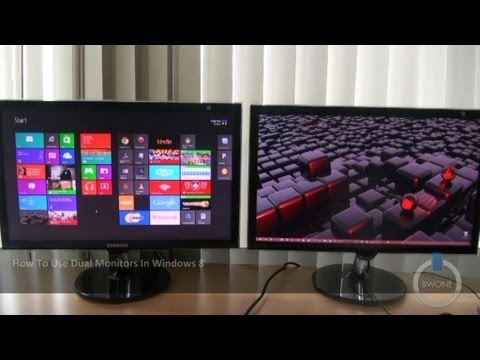
How To Use Dual Monitors In Windows 8
ChannelBWOneDescription from the creator
bwone.com/how-to-use-dual-monitors-in-windows-8/
Twitter: twitter.com/bwonedotcom
Pinterest: pinterest.com/bwone/
Google+: plus.google.com/u/0/115427676020280125875/
RSS Feed: bwone.com/feed
Facebook: facebook.com/bwonedotcom
Empire Avenue: empireavenue.com/bwone
How Does A Dual Monitor Setup Work in Windows 8?
With Windows 8 now upon us there are many that use dual monitor setups wondering if Windows 8 will work for them. That new start screen at first glance looks to really throw things off. But that's not the case as it actually enhances your dual monitor setup far more than earlier version of Windows. In Windows 8 a dual monitor setup allows you to do the following.
- Open the new Start screen from either monitor
- Access the Charms on either monitor
- Use the multitask features of Windows 8 and split screen Windows 8 app on either screen
- Taskbar is now on both screens and have same apps on both sides.
- Interact with an app in desktop mode while using a Windows 8 app on the other screen
As you'll be able to see in the video we show these features and you'll see how Windows 8 really enhances the dual monitor setup.
Twitter: twitter.com/bwonedotcom
Pinterest: pinterest.com/bwone/
Google+: plus.google.com/u/0/115427676020280125875/
RSS Feed: bwone.com/feed
Facebook: facebook.com/bwonedotcom
Empire Avenue: empireavenue.com/bwone
How Does A Dual Monitor Setup Work in Windows 8?
With Windows 8 now upon us there are many that use dual monitor setups wondering if Windows 8 will work for them. That new start screen at first glance looks to really throw things off. But that's not the case as it actually enhances your dual monitor setup far more than earlier version of Windows. In Windows 8 a dual monitor setup allows you to do the following.
- Open the new Start screen from either monitor
- Access the Charms on either monitor
- Use the multitask features of Windows 8 and split screen Windows 8 app on either screen
- Taskbar is now on both screens and have same apps on both sides.
- Interact with an app in desktop mode while using a Windows 8 app on the other screen
As you'll be able to see in the video we show these features and you'll see how Windows 8 really enhances the dual monitor setup.
About this tutorial
BWOne published this 4:26 video tutorial on November 8, 2013. It has been watched 341,997 times on YouTube.
- Channel
- BWOne
- Category
- Science & Technology
- Duration
- 4:26
- Published
- November 8, 2013
- Views
- 341,997
- Likes
- 965
Tags
Share
This tutorial in other languages
- FRComment faire pour utiliser deux moniteurs dans Windows 8
- ESCómo monitores para uso dual en Windows 8
- PTComo monitores para dupla utilização em Windows 8
- ITCome utilizzare doppio monitor in Windows 8
- DEWie zu verwenden Dual-Monitore in Windows 8
- NLHoe te gebruiken twee beeldschermen in Windows 8
- RUКак использовать двух мониторов В Windows 8
- PLJak korzystać Dwa monitory w systemie Windows 8
- JAどのようにWindowsの8にするために使用するデュアルモニター
- ARكيف شاشات لاستخدام المزدوج في نظام التشغيل Windows 8
- HIकैसे करने के लिए दोहरे उपयोग पर नज़र रखता है Windows 8 में
- IDCara Gunakan Ganda Monitor Pada Windows 8