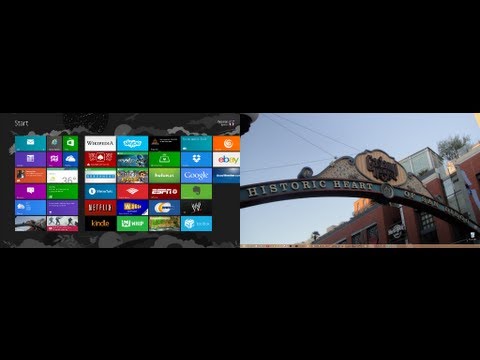
Playback starts YouTube’s embedded player (privacy-enhanced mode).
How To Take A Screenshot In Windows 8
ChannelBWOneDescription from the creator
bwone.com/screenshot-windows-8/
Twitter: twitter.com/bwonedotcom
Pinterest: pinterest.com/bwone/
Google+: plus.google.com/u/0/115427676020280125875/
RSS Feed: bwone.com/feed
Facebook: facebook.com/bwonedotcom
Empire Avenue: empireavenue.com/bwone
Want To Take A Screenshot In Windows 8?
Have you ever been on your computer and wanted to take a screenshot of what you see just as it is? Well I'm going to show you the quickest way to take a screenshot in Windows 8. This is for capturing it quick and easy and no 3rd party tools. There are two ways to do it:
For Desktop Users:
Press Windows Key + PRT SC (Print Screen) simultaneously. You will see a dim flash and the screenshot will save in your Pictures folder. If you have multiple monitors on your desktop and you do a screenshot you will capture all of your screens at the same time and saved into one photo. If you're interested in setting up multiple monitors on your desktop in Windows 8, check out our tutorial on that here.
For Windows 8 Tablets:
Most Windows 8 tablet should be able to take a screenshot by pressing the Windows Key + Volume Down. The same dim flash will happen and it will be saved right to your Pictures folder.
There isn't any customization with this feature. What you see is what you get. Quick and simple. This is great for people who may need some help on there PC and they can send support exactly what they see, also send. There are other programs that you can use for more detail screenshot taking such as Windows Snipping tool and 3rd party apps like Snag It, but this is the easiest and fasted way to get the job done.
Twitter: twitter.com/bwonedotcom
Pinterest: pinterest.com/bwone/
Google+: plus.google.com/u/0/115427676020280125875/
RSS Feed: bwone.com/feed
Facebook: facebook.com/bwonedotcom
Empire Avenue: empireavenue.com/bwone
Want To Take A Screenshot In Windows 8?
Have you ever been on your computer and wanted to take a screenshot of what you see just as it is? Well I'm going to show you the quickest way to take a screenshot in Windows 8. This is for capturing it quick and easy and no 3rd party tools. There are two ways to do it:
For Desktop Users:
Press Windows Key + PRT SC (Print Screen) simultaneously. You will see a dim flash and the screenshot will save in your Pictures folder. If you have multiple monitors on your desktop and you do a screenshot you will capture all of your screens at the same time and saved into one photo. If you're interested in setting up multiple monitors on your desktop in Windows 8, check out our tutorial on that here.
For Windows 8 Tablets:
Most Windows 8 tablet should be able to take a screenshot by pressing the Windows Key + Volume Down. The same dim flash will happen and it will be saved right to your Pictures folder.
There isn't any customization with this feature. What you see is what you get. Quick and simple. This is great for people who may need some help on there PC and they can send support exactly what they see, also send. There are other programs that you can use for more detail screenshot taking such as Windows Snipping tool and 3rd party apps like Snag It, but this is the easiest and fasted way to get the job done.
About this tutorial
BWOne published this 1:44 video tutorial on November 8, 2013. It has been watched 214,537 times on YouTube.
- Channel
- BWOne
- Category
- Science & Technology
- Duration
- 1:44
- Published
- November 8, 2013
- Views
- 214,537
- Likes
- 1,553
Tags
Share
This tutorial in other languages
- FRComment prendre une capture d'écran dans Windows 8
- ESCómo tomar una captura de pantalla en Windows 8
- PTComo tirar um screenshot No Windows 8
- ITCome prendere uno screenshot in Windows 8
- DEWie man einen Screenshot in Windows 8 Nehmen
- NLHow To Take A Screenshot In Windows 8
- RUКак сделать снимок экрана в операционной системе Windows 8
- PLJak zrobić zrzut ekranu w Windows 8
- JAAスクリーンショットでWindows 8を取る方法
- ARكيف أن تأخذ لقطة في ويندوز 8
- HIWindows 8 एक स्क्रीनशॉट में लेने के बारे में
- IDCara Take A Screenshot Pada Windows 8