Playback starts YouTube’s embedded player (privacy-enhanced mode).
How to use ReadyBoost on Windows 7 to enhance system performance
ChannelInterfaceTTDescription from the creator
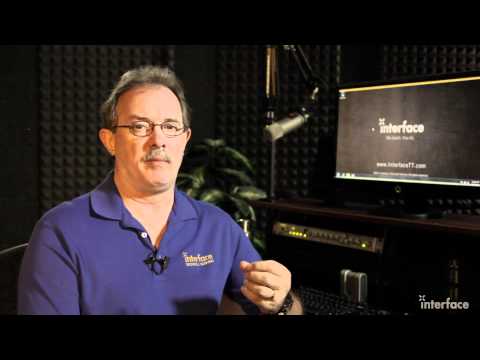
In this DrillBit™ Video, learn how to use ReadyBoost on windows 7 to enhance system performance. ReadyBoost is a Windows 7 feature that enables the use of external, solid state memory to enhance system performance. As an extension of SuperFetch services, ReadyBoost is particularly useful on systems with minimal installed memory, though can also enhance performance via more efficient memory preload on systems that exceed RAM minimums. Learn how to enable ReadyBoost; system, media, and setting requirements; and optimal component preparations for your Windows 7 Operating System. Turn on ReadyBoost, evaluate the benefit on your system, then decide whether you wish to retain the feature or simply disable it. For more training visit us online at interfacett.com
About this tutorial
InterfaceTT published this 4:27 video tutorial on November 8, 2011. It has been watched 41,602 times on YouTube.
- Channel
- InterfaceTT
- Category
- Science & Technology
- Duration
- 4:27
- Published
- November 8, 2011
- Views
- 41,602
- Likes
- 291
Tags
Share
This tutorial in other languages
- FRComment utiliser ReadyBoost sur Windows 7 pour améliorer les performances du système
- ESCómo utilizar ReadyBoost en Windows 7 para mejorar el rendimiento del sistema
- PTComo usar ReadyBoost no Windows 7 para melhorar o desempenho do sistema
- ITCome utilizzare ReadyBoost su Windows 7 per migliorare le prestazioni del sistema
- DEWie Verwenden von Readyboost auf Windows 7 um die Systemleistung zu verbessern
- NLHoe te ReadyBoost te gebruiken op Windows 7 om de systeemprestaties te verbeteren
- RUКак использовать ReadyBoost в Windows 7 для повышения производительности системы
- PLJak używać ReadyBoost w systemie Windows 7 w celu zwiększenia wydajności systemu
- JAシステムのパフォーマンスを向上するには、Windows 7上でReadyBoost対応を使用する方法
- ARكيفية استخدام ردبووست على ويندوز 7 لتعزيز أداء النظام
- HIविंडोज 7 पर प्रयुक्त का उपयोग कैसे करें प्रणाली के प्रदर्शन को बढ़ाने के लिए
- IDCara menggunakan ReadyBoost pada Windows 7 untuk meningkatkan kinerja sistem