Playback starts YouTube’s embedded player (privacy-enhanced mode).
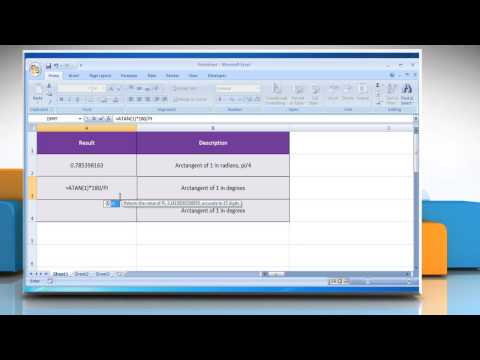
How to use the ATAN Function in Excel
ChannelHow-To GuideDescription from the creator
The ATAN function in Microsoft® Excel calculates the arctangent (i.e. the inverse tangent) of a given number, and returns an angle, in radians, between -π/2 and +π/2. If you want to use the ATAN Function in Microsoft® Excel, watch this video and follow the steps to do so.
Go to the webpage support.office.com/en-za/article/ATAN-function-… to know about the complete details i.e. Syntax and Remarks of this Microsoft® Excel function.
Go to the webpage support.office.com/en-za/article/ATAN-function-… to know about the complete details i.e. Syntax and Remarks of this Microsoft® Excel function.
About this tutorial
How-To Guide published this 2:34 video tutorial on October 30, 2015. It has been watched 35,649 times on YouTube.
- Channel
- How-To Guide
- Category
- Science & Technology
- Duration
- 2:34
- Published
- October 30, 2015
- Views
- 35,649
- Likes
- 140
Tags
Share
This tutorial in other languages
- FRComment utiliser la fonction ATAN dans Excel
- ESCómo utilizar la función ATAN en Excel
- PTComo usar a função ATAN em Excel
- ITCome utilizzare la funzione ATAN in Excel
- DEWie die ATAN-Funktion in Excel verwenden,
- NLHoe de ATAN Function gebruiken in Excel
- RUКак использовать функцию Атан в Excel
- PLJak korzystać z funkcji atan w programie Excel
- JAExcelでATAN関数を使用する方法
- ARكيفية استخدام وظيفة ATAN في Excel
- HIExcel में ATAN समारोह का उपयोग कैसे करें
- IDCara menggunakan Fungsi ATAN di Excel