Playback starts YouTube’s embedded player (privacy-enhanced mode).
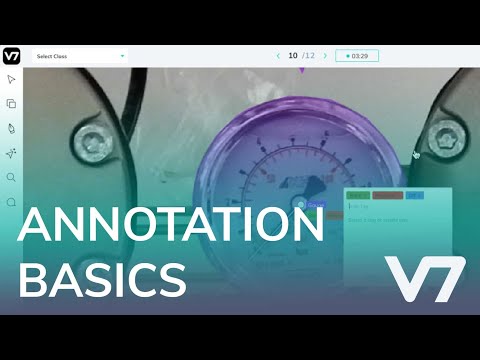
Image Annotation Tutorial - V7 AI Academy
ChannelV7Chapters
Description from the creator
Learn the basics of bounding box, polygon, & tag annotation, and how to navigate and review images. This is part of a series of tutorials on V7 Darwin - v7labs.com/darwin
Visit v7labs.com/academy for more tutorials
Follow us on Linkedin linkedin.com/company/v7labs
Follow us on Twitter: twitter.com/v7labs
0:00 Moving the camera, pan, and zoom tool
0:36 Reset zoom with 0
0:46 Labelling with Bounding Boxes
1:36 Send images to Review (Shift+Enter)
1:40 Switching classes
2:18 Paste class names (Alt+V)
2:38 Keyboard shortcut window
3:00 Polygon annotations and Auto Annotate
3:28 Closing a polygon shape
3:40 Using the Auto Annotate tool
5:06 Annotation layers and z-axis reordering
6:40 Annotation fill opacity
7:01 Reviewing images for QA
7:42 Leaving comments on images
8:12 Rejecting images
8:28 Instance IDs and object tracking between images (non-video)
9:13 Adding attributes
9:20 Copy Instances button
9:39 Reset zoom lock button
10:00 Fixing auto annotate shapes between images (Hotkey: M)
10:34 Image manipulation - Brightness, Contrast, Saturation
11:00 Discarding images
11:36 Adding Classification tags
12:00 Sub Annotations intro
12:18 Directional Vector annotation
12:35 Creating attributes
12:43 Paste sub-annotations, attributes (CTRL + Shift + V)
12:50 Brush tool controls
13:45 Eraser tool controls
14:32 Text annotations
14:55 Hiding annotations and centroids and deleting annotations
15:18 Timer controls
15:28 Image navigation, undo, redo
15:35 Timeline navigation, time travel (annotation history)
15:45 Conclusion
Visit v7labs.com/academy for more tutorials
Follow us on Linkedin linkedin.com/company/v7labs
Follow us on Twitter: twitter.com/v7labs
0:00 Moving the camera, pan, and zoom tool
0:36 Reset zoom with 0
0:46 Labelling with Bounding Boxes
1:36 Send images to Review (Shift+Enter)
1:40 Switching classes
2:18 Paste class names (Alt+V)
2:38 Keyboard shortcut window
3:00 Polygon annotations and Auto Annotate
3:28 Closing a polygon shape
3:40 Using the Auto Annotate tool
5:06 Annotation layers and z-axis reordering
6:40 Annotation fill opacity
7:01 Reviewing images for QA
7:42 Leaving comments on images
8:12 Rejecting images
8:28 Instance IDs and object tracking between images (non-video)
9:13 Adding attributes
9:20 Copy Instances button
9:39 Reset zoom lock button
10:00 Fixing auto annotate shapes between images (Hotkey: M)
10:34 Image manipulation - Brightness, Contrast, Saturation
11:00 Discarding images
11:36 Adding Classification tags
12:00 Sub Annotations intro
12:18 Directional Vector annotation
12:35 Creating attributes
12:43 Paste sub-annotations, attributes (CTRL + Shift + V)
12:50 Brush tool controls
13:45 Eraser tool controls
14:32 Text annotations
14:55 Hiding annotations and centroids and deleting annotations
15:18 Timer controls
15:28 Image navigation, undo, redo
15:35 Timeline navigation, time travel (annotation history)
15:45 Conclusion
About this tutorial
V7 published this 16:35 video tutorial on July 29, 2020. It has been watched 108,798 times on YouTube.
- Channel
- V7
- Category
- Science & Technology
- Duration
- 16:35
- Published
- July 29, 2020
- Views
- 108,798
- Likes
- 762
Share
This tutorial in other languages
- FRAnnotation d'image Tutoriel - V7 AI Academy
- ESAnotación de imagen Tutorial - V7 AI Academia
- PTImagem Anotação Tutorial - V7 AI Academy
- ITAnnotazione immagine Tutorial - V7 AI Accademia
- DEBild Annotation Tutorial - V7 AI Academy
- NLBeeldannotatie Tutorial - V7 AI Academy
- RUИзображение Аннотация Учебник - V7 AI Академия
- PLObraz Adnotacja Tutorial - V7 AI Academy
- JA画像注釈チュートリアル - V7 AIアカデミー
- ARصورة الشرح التعليمي - V7 أكاديمية AI
- HIछवि एनोटेशन ट्यूटोरियल - V7 ऐ अकादमी
- IDGambar Anotasi Tutorial - V7 AI Academy