Playback starts YouTube’s embedded player (privacy-enhanced mode).
PRTG Tutorial: How to Monitor your Bandwidth
ChannelPRTG Network MonitorDescription from the creator
Here is a free 30-day trial of our monitoring software: www.paessler.com/prtg
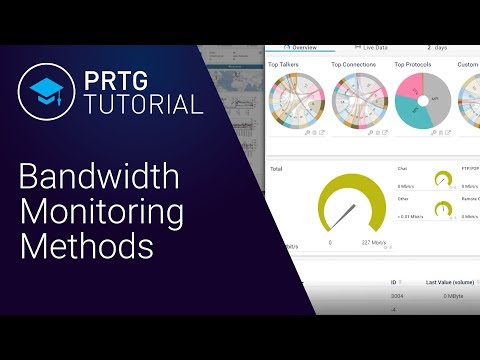
This video gives you a very brief overview of the methods PRTG offers for monitoring bandwidth to help you decide which methods you'd like to consider in more detail.
What is bandwidth monitoring?
Bandwidth monitoring is a method for measuring the actual bandwidth available on a local system (LAN or WiFi). Bandwidth monitoring tools display real-time data such as download and upload speeds and help prevent network strain. Private individuals and professionals alike use bandwidth monitoring to check for available bandwidth.
Find out who is hogging your bandwidth
"Who is hogging my bandwidth?" - maybe you hear that frustrating question over and over again from your users. They are complaining about a slow network and you need to identify the root of the problem. PRTG Network Monitor helps you determine how much bandwidth your devices and applications are using. Depending on your network and hardware, you can use different protocols like SNMP, flow or packet sniffing.
How to check bandwidth usage
Most bandwidth analysis solutions are only able to check internet traffic on a single device. For measuring all the traffic in your network, you need to monitor the data directly on your routers. Protocols like SNMP, NetFlow or WMI allow you to monitor bandwidth usage of your entire network. By using the Network Bandwidth Analyzer PRTG you get informed about all ingoing and outgoing traffic and see what application or what servers are using up the most bandwidth.
PRTG makes bandwidth monitoring easy
With PRTG Network Monitor, it is easy to track and check bandwidth usage in your network. The bandwidth tool reads the traffic data from your router and displays the results in three graphs. This way, you will quickly and easily be able to check bandwidth usage and the amount of data transferred.
Bandwidth monitoring for professionals
Bandwidth is measured as the amount of data that can be transferred from one point to another within a network in a specific amount of time. Typically, bandwidth is expressed as a bitrate and measured in bits per second (bps). It refers to the transmission capacity of a connection and is an important factor when determining the quality and speed of a network.
Read more: paessler.com/it-explained/bandwidth
In professional settings (businesses or large organizations), reduced bandwidth has severe consequences. Disruptions lead to idleness on the part of employees and customers and a corresponding loss of sales. Administrators must promptly expose and eliminate bandwidth hogs.
In this instance, our PRTG bandwidth monitoring tool will help you to monitor bandwidth, detect and measure heavy bandwidth overloads, quickly recognize potential disruptions – and get down to the root of the problem.
Measuring bandwidth:
3 situations where PRTG comes in handy
With PRTG, you'll be able to promptly identify potential bandwidth overloads and quickly pinpoint the causes of crashes. One single network component overloading can swiftly result in a significant loss of bandwidth.
1. Problems with large file transfers
Practically every company sends large files. These files consume a correspondingly high amount of bandwidth. But bottlenecks lurking in every network slow down transfers.
2. Slow applications
Your co-workers complain that the programs used internally are too slow? Your customers are unhappy because your website constantly seems bogged down? Then the problem probably lies with your bandwidth.
3. Malfunctions when backing up
No IT can do without backups. In general, backups or database synchronizations require a great deal of bandwidth. Without the proper amount of bandwidth your network can be brought to its knees.
Obtain a comprehensive overview of your bandwidth usage
PRTG Network Monitor reads the complete traffic data from your router and provides detailed statistics about which services and programs use your bandwidth, and where potential bottlenecks could be.
PRTG displays your bandwidth usage in graphs and toplists and shows net bandwidth consumption based on various parameters such as port numbers, IP addresses, protocols, etc., using either Packet Sniffing or xFlow sensors (NetFlow, sFlow, jFlow, and IPFIX).
Custom alerts notify you about bandwidth shortages via SMS, email, or push notifications. This ensures you can react proactively to all bandwidth issues and troubleshoot problems before they become severe.
Monitoring bandwidth usage is key to better network management.
Unlimited version of PRTG for 30 days. After 30 days, PRTG reverts to a free version.
Or, you can upgrade to a paid license anytime: www.paessler.com/prtg
If you still have questions don't hesitate to contact [email protected].
Feel free to comment for feedback or suggestions for other topics.
PRTG Tutorials are presented by Paessler paessler.com/
Also have a look at our blog blog.paessler.com/
This video gives you a very brief overview of the methods PRTG offers for monitoring bandwidth to help you decide which methods you'd like to consider in more detail.
What is bandwidth monitoring?
Bandwidth monitoring is a method for measuring the actual bandwidth available on a local system (LAN or WiFi). Bandwidth monitoring tools display real-time data such as download and upload speeds and help prevent network strain. Private individuals and professionals alike use bandwidth monitoring to check for available bandwidth.
Find out who is hogging your bandwidth
"Who is hogging my bandwidth?" - maybe you hear that frustrating question over and over again from your users. They are complaining about a slow network and you need to identify the root of the problem. PRTG Network Monitor helps you determine how much bandwidth your devices and applications are using. Depending on your network and hardware, you can use different protocols like SNMP, flow or packet sniffing.
How to check bandwidth usage
Most bandwidth analysis solutions are only able to check internet traffic on a single device. For measuring all the traffic in your network, you need to monitor the data directly on your routers. Protocols like SNMP, NetFlow or WMI allow you to monitor bandwidth usage of your entire network. By using the Network Bandwidth Analyzer PRTG you get informed about all ingoing and outgoing traffic and see what application or what servers are using up the most bandwidth.
PRTG makes bandwidth monitoring easy
With PRTG Network Monitor, it is easy to track and check bandwidth usage in your network. The bandwidth tool reads the traffic data from your router and displays the results in three graphs. This way, you will quickly and easily be able to check bandwidth usage and the amount of data transferred.
Bandwidth monitoring for professionals
Bandwidth is measured as the amount of data that can be transferred from one point to another within a network in a specific amount of time. Typically, bandwidth is expressed as a bitrate and measured in bits per second (bps). It refers to the transmission capacity of a connection and is an important factor when determining the quality and speed of a network.
Read more: paessler.com/it-explained/bandwidth
In professional settings (businesses or large organizations), reduced bandwidth has severe consequences. Disruptions lead to idleness on the part of employees and customers and a corresponding loss of sales. Administrators must promptly expose and eliminate bandwidth hogs.
In this instance, our PRTG bandwidth monitoring tool will help you to monitor bandwidth, detect and measure heavy bandwidth overloads, quickly recognize potential disruptions – and get down to the root of the problem.
Measuring bandwidth:
3 situations where PRTG comes in handy
With PRTG, you'll be able to promptly identify potential bandwidth overloads and quickly pinpoint the causes of crashes. One single network component overloading can swiftly result in a significant loss of bandwidth.
1. Problems with large file transfers
Practically every company sends large files. These files consume a correspondingly high amount of bandwidth. But bottlenecks lurking in every network slow down transfers.
2. Slow applications
Your co-workers complain that the programs used internally are too slow? Your customers are unhappy because your website constantly seems bogged down? Then the problem probably lies with your bandwidth.
3. Malfunctions when backing up
No IT can do without backups. In general, backups or database synchronizations require a great deal of bandwidth. Without the proper amount of bandwidth your network can be brought to its knees.
Obtain a comprehensive overview of your bandwidth usage
PRTG Network Monitor reads the complete traffic data from your router and provides detailed statistics about which services and programs use your bandwidth, and where potential bottlenecks could be.
PRTG displays your bandwidth usage in graphs and toplists and shows net bandwidth consumption based on various parameters such as port numbers, IP addresses, protocols, etc., using either Packet Sniffing or xFlow sensors (NetFlow, sFlow, jFlow, and IPFIX).
Custom alerts notify you about bandwidth shortages via SMS, email, or push notifications. This ensures you can react proactively to all bandwidth issues and troubleshoot problems before they become severe.
Monitoring bandwidth usage is key to better network management.
Unlimited version of PRTG for 30 days. After 30 days, PRTG reverts to a free version.
Or, you can upgrade to a paid license anytime: www.paessler.com/prtg
If you still have questions don't hesitate to contact [email protected].
Feel free to comment for feedback or suggestions for other topics.
PRTG Tutorials are presented by Paessler paessler.com/
Also have a look at our blog blog.paessler.com/
About this tutorial
PRTG Network Monitor published this 4:07 video tutorial on November 14, 2019. It has been watched 15,385 times on YouTube.
- Channel
- PRTG Network Monitor
- Category
- Science & Technology
- Duration
- 4:07
- Published
- November 14, 2019
- Views
- 15,385
- Likes
- 94
Tags
Share
This tutorial in other languages
- FRPRTG Tutoriel: Comment surveiller votre bande passante
- ESPRTG Tutorial: Cómo controlar el ancho de banda
- PTPRTG Tutorial: Como monitorar sua banda
- ITPRTG Tutorial: Come monitorare la larghezza di banda
- DEPRTG Tutorial: Wie Sie Ihre Bandbreite überwachen
- NLPRTG Tutorial: Hoe kunt u uw bandbreedte Monitor
- RUPRTG Учебник: Как контролировать свой трафик
- PLPRTG Tutorial: Jak Monitor Bandwidth
- JAPRTGチュートリアル:あなたの帯域幅を監視する方法
- ARPRTG البرنامج التعليمي: كيفية مراقبة عرض النطاق الترددي الخاص بك
- HIPRTG ट्यूटोरियल: अपने बैंडविड्थ की निगरानी कैसे
- IDPRTG Tutorial: Bagaimana Monitor Bandwidth Anda