Playback starts YouTube’s embedded player (privacy-enhanced mode).
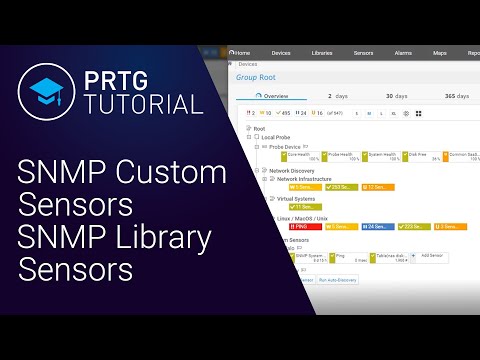
PRTG Tutorial: SNMP Custom Sensors and SNMP Library Sensors
ChannelPRTG Network MonitorChapters
Description from the creator
In this tutorial Heather shows you how to import MIBs into PRTG and how to use the OIDs in those MIBs to create SNMP Custom and SNMP Library sensors. For basic knowledge of SNMP in PRTG, take a look at our Website: paessler.com/snmp_monitor
If you still have questions don't hesitate to contact [email protected].
Feel free to comment for feedback or suggestions for other topics.
SNMP monitoring software: All in one for professionals
- Find out what applications and servers are using up your bandwidth
- Avoid performance bottlenecks
- Deliver better quality of service to your users by being proactive
- Reduce costs by buying bandwidth and hardware according to actual load
What is SNMP?
SNMP stands for Simple Network Management Protocol and consists of three key components: managed devices, agents, and network-management systems (NMSs). The protocol is a set of standards for communication with devices in a TCP/IP network. SNMP monitoring is useful for anyone who is responsible for servers and network devices such as hosts, routers, hubs and switches. It lets you keep an eye on network and bandwidth usage, and track important issues such as uptime and traffic levels.
Table of Contents:
0:00 - Intro & disclosure
1:35 - Download MIB-Importer
2:19 - Install MIB-Importer
2:46 - Import MIB
4:11 - OIDLib Setup
6:44 - Add Sensors in PRTG
8:15 - Sensor explanations
8:50 - Add SNMP Costum Sensor
11:11 - Outro
The advantages of SNMP Monitoring with PRTG:
1. SNMP sensors
PRTG comes with several preconfigured SNMP sensors. Among these is a series of sensors developed especially for device manufacturers such as Cisco, HP, Dell, and Synology. The SNMP Custom Sensor also lets you monitor a number of other devices from a variety of different manufacturers via SNMP.
Below you will find a selection of our "best-of" sensors. Whether servers, routers, or switches: with PRTG, you get a professional SNMP network monitoring software and a comprehensive view of your network.
2. Built-in alarm features
Our SNMP server monitoring software is equipped with a built-in alarm feature. You're free to set the threshold values and alert method (email, SMS, or a free push notification to your smartphone) any way you please. PRTG includes a customizable notification system which you can define according to your own personal needs.
3. Auto Discovery
The PRTG Auto Discovery facilitates your search. With this feature, all of the available devices in your network which are switched on for SNMP monitoring are checked, and suitable sensors are created, automatically. Your initial monitoring will thus be set up in the blink of an eye! You can then get down to its fine-tuning.
4. Built-in alarm features
Reports are also included in the free SNMP server monitoring software. Among other things, they feature clear and comprehensible charts. One of the times these reports can come in handy is when your hardware is under heavy strain and you need to convince your higher-ups to provide you with the funds for an upgrade.
Need support?
SNMP versions (SNMP V1, V2c, or V3) can vary from device to device. Should you encounter issues while setting up your SNMP tools for Windows, the Paessler Support Team ([email protected]) will be happy to offer you their expert advice and assistance. In general, our support team answers inquiries within 24 hours. With SNMP tools like the SNMP Tester (paessler.com/tools/snmptester) , you can detect and debug problems. Simply send your log files to our support team for analysis.
Use PRTG as an SNMP Trap Receiver
All in one, no extra cost: that is our philosophy. With PRTG, the full range of features is included. There are no hidden fees or additional upgrades to pay for. This is also true if you wish to use your monitoring for SNMP traps. Using PRTG as a trap receiver is simple! For we've created an appropriate sensor - which is also available in the free version - to help you get started.
SNMP traps: With SNMP monitoring, monitoring software usually sends small data packets to target devices in order to request various information from them. This in turn triggers response packets from the monitored devices for SNMP manager. The upside of SNMP traps is that devices automatically send messages to the SNMP server monitoring software in the event of crucial incidents, without first being requested to do so.
Further tutorials can be found on our channel and on our website under paessler.com/learn/videos
PRTG Tutorials are presented by Paessler paessler.com/
Also have a look at our blog blog.paessler.com/
If you still have questions don't hesitate to contact [email protected].
Feel free to comment for feedback or suggestions for other topics.
SNMP monitoring software: All in one for professionals
- Find out what applications and servers are using up your bandwidth
- Avoid performance bottlenecks
- Deliver better quality of service to your users by being proactive
- Reduce costs by buying bandwidth and hardware according to actual load
What is SNMP?
SNMP stands for Simple Network Management Protocol and consists of three key components: managed devices, agents, and network-management systems (NMSs). The protocol is a set of standards for communication with devices in a TCP/IP network. SNMP monitoring is useful for anyone who is responsible for servers and network devices such as hosts, routers, hubs and switches. It lets you keep an eye on network and bandwidth usage, and track important issues such as uptime and traffic levels.
Table of Contents:
0:00 - Intro & disclosure
1:35 - Download MIB-Importer
2:19 - Install MIB-Importer
2:46 - Import MIB
4:11 - OIDLib Setup
6:44 - Add Sensors in PRTG
8:15 - Sensor explanations
8:50 - Add SNMP Costum Sensor
11:11 - Outro
The advantages of SNMP Monitoring with PRTG:
1. SNMP sensors
PRTG comes with several preconfigured SNMP sensors. Among these is a series of sensors developed especially for device manufacturers such as Cisco, HP, Dell, and Synology. The SNMP Custom Sensor also lets you monitor a number of other devices from a variety of different manufacturers via SNMP.
Below you will find a selection of our "best-of" sensors. Whether servers, routers, or switches: with PRTG, you get a professional SNMP network monitoring software and a comprehensive view of your network.
2. Built-in alarm features
Our SNMP server monitoring software is equipped with a built-in alarm feature. You're free to set the threshold values and alert method (email, SMS, or a free push notification to your smartphone) any way you please. PRTG includes a customizable notification system which you can define according to your own personal needs.
3. Auto Discovery
The PRTG Auto Discovery facilitates your search. With this feature, all of the available devices in your network which are switched on for SNMP monitoring are checked, and suitable sensors are created, automatically. Your initial monitoring will thus be set up in the blink of an eye! You can then get down to its fine-tuning.
4. Built-in alarm features
Reports are also included in the free SNMP server monitoring software. Among other things, they feature clear and comprehensible charts. One of the times these reports can come in handy is when your hardware is under heavy strain and you need to convince your higher-ups to provide you with the funds for an upgrade.
Need support?
SNMP versions (SNMP V1, V2c, or V3) can vary from device to device. Should you encounter issues while setting up your SNMP tools for Windows, the Paessler Support Team ([email protected]) will be happy to offer you their expert advice and assistance. In general, our support team answers inquiries within 24 hours. With SNMP tools like the SNMP Tester (paessler.com/tools/snmptester) , you can detect and debug problems. Simply send your log files to our support team for analysis.
Use PRTG as an SNMP Trap Receiver
All in one, no extra cost: that is our philosophy. With PRTG, the full range of features is included. There are no hidden fees or additional upgrades to pay for. This is also true if you wish to use your monitoring for SNMP traps. Using PRTG as a trap receiver is simple! For we've created an appropriate sensor - which is also available in the free version - to help you get started.
SNMP traps: With SNMP monitoring, monitoring software usually sends small data packets to target devices in order to request various information from them. This in turn triggers response packets from the monitored devices for SNMP manager. The upside of SNMP traps is that devices automatically send messages to the SNMP server monitoring software in the event of crucial incidents, without first being requested to do so.
Further tutorials can be found on our channel and on our website under paessler.com/learn/videos
PRTG Tutorials are presented by Paessler paessler.com/
Also have a look at our blog blog.paessler.com/
About this tutorial
PRTG Network Monitor published this 11:25 video tutorial on October 26, 2019. It has been watched 25,156 times on YouTube.
- Channel
- PRTG Network Monitor
- Category
- Science & Technology
- Duration
- 11:25
- Published
- October 26, 2019
- Views
- 25,156
- Likes
- 168
Share
This tutorial in other languages
- FRPRTG Tutoriel: SNMP Custom Sensors et bibliothèque SNMP Capteurs
- ESPRTG Tutorial: SNMP Custom Sensors Sensores y SNMP Biblioteca
- PTPRTG Tutorial: SNMP personalizado Sensores e SNMP Biblioteca Sensores
- ITPRTG Tutorial: SNMP personalizzato Sensori e SNMP Biblioteca Sensori
- DEPRTG Tutorial: SNMP Custom Sensors und SNMP-Bibliothek Sensoren
- NLPRTG Tutorial: SNMP Custom Sensoren en SNMP Library Sensors
- RUPRTG Учебник: SNMP Пользовательские датчики и SNMP Библиотека Датчики
- PLPRTG Tutorial: SNMP oraz SNMP klienta Czujniki Czujniki Library
- JAPRTGチュートリアル:SNMPカスタムセンサーおよびSNMPライブラリセンサー
- ARPRTG البرنامج التعليمي: SNMP مجسات مخصص وSNMP مكتبة مجسات
- HIPRTG ट्यूटोरियल: SNMP कस्टम सेंसर और SNMP लाइब्रेरी सेंसर
- IDPRTG Tutorial: SNMP Kustom Sensor dan SNMP Perpustakaan Sensor