Playback starts YouTube’s embedded player (privacy-enhanced mode).
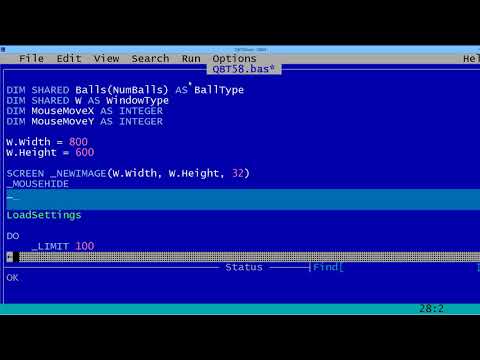
QBasic Tutorial 58 - Making A Screen Saver For Windows - QB64
ChannelSchoolFreewareDescription from the creator
QB64 can make screen savers. It is very easy to do.
To Make A Screen Saver:
* Use Full Screen Animation
* Loop App Until A Key Is Pressed Or The Mouse Moves
* Change File Extension From .exe To .scr
* Install
* (Delete .scr File To Uninstall)
Tutorial 58:
* Uses QB64 v1.2 Running On Windows 8.1
* QB64 Is A Free Download: www.QB64.Net
* This Tutorial Is A QB64 Only Program
* QB 1.1 Will Not Work
* Screen Saver Tested On Win 8.1 & 10 May Work On Other Versions Of Windows
*Uses The Bouncing Balls Animation Code From Tutorial 49
* All Code And Ball.png Are A Free Download at: SchoolFreeware.com
This video was made by SchoolFreeware
schoolfreeware.com
To Make A Screen Saver:
* Use Full Screen Animation
* Loop App Until A Key Is Pressed Or The Mouse Moves
* Change File Extension From .exe To .scr
* Install
* (Delete .scr File To Uninstall)
Tutorial 58:
* Uses QB64 v1.2 Running On Windows 8.1
* QB64 Is A Free Download: www.QB64.Net
* This Tutorial Is A QB64 Only Program
* QB 1.1 Will Not Work
* Screen Saver Tested On Win 8.1 & 10 May Work On Other Versions Of Windows
*Uses The Bouncing Balls Animation Code From Tutorial 49
* All Code And Ball.png Are A Free Download at: SchoolFreeware.com
This video was made by SchoolFreeware
schoolfreeware.com
About this tutorial
SchoolFreeware published this 5:33 video tutorial on November 10, 2018. It has been watched 6,581 times on YouTube.
- Channel
- SchoolFreeware
- Category
- Science & Technology
- Duration
- 5:33
- Published
- November 10, 2018
- Views
- 6,581
- Likes
- 59
Tags
Share
This tutorial in other languages
- FRQBasic Tutoriel 58 - Faire un économiseur d'écran pour Windows - QB64
- ESQBasic Tutorial 58 - Realización de un protector de pantalla para Windows - QB64
- PTQBasic Tutorial 58 - Fazendo uma proteção de tela para Windows - Qb64
- ITQBasic Tutorial 58 - Fare Uno screen saver per Windows - Qb64
- DEQBasic Tutorial 58 - Making A Bildschirmschoner für Windows - QB64
- NLQBasic Tutorial 58 - Het maken van een Screen Saver voor Windows - QB64
- RUQBasic Учебное пособие 58 - Создание экранная заставка для Windows - Qb64
- PLQBasic Tutorial 58 - Making wygaszacz ekranu dla Windows - Qb64
- JAQBasicはチュートリアル58 - QB64 - スクリーンセーバー用のWindows作ります
- ARكيو بيسك دروس 58 - جعل شاشة التوقف لنظام التشغيل Windows - QB64
- HIQBasic ट्यूटोरियल 58 - बनाना एक स्क्रीन के लिए विंडोज सेवर - QB64
- IDQBasic Tutorial 58 - Membuat Screen Saver Untuk Windows - QB64