Playback starts YouTube’s embedded player (privacy-enhanced mode).
SMS Tutorial 11 -- SMPP Parameter: esm_class -- Concatenated SMS (CSMS) -- Dealing with Long SMS
ChannelALB ProgrammingDescription from the creator
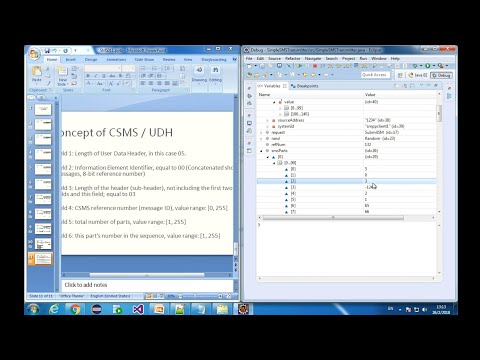
Basically in this lesson, we will learn to send a long message through concatenated SMS. First step is to split the long message into several SMS parts. Each part contains a user data header. We can import the library ch-gsm.jar and use the method createConcatenatedBinaryShortMessages(binaryShortMessage, messageId) to do the splitting. Then we send out the individual SMS parts one by one. Remember to set ems_class for each SMS part. Also, you need to call the method setShortMessageData(byteBufferSms) to set short message data and remember to import opensmpp library. In addition, we will learn the concept of concatenated SMS.
Finally, you need to know that the SMS part discussed in this lesson is 140 byte long. Maybe you want the length of each part to something else, like 160. In this case, you have to modify the implementation of the method createConcatenatedBinaryShortMessages(binaryShortMessage, messageId). You can have a look at its source code at this link: bit.ly/2L6i3Az
ch-gsm.jar is available at: bit.ly/2xvsYlw
opensmpp library is available at: bit.ly/2IYtY6V
SMSRecipientSimulator is available at: bit.ly/2J1huLE
Intro: 00:00~00:03
Concept of Concatenated SMS: 00:03~04:35
Implementation of Concatenated SMS with SMPP Protocol in JAVA: 04:35~28:03
Summary: 28:05~29:47
End: 29:47~30:12
Finally, you need to know that the SMS part discussed in this lesson is 140 byte long. Maybe you want the length of each part to something else, like 160. In this case, you have to modify the implementation of the method createConcatenatedBinaryShortMessages(binaryShortMessage, messageId). You can have a look at its source code at this link: bit.ly/2L6i3Az
ch-gsm.jar is available at: bit.ly/2xvsYlw
opensmpp library is available at: bit.ly/2IYtY6V
SMSRecipientSimulator is available at: bit.ly/2J1huLE
Intro: 00:00~00:03
Concept of Concatenated SMS: 00:03~04:35
Implementation of Concatenated SMS with SMPP Protocol in JAVA: 04:35~28:03
Summary: 28:05~29:47
End: 29:47~30:12
About this tutorial
ALB Programming published this 30:12 video tutorial on October 31, 2018. It has been watched 2,703 times on YouTube.
- Channel
- ALB Programming
- Category
- Science & Technology
- Duration
- 30:12
- Published
- October 31, 2018
- Views
- 2,703
- Likes
- 23
Tags
Share
This tutorial in other languages
- FRSMS Tutoriel 11 - Paramètre SMPP: esm_class - SMS concaténés (CSMS) - Traiter avec SMS longue
- ESSMS Tutorial 11 - SMPP Parámetro: esm_class - concatenados SMS (CSMS) - Tratar con SMS largos
- PTSMS Tutorial 11 - SMPP Parâmetro: esm_class - concatenadas SMS (MCS) - Lidar com Long SMS
- ITSMS Tutorial 11 - SMPP Parametro: esm_class - SMS concatenati (CSM) - Trattare con lunghi SMS
- DESMS Tutorial 11 - SMPP Parameter: esm_class - verkettete SMS (CSMS) - Umgang mit Lange SMS
- NLSMS Tutorial 11 - SMPP Parameter: esm_class - Aaneengeschakelde SMS (CSM) - Omgaan met Long SMS
- RUSMS Tutorial 11 - SMPP Параметр: esm_class - каскадные SMS (CSMS) - Работа с длинными SMS
- PLSMS Tutorial 11 - SMPP Parametr: esm_class - Łączone SMS (CSMS) - Radzenie sobie z długim SMS
- JASMSチュートリアル11 - SMPPパラメータ:esm_class - 連結SMS(CSMS) - ロングSMSへの対処
- ARSMS دروس 11 - SMPP المعلمة: esm_class - متسلسلة SMS (CSMS) - التعامل مع SMS طويل
- HIएसएमएस ट्यूटोरियल 11 - एसएमपीपी पैरामीटर: esm_class - श्रृंखलाबद्ध एसएमएस (CSMS) - लंबी एसएमएस के साथ काम
- IDSMS Tutorial 11 - SMPP Parameter: esm_class - bersambung SMS (CSMS) - Berurusan dengan panjang SMS