Playback starts YouTube’s embedded player (privacy-enhanced mode).
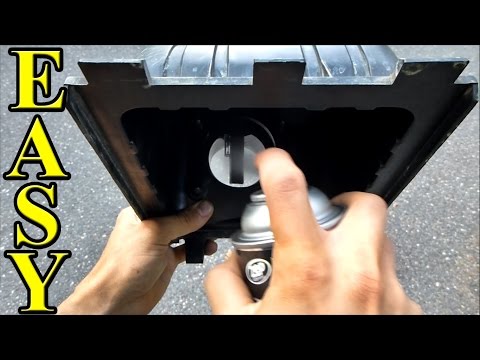
How To Clean a Mass Airflow Sensor (In-depth, detailed version)
ChannelChrisFixIn brief
Revive your car’s performance by cleaning a clogged mass airflow sensor—this detailed guide shows how to restore smooth acceleration, better fuel economy, and eliminate check engine lights. Ideal for DIYers tackling hesitation, stalling, or poor idle issues caused by dirty sensors.
Questions & answers
What causes a mass airflow sensor to get dirty?
Oiled air filters (like K&N), infrequent filter replacements, or driving on dusty/salty roads (sand, pollen, etc.).
How will I know if cleaning the sensor worked?
The creator uses an OBDII scanner to compare readings before and after cleaning, and notes improved fuel economy (e.g., from 17.5 mpg to ~20 mpg).
Description from the creator
How to clean a Mass Airflow Sensor. Mass Airflow Sensor cleaning can increase fuel economy, stop hesitation and stalling, and shut off your check engine light. This is a simple procedure and in this video I go in-depth about cleaning the sensor and I take readings from an OBDII scanner to show before and after cleaning the sensor.
A mass airflow sensor gets dirty because of oiled filters such as a KNN air filter, air filters that are not replaced often enough, and dusty roads (salt, sand, pollen, etc). Symptoms of a dirty MAF sensor are hesitation, poor idle, bad fuel economy, and stalling. You can also get a check engine light with codes P0100, P0102, P0103, P0104, and P0105.
Bluedriver Scanner I used: amzn.to/1XNUGfz
Mass Airflow Cleaner: amzn.to/1po5AxE
Average Fuel Economy for the month before I cleaned the sensor: 17.5mpg
1 fill-up later: 18.97mpg
2 fill-ups later: 20.86mpg
3 fill-ups later: 19.10mpg
4 fill-ups later: 20.1mpg
5 fill-ups later: 19.13mpg
Cleaning a MAF to stop Hesitation and Stalling: COMING SOON
How to Fix a Car that Idles Poorly: youtube.com/watch?v=vFhoNykgQtc
How to Replace Oxygen Sensors: youtube.com/watch?v=_Kr-c8eBl5E
Become a ChrisFix Subscriber→ youtube.com/subscription_center?add_user=paintb…
Instagram→ instagram.com/chrisfixit
Facebook→ facebook.com/chrisfix8
Website → ChrisFixed.com
My Channel Home Page → youtube.com/ChrisFix
**If the video was helpful, remember to give it a "thumbs up" and consider subscribing. New videos every Thursday**
Disclaimer:
Due to factors beyond the control of ChrisFix, I cannot guarantee against improper use or unauthorized modifications of this information. ChrisFix assumes no liability for property damage or injury incurred as a result of any of the information contained in this video. Use this information at your own risk. ChrisFix recommends safe practices when working on vehicles and or with tools seen or implied in this video. Due to factors beyond the control of ChrisFix, no information contained in this video shall create any expressed or implied warranty or guarantee of any particular result. Any injury, damage, or loss that may result from improper use of these tools, equipment, or from the information contained in this video is the sole responsibility of the user and not ChrisFix.
A mass airflow sensor gets dirty because of oiled filters such as a KNN air filter, air filters that are not replaced often enough, and dusty roads (salt, sand, pollen, etc). Symptoms of a dirty MAF sensor are hesitation, poor idle, bad fuel economy, and stalling. You can also get a check engine light with codes P0100, P0102, P0103, P0104, and P0105.
Bluedriver Scanner I used: amzn.to/1XNUGfz
Mass Airflow Cleaner: amzn.to/1po5AxE
Average Fuel Economy for the month before I cleaned the sensor: 17.5mpg
1 fill-up later: 18.97mpg
2 fill-ups later: 20.86mpg
3 fill-ups later: 19.10mpg
4 fill-ups later: 20.1mpg
5 fill-ups later: 19.13mpg
Cleaning a MAF to stop Hesitation and Stalling: COMING SOON
How to Fix a Car that Idles Poorly: youtube.com/watch?v=vFhoNykgQtc
How to Replace Oxygen Sensors: youtube.com/watch?v=_Kr-c8eBl5E
Become a ChrisFix Subscriber→ youtube.com/subscription_center?add_user=paintb…
Instagram→ instagram.com/chrisfixit
Facebook→ facebook.com/chrisfix8
Website → ChrisFixed.com
My Channel Home Page → youtube.com/ChrisFix
**If the video was helpful, remember to give it a "thumbs up" and consider subscribing. New videos every Thursday**
Disclaimer:
Due to factors beyond the control of ChrisFix, I cannot guarantee against improper use or unauthorized modifications of this information. ChrisFix assumes no liability for property damage or injury incurred as a result of any of the information contained in this video. Use this information at your own risk. ChrisFix recommends safe practices when working on vehicles and or with tools seen or implied in this video. Due to factors beyond the control of ChrisFix, no information contained in this video shall create any expressed or implied warranty or guarantee of any particular result. Any injury, damage, or loss that may result from improper use of these tools, equipment, or from the information contained in this video is the sole responsibility of the user and not ChrisFix.
About this tutorial
ChrisFix published this 10:51 video tutorial on October 27, 2014. It has been watched 5,366,413 times on YouTube.
- Channel
- ChrisFix
- Category
- Autos & Vehicles
- Duration
- 10:51
- Published
- October 27, 2014
- Views
- 5,366,413
- Likes
- 70,024
Tags
Share
This tutorial in other languages
- FRComment nettoyer un capteur de masse Airflow (en profondeur, version détaillée)
- ESCómo limpiar un flujo de aire Medidor de la masa (en profundidad, la versión detallada)
- PTComo limpar uma missa Airflow Sensor (em profundidade, versão detalhada)
- ITCome pulire una massa del flusso d'aria del sensore (in profondità, versione dettagliata)
- DEWie zu reinigen ein Luftmassensensor (In-Tiefe, detaillierte Version)
- NLHow To Clean een Mass Airflow Sensor (Diepgaande, gedetailleerde versie)
- RUКак очистить Mass Airflow Sensor (Углубленный, подробная версия)
- PLJak czyścić Msza Airflow Sensor (In-depth, szczegółowo wersja)
- JAどのようにするにはクリーンマスエアフローセンサー(イン深さ、詳細版)
- ARكيفية تنظيف قداس تدفق الهواء الاستشعار (في العمق، الإصدار المفصلة)
- HIकैसे करने के लिए स्वच्छ एक मास वायु प्रवाह सेंसर (गहराई, विस्तृत संस्करण)
- IDCara Bersihkan Mass Airflow Sensor (mendalam, versi rinci)