Playback starts YouTube’s embedded player (privacy-enhanced mode).
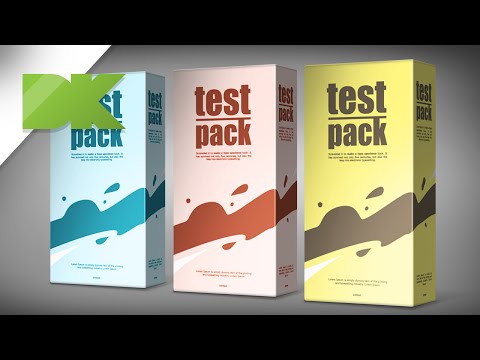
Create a realistic 3D preview of your packaging in Photoshop - Tutorial 20
ChannelDimitris KlonosDescription from the creator
This is a technique that helps you to present your designs to the client, without having to make mockups. You basically create your shadows and lights in layers on top of the design. This way you can have many design previews in one PSD file. I have also created a basic 3D model in illustrator, just to have the correct perspective in my design.
Download the ai and PSD files of this tutorial here:
megafileupload.com/en/file/614715/Archive-zip.h…
My blog:
dimitrisklonos.blogspot.gr/
Download the ai and PSD files of this tutorial here:
megafileupload.com/en/file/614715/Archive-zip.h…
My blog:
dimitrisklonos.blogspot.gr/
About this tutorial
Dimitris Klonos published this 17:38 video tutorial on November 10, 2015. It has been watched 183,197 times on YouTube.
- Channel
- Dimitris Klonos
- Category
- Education
- Duration
- 17:38
- Published
- November 10, 2015
- Views
- 183,197
- Likes
- 1,397
Tags
Share
This tutorial in other languages
- FRCréer un aperçu 3D réaliste de l'emballage dans Photoshop - Tutoriel 20
- ESCrear una vista preliminar real en 3D de su envasado en Photoshop - Tutorial 20
- PTCriar um realista visualização em 3D de sua embalagem em Photoshop - Tutorial 20
- ITCreare una realistica anteprima 3D del vostro imballaggio in Photoshop - Tutorial 20
- DEErstellen Sie eine realistische 3D-Vorschau Ihrer Verpackung in Photoshop - Tutorial 20
- NLMaak een realistische 3D voorbeeld van uw verpakkingen in Photoshop - Tutorial 20
- RUСоздание реалистичной 3D-просмотра вашей упаковки в Photoshop - Урок 20
- PLStworzyć realistyczny 3D podgląd opakowaniu w programie Photoshop - Tutorial 20
- JAチュートリアル20 - Photoshopであなたのパッケージのリアルな3Dプレビューを作成します。
- ARإنشاء معاينة 3D واقعية من التعبئة والتغليف الخاصة بك في برنامج فوتوشوب - دروس 20
- HIPhotoshop में अपनी पैकेजिंग के एक यथार्थवादी 3D पूर्वावलोकन बनाएँ - ट्यूटोरियल 20
- IDBuat preview 3D yang realistis dari kemasan Anda di Photoshop - Tutorial 20