Playback starts YouTube’s embedded player (privacy-enhanced mode).
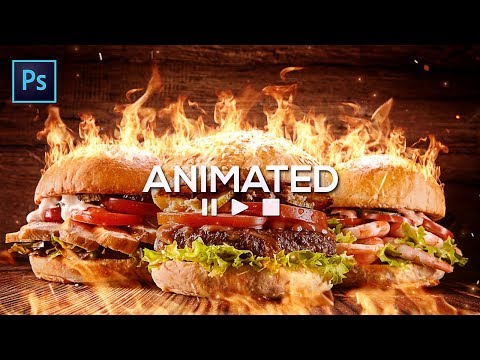
Fire Effect Photoshop Tutorial | Fire Any Photo with these ANIMATED flames!
ChannelPixivuDescription from the creator
👇 My best AI prompts, exclusive prompt generators, and creative tools are all here
pixvu.net
For years, my content has been about helping you create better visuals and find smarter ways to turn an idea into something real. That has not changed. What has changed is the creative landscape around us, and it is changing faster than ever.
AI can now help create images, concepts, effects, audio, video, and entire creative workflows in a fraction of the time. But speed alone does not make something good. The quality still comes from the person behind the tool: the idea, the taste, the direction, the decisions, and knowing how to turn an imperfect result into something worth keeping. As AI becomes more accessible, those creative skills matter even more.
That is why this channel is moving in a new direction, and why I built Pixvu. I want to focus on the part of AI that actually matters in real creative work: better ideas, stronger results, more control, and less wasted time. Pixvu brings that into one place with carefully crafted prompts, exclusive prompt generators, AI creation tools, and a growing creative workspace designed to help turn a rough idea into something much closer to what you imagined. The goal is simple: use AI to reduce the trial and error, not the creativity, so more of your time goes into making the work better instead of fighting the tools.
I see this as a new chapter, not a reset. Everything we have learned about visuals, composition, detail, quality, and creative problem-solving still matters. We simply have a much more powerful set of tools in front of us now. I want to explore them seriously, find what genuinely works, and share what I learn along the way.
If you are excited about where creative work is heading, I would love for you to join us on pixvu.net and be part of what comes next.
pixvu.net
For years, my content has been about helping you create better visuals and find smarter ways to turn an idea into something real. That has not changed. What has changed is the creative landscape around us, and it is changing faster than ever.
AI can now help create images, concepts, effects, audio, video, and entire creative workflows in a fraction of the time. But speed alone does not make something good. The quality still comes from the person behind the tool: the idea, the taste, the direction, the decisions, and knowing how to turn an imperfect result into something worth keeping. As AI becomes more accessible, those creative skills matter even more.
That is why this channel is moving in a new direction, and why I built Pixvu. I want to focus on the part of AI that actually matters in real creative work: better ideas, stronger results, more control, and less wasted time. Pixvu brings that into one place with carefully crafted prompts, exclusive prompt generators, AI creation tools, and a growing creative workspace designed to help turn a rough idea into something much closer to what you imagined. The goal is simple: use AI to reduce the trial and error, not the creativity, so more of your time goes into making the work better instead of fighting the tools.
I see this as a new chapter, not a reset. Everything we have learned about visuals, composition, detail, quality, and creative problem-solving still matters. We simply have a much more powerful set of tools in front of us now. I want to explore them seriously, find what genuinely works, and share what I learn along the way.
If you are excited about where creative work is heading, I would love for you to join us on pixvu.net and be part of what comes next.
About this tutorial
Pixivu published this 10:18 video tutorial on November 5, 2019. It has been watched 74,419 times on YouTube.
Tags
Share
This tutorial in other languages
- FRFeu Effet Photoshop Tutorial | Feu toute photo avec ces flammes Animez-vous!
- ESEfecto Fuego Tutorial Photoshop | Cualquier disparar fotos con estas llamas animado!
- PTEfeito Fogo no Photoshop | Disparar alguma foto com estas chamas ANIMADO!
- ITEffetto fuoco Tutorial Photoshop | Fuoco qualsiasi foto con queste fiamme animato!
- DEFire Effect Photoshop Tutorial | Feuer jedes Foto mit diesen BELEBT Flammen!
- NLFire Effect Photoshop Tutorial | Vuur niet Foto met deze interactieve vlammen!
- RUОгонь Эффект Photoshop Учебник | Огнь любого фото с этим анимированным пламенем!
- PLOgień Effect Photoshop Tutorial | Ogień dowolne zdjęcie z tymi animowany płomieniach!
- JA火災効果Photoshopのチュートリアル|これらANIMATED炎に任意の写真を発射!
- ARتأثير النار دروس فوتوشوب | إطلاق أي صور مع هذه النيران يحيي!
- HIआग प्रभाव फ़ोटोशॉप ट्यूटोरियल | इन एनिमेटेड आग की लपटों के साथ कोई भी फोटो फायर!
- IDApi Efek Photoshop Tutorial | Api Setiap Foto dengan ini api ANIMATED!