Playback starts YouTube’s embedded player (privacy-enhanced mode).
How to Convert Image into Vector in Photoshop
ChannelPhotoshop Tutorials by Layer LifeDescription from the creator
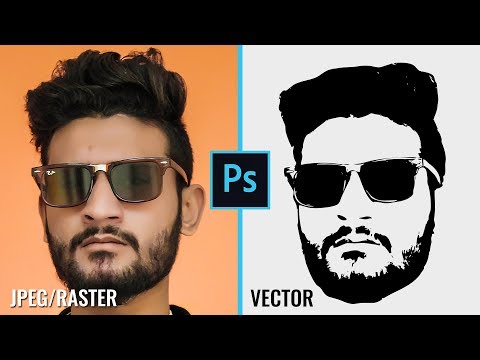
I will show you how to convert your image into Vector in Photoshop. Your photo can be a JPEG raster image. Vector images lets you make it as big as you want without any pixelation. They work great with logos, t shirt designs, and other things for printing. You can also add the vector as a Custom Shape in Photoshop which lets you add the design easily.
If you have any questions or need help then comment below.
Like & Subscribe!
Photos:
pexels.com/photo/man-wearing-black-notched-lape…
pexels.com/photo/body-of-water-1874421/
If you have any questions or need help then comment below.
Like & Subscribe!
Photos:
pexels.com/photo/man-wearing-black-notched-lape…
pexels.com/photo/body-of-water-1874421/
About this tutorial
Photoshop Tutorials by Layer Life published this 10:03 video tutorial on October 27, 2019. It has been watched 56,960 times on YouTube.
- Category
- Education
- Duration
- 10:03
- Published
- October 27, 2019
- Views
- 56,960
- Likes
- 619
Tags
Share
This tutorial in other languages
- FRComment convertir l'image en vecteur dans Photoshop
- ESCómo convertir en imagen vectorial en Photoshop
- PTComo converter imagem em vetor no Photoshop
- ITCome convertire un'immagine in vettoriale in Photoshop
- DEWie Konvertieren von Bild in Vektor in Photoshop
- NLHoe kan ik beeld om te zetten in Vector in Photoshop
- RUКак конвертировать изображения в векторные в Photoshop
- PLJak konwertować obraz do wektora w Photoshopie
- JAPhotoshopでVectorに画像を変換する方法
- ARكيفية تحويل صورة إلى ناقل في فوتوشوب
- HIमें फ़ोटोशॉप वेक्टर में छवि में कनवर्ट करने के लिए कैसे
- IDCara Mengkonversi Gambar ke Vector di Photoshop