Playback starts YouTube’s embedded player (privacy-enhanced mode).
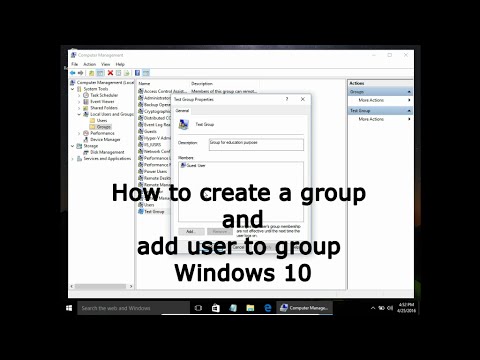
How to create a group and add user to group Windows 10
ChannelLeszek BurdaDescription from the creator
Creating a Local Group and Adding a User Windows 10
To create new group open Computer Management and Local Users and Groups. Right click on Groups and New Group. Type group name and description. If you want to add users to that group click Add... Now you can type username you want to add to the group, and click check names. If you do not know username click Advanced... and Find now. Here you have users and groups you can add to the group. Choose a user click add and create. That is it, you just create a group with a user.
youtube.com/c/LeszekBurda
itesbjerg.com
About this tutorial
Leszek Burda published this 1:50 video tutorial on October 26, 2016. It has been watched 107,225 times on YouTube.
- Channel
- Leszek Burda
- Category
- Education
- Duration
- 1:50
- Published
- October 26, 2016
- Views
- 107,225
- Likes
- 497
Tags
Share
Further reading
-
How to create new groups and users in Windows? – SecureAPlus ...
support.secureaplus.com
Follow these instructions to create new groups and users in Windows: Create a new group in Windows. Go to Control Panel > Administrative Tools > Computer Management; Navigate to Local Users and Groups under Computer Man…
-
Add or Remove User from Group in Windows 10
winaero.com
To add users to a group in Windows 10, do the following. Press Win + R shortcut keys on your keyboard and type the following in the run box: lusrmgr.msc. This will open the Local Users and Groups app. Click on Groups on…
-
How to Add a User to a Group on Windows: 15 Steps (with Pictures)
wikihow.com
This wikiHow teaches you how to add a new user to a user group on a Windows computer. Adding a user to a group will apply all the group settings and permissions to the added user account. Open your computer's Start menu…
This tutorial in other languages
- FRComment créer un groupe et ajouter un utilisateur à groupe Windows 10
- ESCómo crear un grupo y agregar el usuario al grupo de Windows 10
- PTComo criar um grupo e adicionar usuário ao grupo Windows 10
- ITCome creare un gruppo e aggiungere utente al gruppo di Windows 10
- DEWie eine Gruppe erstellen und fügen Sie Benutzer zu einer Gruppe 10 von Windows
- NLHoe maak je een groep aan te maken en toe te voegen gebruiker aan de groep Windows 10
- RUКак создать группу и добавить пользователя в группу Windows 10
- PLJak utworzyć grupę i dodać użytkownika do grupy systemu Windows 10
- JAどのようにWindowsの10のグループを作成し、グループにユーザーを追加します
- ARكيفية إنشاء مجموعة وإضافة المستخدم إلى مجموعة Windows 10
- HIकैसे एक समूह बना सकते हैं और समूह में उपयोगकर्ता जोड़ने के लिए Windows 10
- IDCara membuat grup dan menambahkan pengguna ke grup Windows 10