Playback starts YouTube’s embedded player (privacy-enhanced mode).
How to Create Custom Functions (UDFs) in Excel with VBA
ChannelExcel Campus - JonChapters
Description from the creator
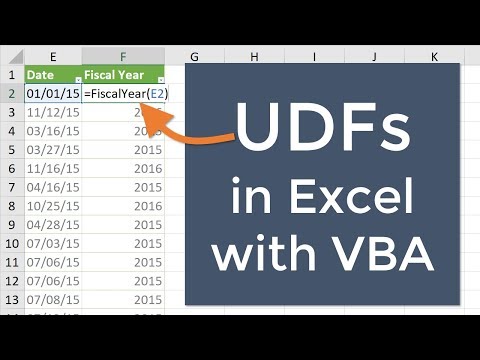
In this video I explain how to write UDFs (User Defined Functions) for Excel in VBA. UDFs allow us to create custom functions that can be used in formulas. If a function doesn't exist in Excel, then we can write our own to perform calculations.
For this example I show how to create a function that calculates the fiscal year based on a date. There is not fiscal year function built into Excel, so we write our own with VBA.
I also explain the pros and cons of UDFs. It's important you know where to store the code for the UDF, especially when sending files to other users, and I explain everything you need to know in the video.
Additional Resources:
🎦 How to Copy/Import VBA Code To Another Workbook: youtube.com/watch?v=ett0WiTfQuI
🎦 How to Create a Personal Macro Workbook (playlist): youtube.com/playlist?list=PLKbOx3gUV_E_tY-0oSzM…
🎦 How to Enable the Developer Tab in Excel: youtu.be/JLQ8OuW0FlY
📄 18 Shortcuts for VBA: excelcampus.com/vba/excel-vba-macro-shortcuts/
00:00 Introduction
00:10 UDFs
00:55 VBA Editor
About this tutorial
Excel Campus - Jon published this 15:15 video tutorial on October 26, 2019. It has been watched 79,836 times on YouTube.
- Channel
- Excel Campus - Jon
- Category
- Education
- Duration
- 15:15
- Published
- October 26, 2019
- Views
- 79,836
- Likes
- 634
Tags
Share
Further reading
-
Excel USER Defined Function with VBA (UDF) - The Step by Step ...
excelchamps.com
Note 1.1 Here I’ll be using the words User Defined Function, custom function, and UDF interchangeably. So stay with me you are going to be a VBA rock star in next couple of minutes. Note 1.2 To create a code for the VBA…
-
Creating (Custom) User Defined Functions (UDFs) - Automate Excel
automateexcel.com
The function procedures that you write in VBA are used in a similar fashion to the built-in function and are known as User Defined Functions (UDFs). Why create a UDF? Required Function Missing. One of the main reasons f…
-
How to Write User Defined Functions (UDFs) in Excel with VBA
excelcampus.com
When you create your own custom function for Excel, it's called a UDF, a User Defined Function. One example of a function that is not included in Excel is a function that returns the fiscal year. There are many ways to…
This tutorial in other languages
- FRComment créer des fonctions personnalisés (FDU) dans Excel avec VBA
- ESCómo crear funciones personalizadas (UDF) en Excel con VBA
- PTComo criar funções personalizadas (UDFs) no Excel com VBA
- ITCome creare funzioni personalizzate (UDF) in Excel con VBA
- DEWie Erstellen von benutzerdefinierten Funktionen (UDF) in Excel mit VBA
- NLHoe maak je aangepaste functies (UDF) maken in Excel met VBA
- RUСоздание пользовательских функций (UDF) в Excel с помощью VBA
- PLJak tworzyć funkcje niestandardowe (UDF) w programie Excel z VBA
- JAVBAとExcelでカスタム関数(UDF)を作成する方法
- ARكيفية إنشاء وظائف مخصصة (UDFS) في Excel مع VBA
- HIकैसे VBA के साथ एक्सेल में कस्टम फ़ंक्शन (UDFs) बनाने के लिए
- IDCara Membuat Custom Fungsi (UDFS) di Excel dengan VBA